
Using Revise Rules, you can define conditions under which the extension should send the changes made to your items to Kaufland.
✅ Once the Revise Conditions are enabled, the extension starts monitoring the changes in the relevant Policies and Magento Attributes. This means you will spend less time and effort on processing product updates. Instead, you will get more flexibility and accuracy in inventory synchronization.
Revise Conditions #
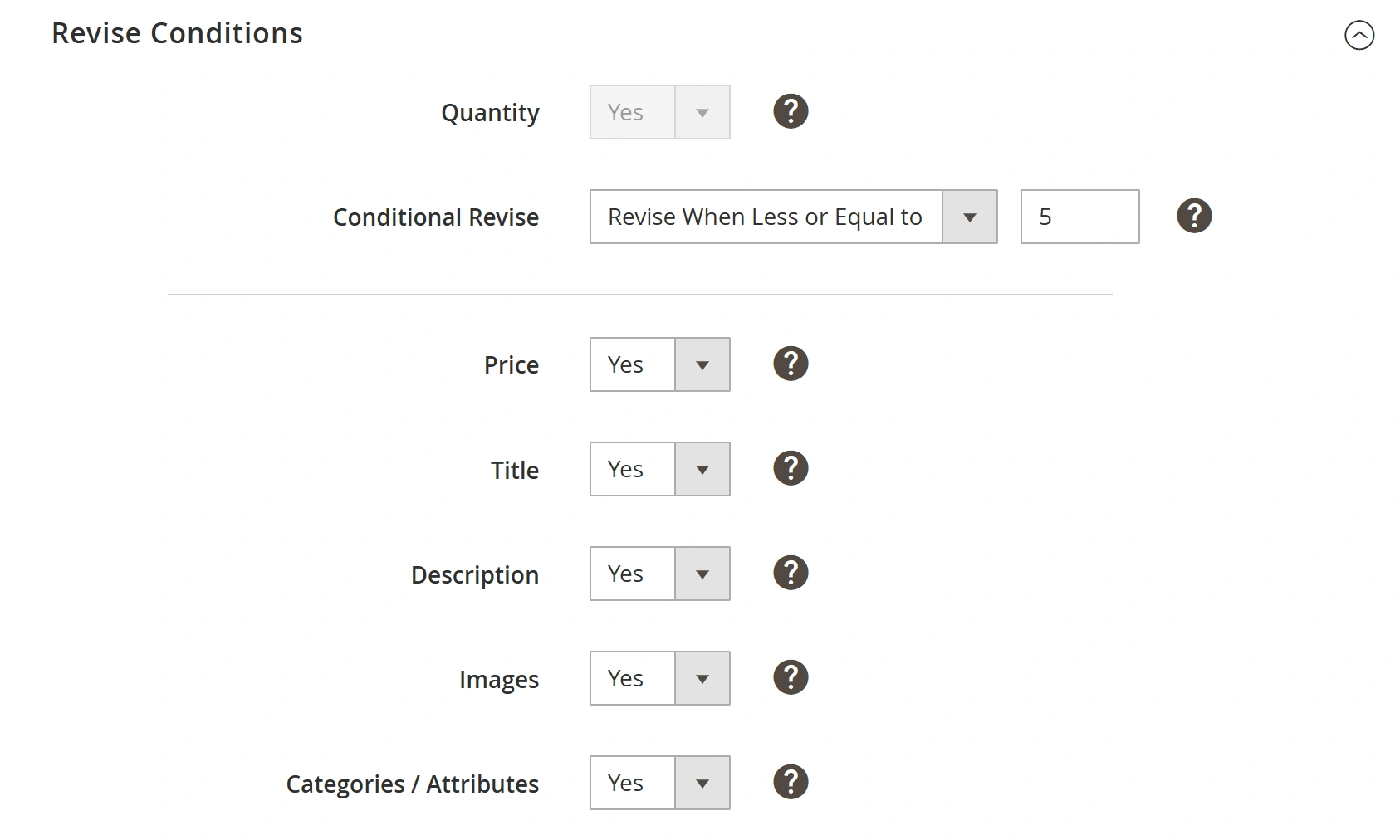
- Quantity – automatically revises item quantity on Kaufland when Product Quantity, corresponding Magento Attribute, or Custom Quantity values are modified in Magento or Selling Policy. This option is permanently enabled in Revise Rules and cannot be switched off.
- Conditional Revise – it is strongly recommended to enable this option to prevent an excessive impact on system performance. You can provide the minimum quantity value to trigger the Item Revise in a separate field.
The Item Revise will be triggered once the quantity in Magento or Kaufland becomes less than the specified minimum quantity value. It is recommended that this value be kept relatively low, between 10 and 20 items.
When Conditional Revise is disabled, the extension will update even the tiniest QTY changes for the Items with high stock levels (e.g., from 515 to 514), which are unreasonable and time-consuming. At the same time, more important changes (e.g., from 1 to 0) for another Item will be placed in a queue instead of an immediate update.
ℹ️ If you synchronize your Magento inventory with the suppliers' stock, which is often changed, enabling Conditional Revise is critically important.
⚠️ Manual Revise updates full item data regardless of Revise Rules settings in Synchronization Policy.
- Price – automatically revises item price on Kaufland when Product Price, Special Price, or Magento Attribute used for item price is modified in Magento or Selling Policy.
- Title - automatically revises Item Title on Kaufland when Product Name, Magento Attribute used for Item Title, or Custom Title value are modified in Magento or Description Policy Template.
- Description - automatically revises Item Description on Kaufland whenever Product Description or Custom Description values are updated in Magento or Description Policy Template.
- Images - automatically revises Item Images on Kaufland when Product Image(s) or Magento Attribute used for Product Image(s) are modified in Magento or Description Policy Template.
- Categories/Attributes - automatically updates item categories and attributes on Kaufland whenever Categories/Attributes configurations or the Magento attributes used for them are changed.


