
More markets to sell in, fewer manual steps in your order flow, and improved control over your prices on Mirakl channels – that's what's landed for M2E Pro and M2E Connect extensions. Below, we’ll cover each update in detail and how to put it to work.
What’s new in M2E Pro #
Track FBM Ship+ Amazon orders #
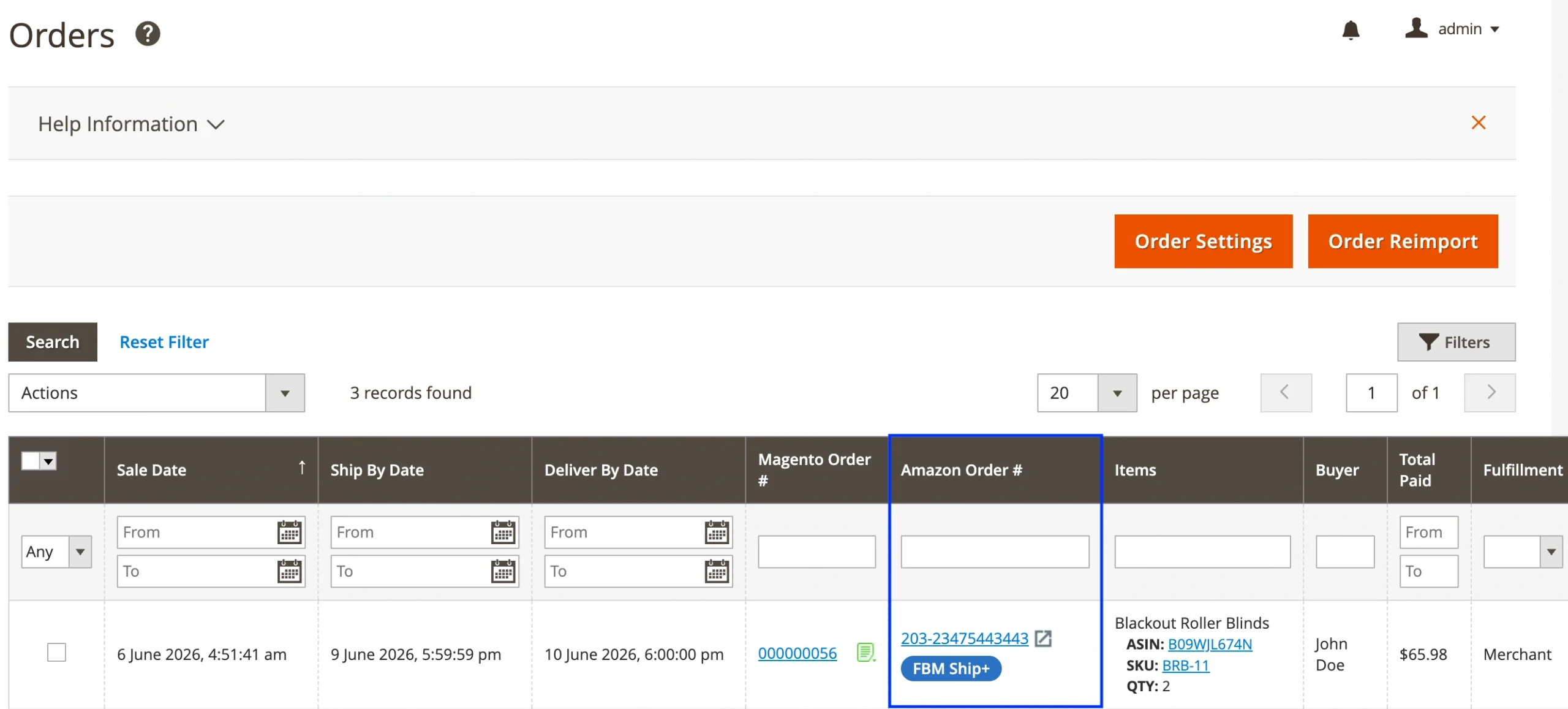
If you use the FBM Ship+ fulfillment solution, M2E Pro can now track those orders for you.
FBM Ship+ orders are marked with a dedicated badge in two places: the Amazon Orders grid and the Order Details page. You can also filter the grid to show only FBM Ship+ orders, which makes it easier to keep them separate from the rest of your Amazon orders.
View Amazon order return details #
Handling Amazon return requests is now more reliable, so you won't lose track of a buyer's request.
When a buyer submits a return request and Amazon approves it, M2E Pro imports it to the Items column of the Amazon Orders grid. It also adds a note in two spots: as a custom note on the Amazon order itself, and in your Magento order notes. The note includes the return reason and the tracking ID, so you have the details you need without leaving the extension.

What's new in M2E Connect #
Sell on new TikTok Shop EU markets #
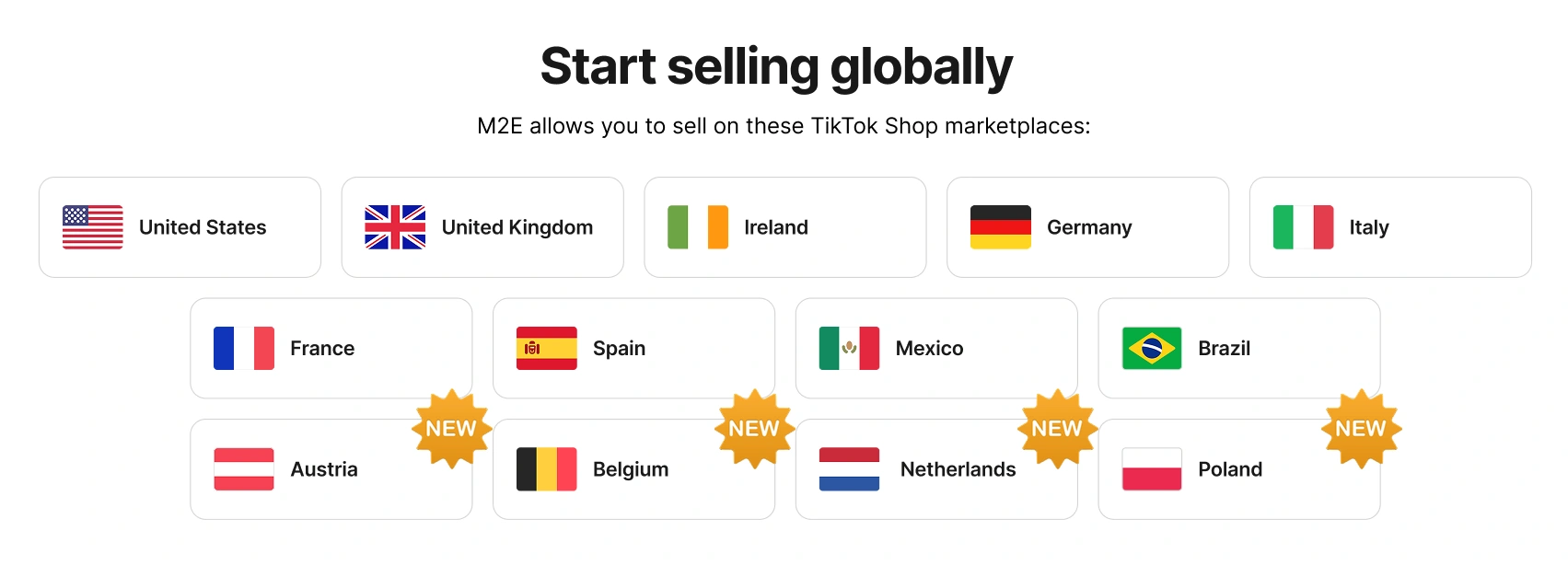
TikTok Shop has opened to merchants in four more European countries: Austria, Belgium, the Netherlands, and Poland.
If you already sell on TikTok Shop through M2E, you can extend your reach to these new markets right away. Connect your accounts, manage inventory and orders, and list products just as you do with other regions.
Set TikTok Shop categories from your Magento categories #
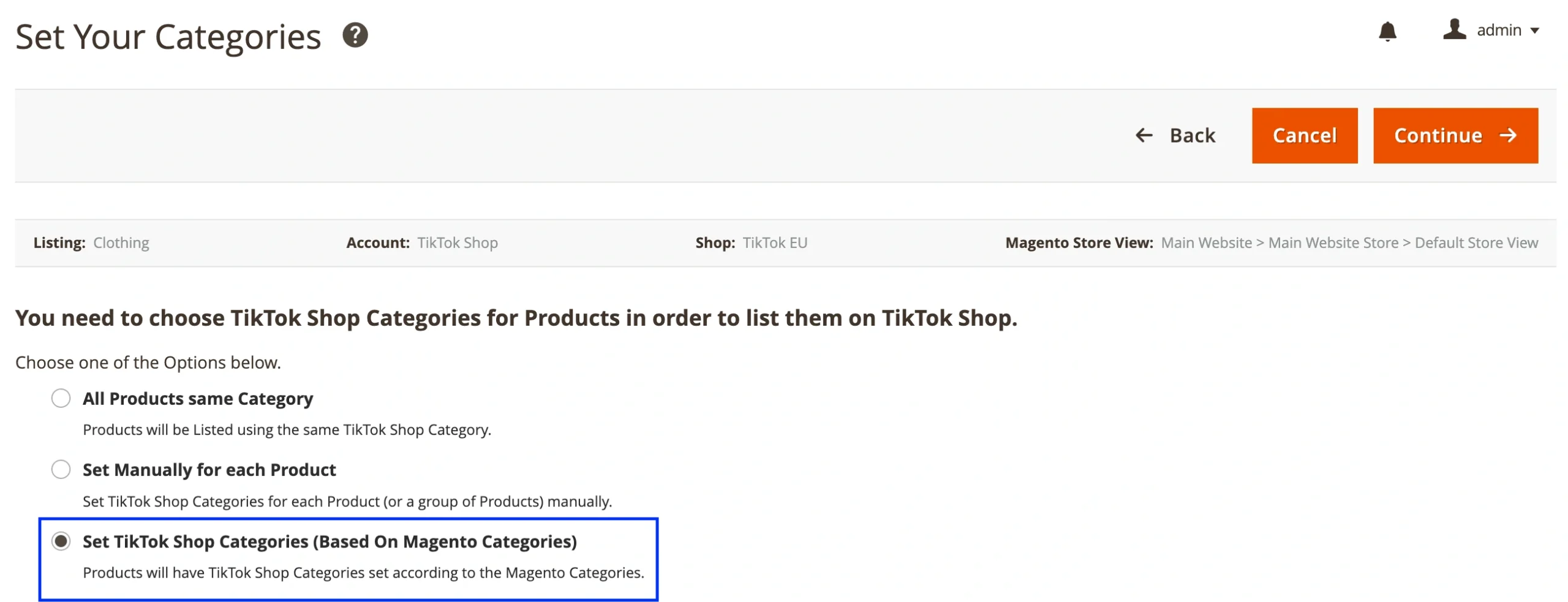
When you add Magento products to the Listing, you can set a TikTok Shop category for each product individually, or apply one category to all of them. We’ve added another option which works best if you're listing a large number of products across different categories.
At the step where you define categories, you can now set the TikTok Shop categories based on your Magento categories. M2E Connect saves the mapping, so the products you list later are categorized automatically.
Set channel-specific price modifications for Mirakl #
Commission rates, shipping costs, and competing offers differ from one Mirakl channel to another, so a single price won't always suit every channel. M2E Connect now lets you adjust how the price appears on each Mirakl channel compared to your base price.
To adjust the pricing per channel:
- Click Add Price Modification in the Price section of your Selling Policy.
- Select which Mirakl channel the modification applies to.
- Set the modification, either a fixed amount or a percentage increase/decrease.
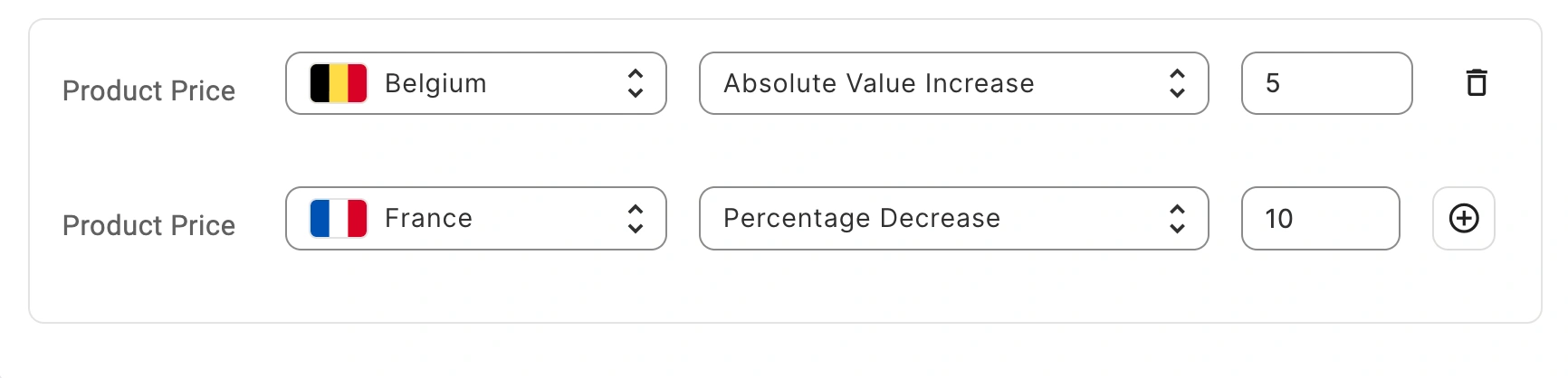
You can add multiple modifications by clicking the plus icon, and a single channel can have more than one modification.
Set a discount price for Mirakl channels #
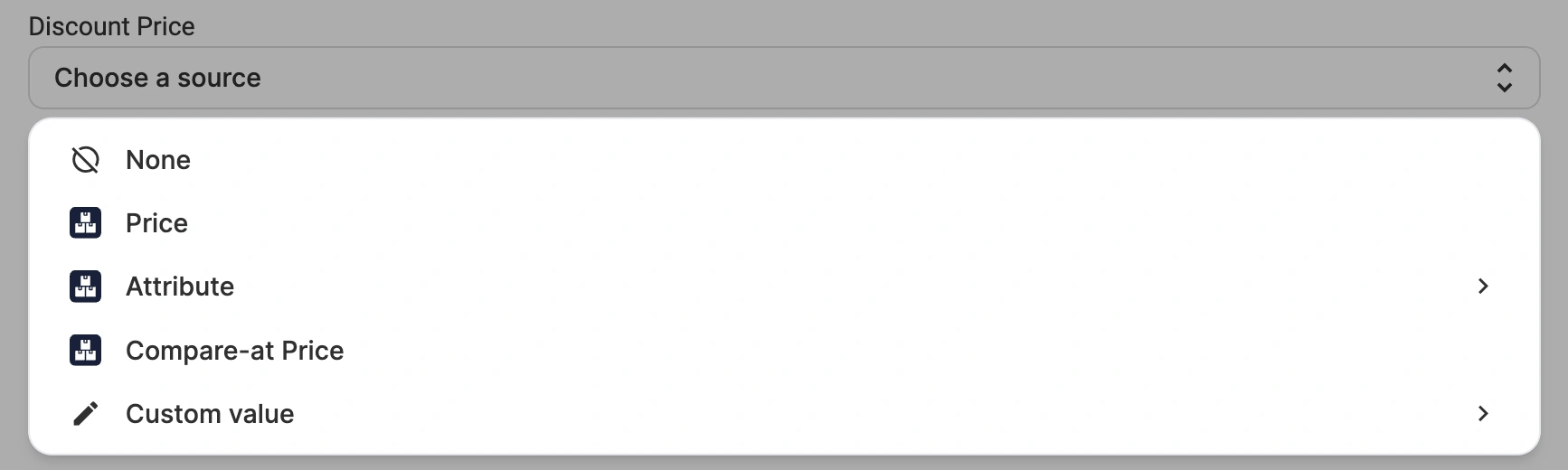
You can now submit a discounted price for your Mirakl listings. It will be displayed next to the regular price to make the savings clear to buyers and your offers more appealing.
In your Selling Policy, choose the source M2E Connect should pull the discount value from, for example, a Magento attribute, or a fixed amount you set.
ℹ️ One rule to keep in mind: the discount price has to be lower than the regular price. If it matches or exceeds the channel's unit price, M2E Connect won't send it to your Mirakl channels.
More updates are on the way. In the meantime, upgrade your extensions to the latest version and take advantage of the new features. If you need guidance setting them up or have questions, our support team is ready to help.


