
M2E Multichannel Connect is a native Magento (Adobe Commerce) extension that allows businesses to manage all their M2E Magento integrations in one place.
The extension makes it easy to scale and optimize the multichannel strategy from a unified, centralized solution within Magento.
Basic requirements #
First, download and install M2E Multichannel Connect from the Adobe Commerce (Magento) Marketplace.
To use M2E Multichannel Connect, ensure that you have M2E Pro and/or M2E Connect extensions installed in your Magento system.
Step 1. Access M2E Multichannel Connect #
In your Adobe Commerce (Magento) admin panel, navigate to the Multichannel tab. When clicking on this tab, you will see a Dashboard with an overview of all available marketplace integrations.
Step 2. Explore the Dashboard #
The Dashboard provides a structured view of all available integrations. Installed integrations appear with a green checkmark, so you can easily identify which marketplaces are active and which are available for setup.

Step 3. Unify M2E integrations in one menu #
With the M2E Multichannel Connect app, you can manage all active integrations from a single section in your Magento admin panel. This unified view helps you save time and keep your daily workflows better organized.
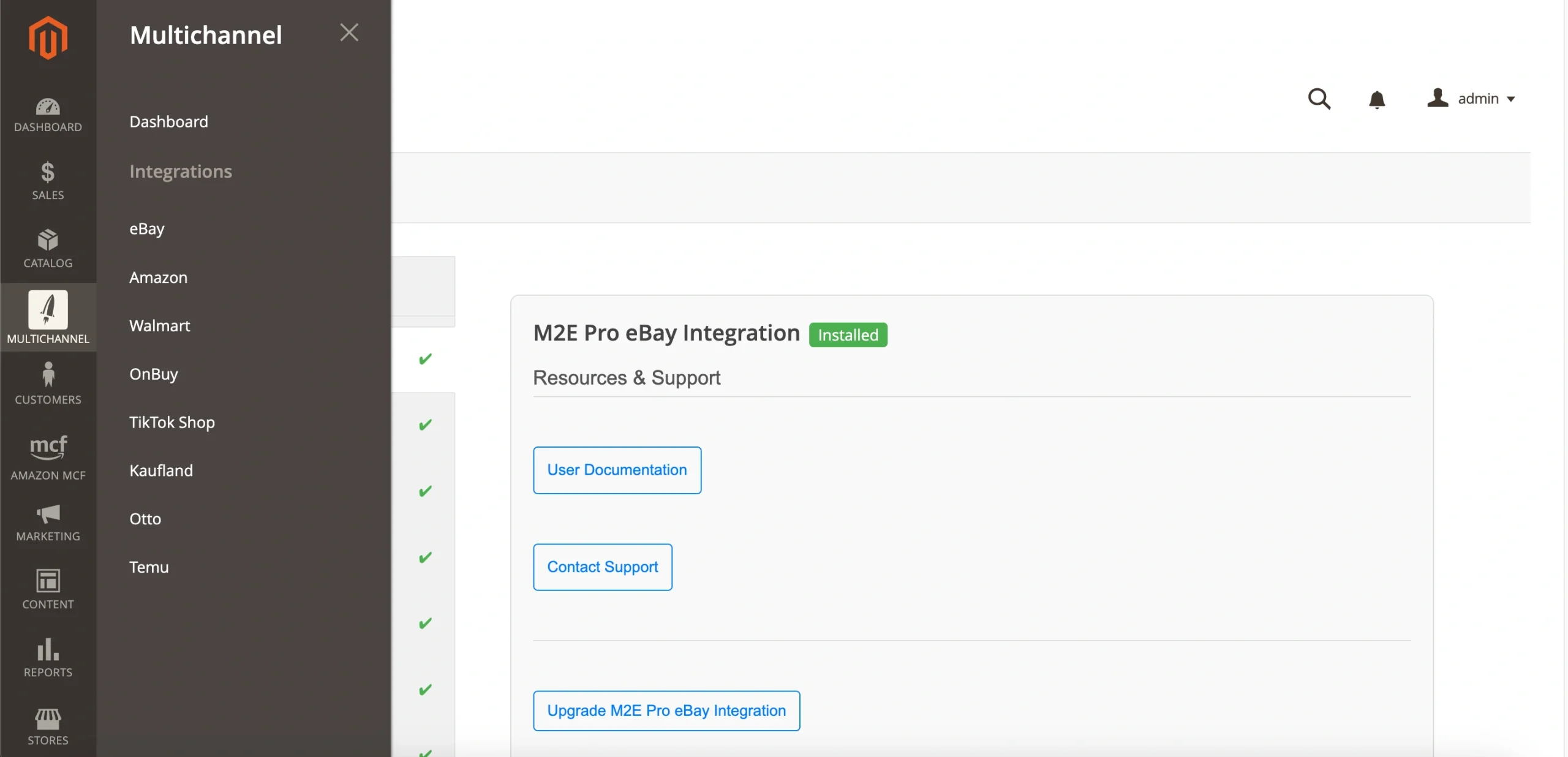
To enable it, go to the Dashboard page and switch on the Unify Integrations toggle.

Step 4. Manage installed integrations #
Clicking on an already installed integration will open a detailed management page. There, you will find links to documentation, the support portal, and the Adobe Commerce (Magento) Marketplace for upgrades or additional resources.
Step 5. Explore uninstalled integrations #
If an integration is not yet installed, selecting it will open an information page. There, you will find a brief overview of the integration, as well as links to documentation, the support portal, and the Adobe Commerce (Magento) Marketplace to install the extension.


