
Under eBay Integration > Sales > Orders, you can manage imported Channel Orders manually via the mass Action(s) menu:
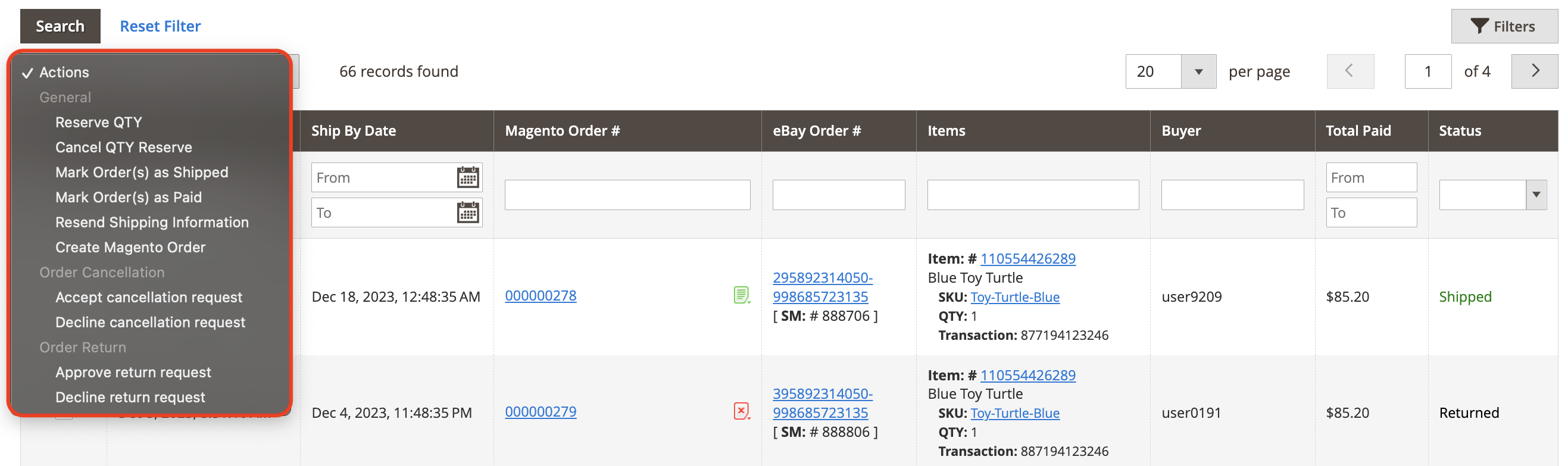
- Reserve QTY - reserves ordered quantity of product.
- Cancel QTY Reserve - cancels quantity reservation.
- Mark Order(s) as Shipped/Paid - changes Order(s) status to Shipped/Paid.
- Resend Shipping Information - sends shipping information again.
- Create Magento Order - creates Magento order(s) for the selected Channel order(s).
- Accept/Decline Cancellation Request - accept or decline order cancellation requested by the buyer.
- Approve/Decline Return Request - accept or decline order return requested by the buyer.
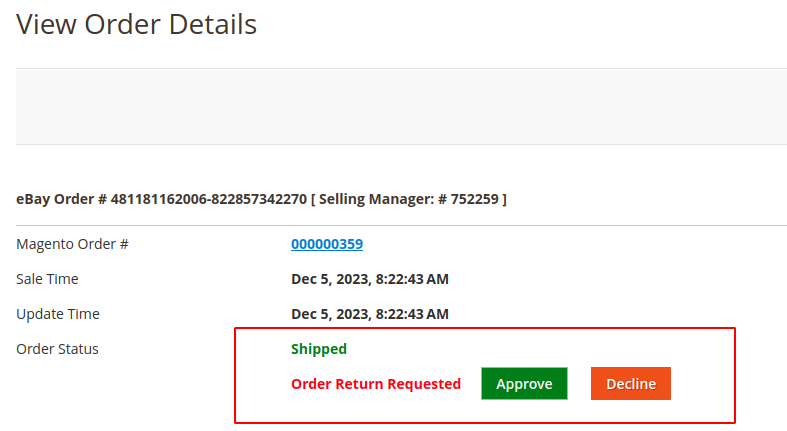
You can also approve or decline the return request for an individual eBay order on the Order Details page. Once the order return is approved, the order status will be updated to “Returned”.
On the Orders page, you can also:
- Filter and sort eBay Orders, for example, by their Status

- Or filter and sort eBay Orders by the Sale Date or Ship by Date values, specifying From and To dates

- Search by the particular parameter
For example, by eBay Item ID or by eBay Order number.
- View log records for a particular Order
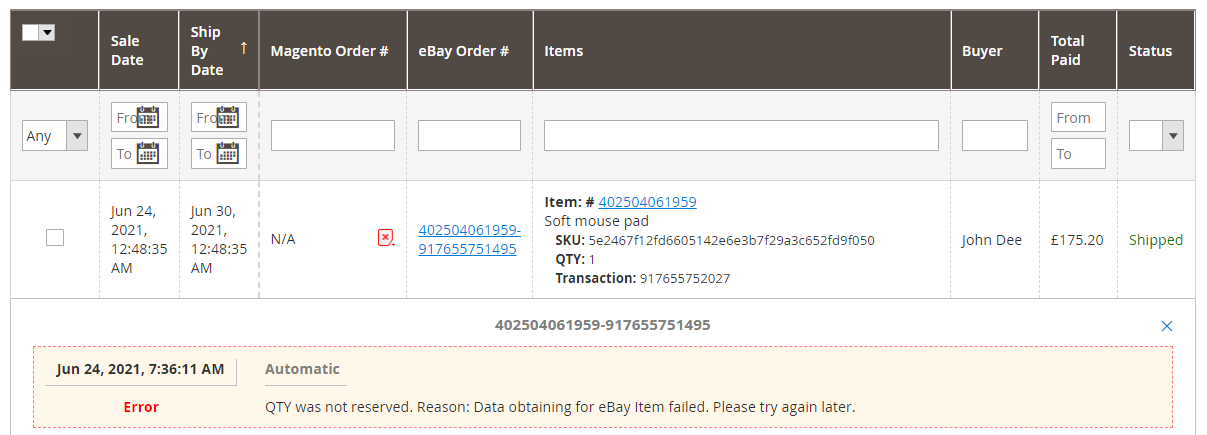
To view logs, click on an icon in the Magento Order number column. The icon varies depending on successful/unsuccessful action.
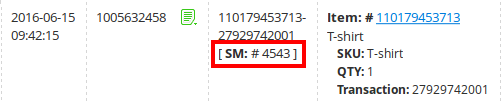
- Use a Selling Manager number of eBay order
You can use a Selling Manager number of each eBay order directly from the grid.
M2E Pro provides automatic order synchronization. Yet, there are cases when you may need to import your sales into M2E Pro manually. For that, click Order Reimport. In the opened pop-up, select the time frame to be processed. Confirm the action by clicking Reimport:

Read this article to learn when this option can be helpful and how to set it up.


