
A lot landed this month across M2E extensions. In M2E Pro, you get support for Amazon Multi-Location Inventory, plus important eBay deadlines to prepare for if you sell coins in the US or parts and accessories in the UK. And M2E Connect brings a set of improvements for sellers on Mirakl marketplaces. Here is the full breakdown.
What’s new in M2E Pro #
Support for Amazon Multi-Location Inventory #
When you store inventory across multiple Amazon warehouses, Amazon needs to know what's in stock at each location to show accurate delivery times. Without that, buyers see delivery promises that don't match reality, which can lead to missed deadlines, SLA violations, and even account suspension.
Amazon's Multi-Location Inventory feature solves this, but only if Amazon receives location-specific inventory from your store. M2E Pro now supports it and can send stock levels for each warehouse from Magento to Amazon. As a result, your Amazon listings show delivery times based on actual availability at each location.
ℹ️ Multi-Location Inventory is currently supported only for the Amazon US marketplace.
How to set it up:
1) Configure your ship-from locations (supply sources) in Amazon Seller Central if you haven't already.
2) Make sure Multi-Source Inventory (MSI) is enabled in your Magento.
3) Go to Amazon > Configuration > Accounts > Multi-Location Inventory and set up the mapping between Amazon locations and your Magento MSI sources.

Select an Amazon location for each Magento Inventory Source, and leave it as "None" for any source that shouldn't be used. This controls where inventory quantities are pulled from during synchronization.
4) In the M2E Selling Policy assigned to your Amazon US listings, open the Quantity settings and set the quantity to Use Multi-Location Inventory.

Once set up, product quantity is calculated based on your Magento Inventory Source and Amazon Location mapping.
If a product is supplied from several Magento sources, M2E Pro uses their combined quantity when listing, relisting, or revising the product. In the Amazon Listings grid, you can see the current quantity availability per location.
New condition requirements for eBay coin listings (US) #
If you sell collectible coins on eBay US, this one needs your attention before the deadlines.
eBay has introduced additional condition grading for collectible coin categories (Coins: US, World, Canada, Ancient, and Medieval). You will now need to provide condition details for both graded and raw coins listed on eBay. You can do it in the Condition section of your eBay Description Policy in M2E Pro.

New eBay listings must comply from early June, and existing listings from early July. Listings without condition information risk being blocked, hidden, or removed.
We strongly recommend that you update your affected coin listings ahead of the deadlines to keep them live.
New free returns requirement for eBay UK Parts & Accessories #
Another eBay change to be aware of, this time on the UK marketplace.
Starting 8 June, eBay UK is introducing Easy and Free Returns. Business sellers with eligible Parts & Accessories (P&A) listings will be required to offer at least 30-day free returns for change-of-mind returns. To soften the cost, eBay is also introducing a 50% subsidy on return labels purchased on eBay for these eligible returns.
Listings with non-compliant return policies will receive a warning first, and eBay will automatically adjust them to meet the new requirements. Starting from August, listings that still don't comply will be blocked.
To stay in control of your own settings, we recommend that you review and update your P&A Return Policies in M2E Pro now, rather than letting eBay adjust them for you. For more information, see our detailed blog post.
What's new in M2E Connect #
Map Magento categories to Mirakl categories #
When listing new products on Mirakl marketplaces, you can now map your Magento categories to the matching Mirakl categories. Set it up once, and every product you list afterward is assigned to the right Mirakl category automatically, based on your Magento category.
This will come especially in handy for large catalogs sorted into clear categories. You map each category once instead of assigning a category to every product individually.
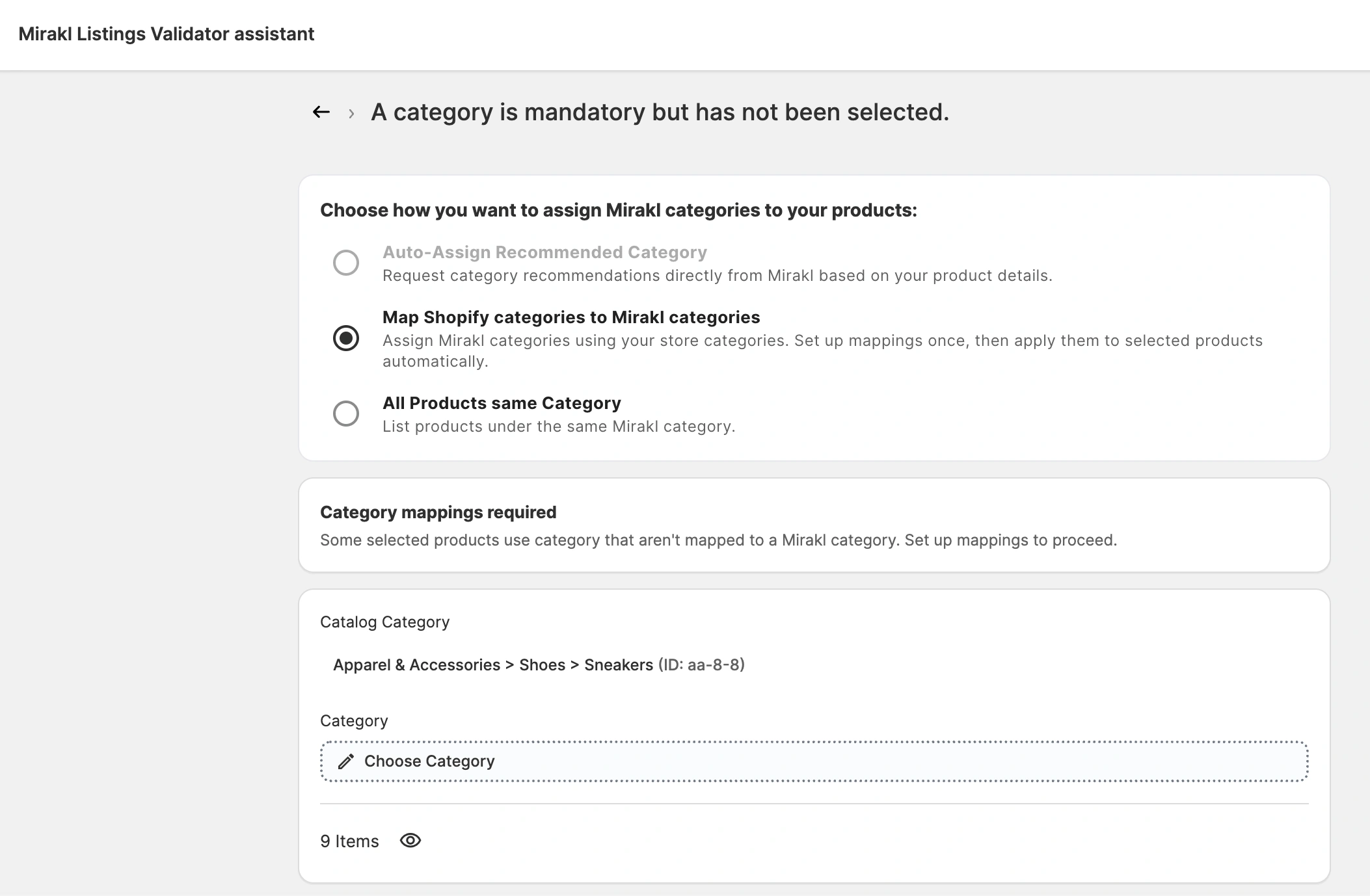
💡 See the detailed guide on how to set up the category mapping when listing products.
Map Magento attribute values to Mirakl's supported values #
Mirakl defines a fixed list of accepted values for many category attributes. If your Magento attribute value doesn't match exactly, the listing is rejected. For example, the guarantee value of "5" won’t be accepted because the marketplace expects "5 years."
If you’ve selected a Magento attribute as the source for a marketplace value but it didn’t match, you had to go back to your store to edit the value or change the attribute's source. Now you can resolve it directly during listing.
When you list a product, the M2E Listing Validator Assistant highlights the issue and offers a Map attribute values solution. You select the supported marketplace value that matches yours, and M2E saves the mapping. From then on, it's reused automatically – on your next listing attempts and when editing a category policy for a product.
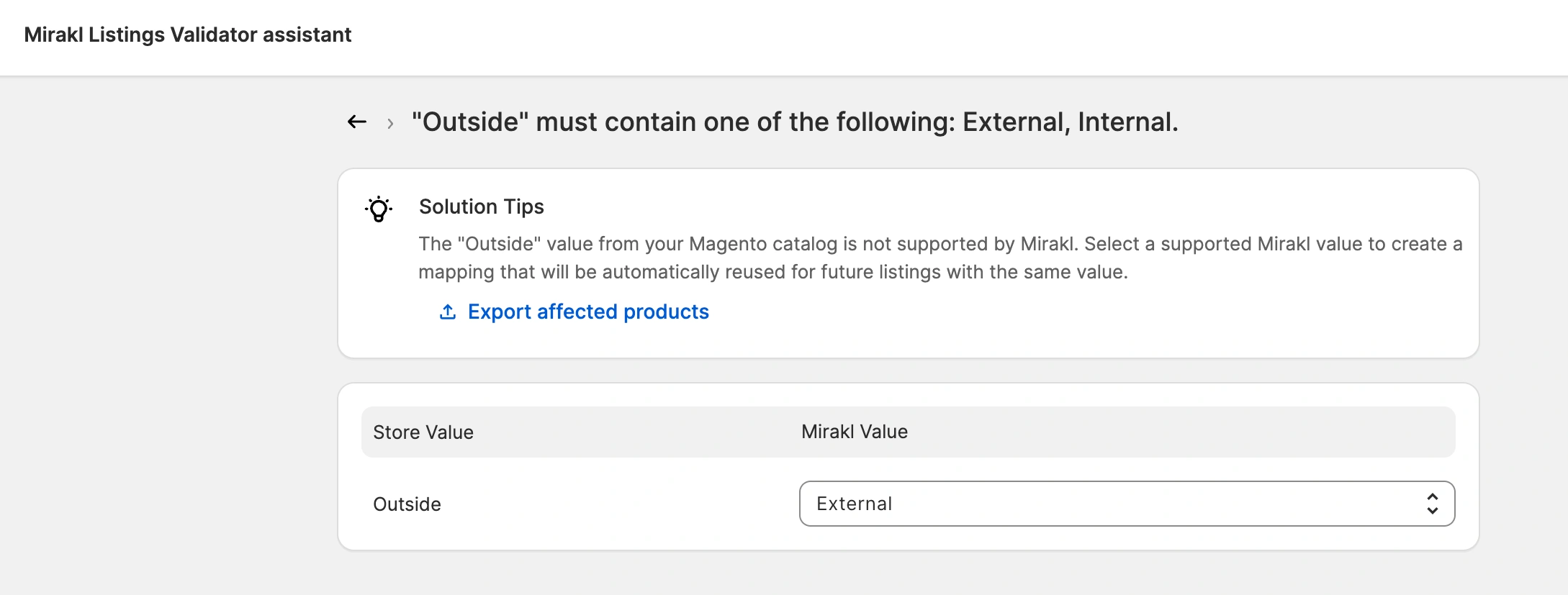
You can review or remove any saved mapping at any time under Settings > Mapping > Mirakl > Attribute Values.
Automate invoices for completed Mirakl orders #
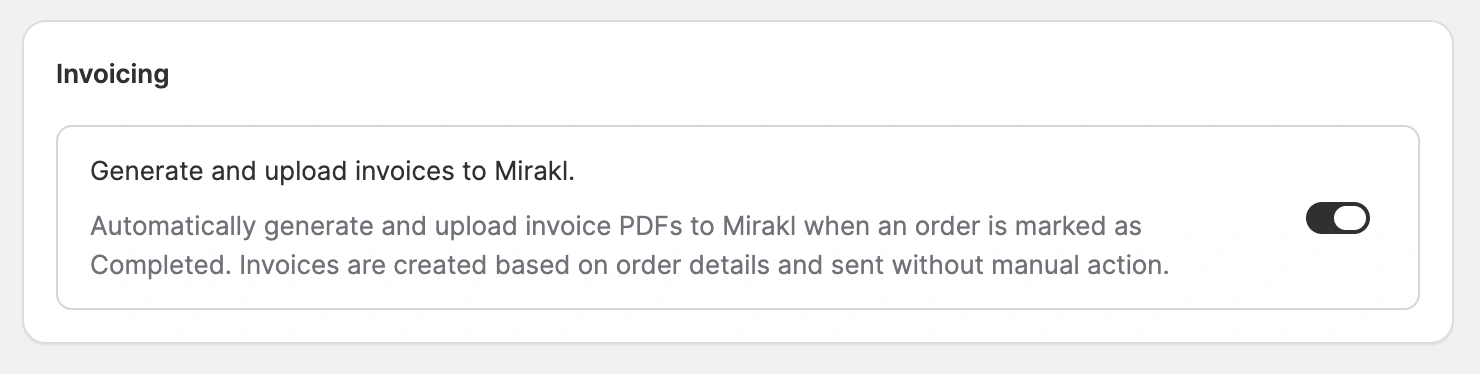
M2E can now generate invoices for your Mirakl orders automatically. As soon as an order is marked as Completed, M2E creates an invoice PDF from the Mirakl order details and uploads it to Mirakl. This way, every order stays properly invoiced for you and your buyer.
To enable automatic invoice upload, navigate to Settings > Orders > Mirakl > Invoicing:
Have questions or need help setting up your listings before the eBay deadlines? Our support team is always here for you.
Feel free to share feedback or feature ideas in the comments.


