
M2E Pro allows you to export your Amazon product data into a CSV file. This is an easy way to track inventory, review listing details and share them with your team, or prepare for Magento product export tasks.
Here’s how you can export your Amazon listings from M2E Pro:
Export all managed Amazon items #
To get a full list of Amazon products currently managed through M2E Pro, go to Amazon > Listings > Items > All Items. Click the Export button in the top-right corner of the grid. You’ll get a CSV file with all your Amazon listings.

Export items from a specific M2E Pro Listing #
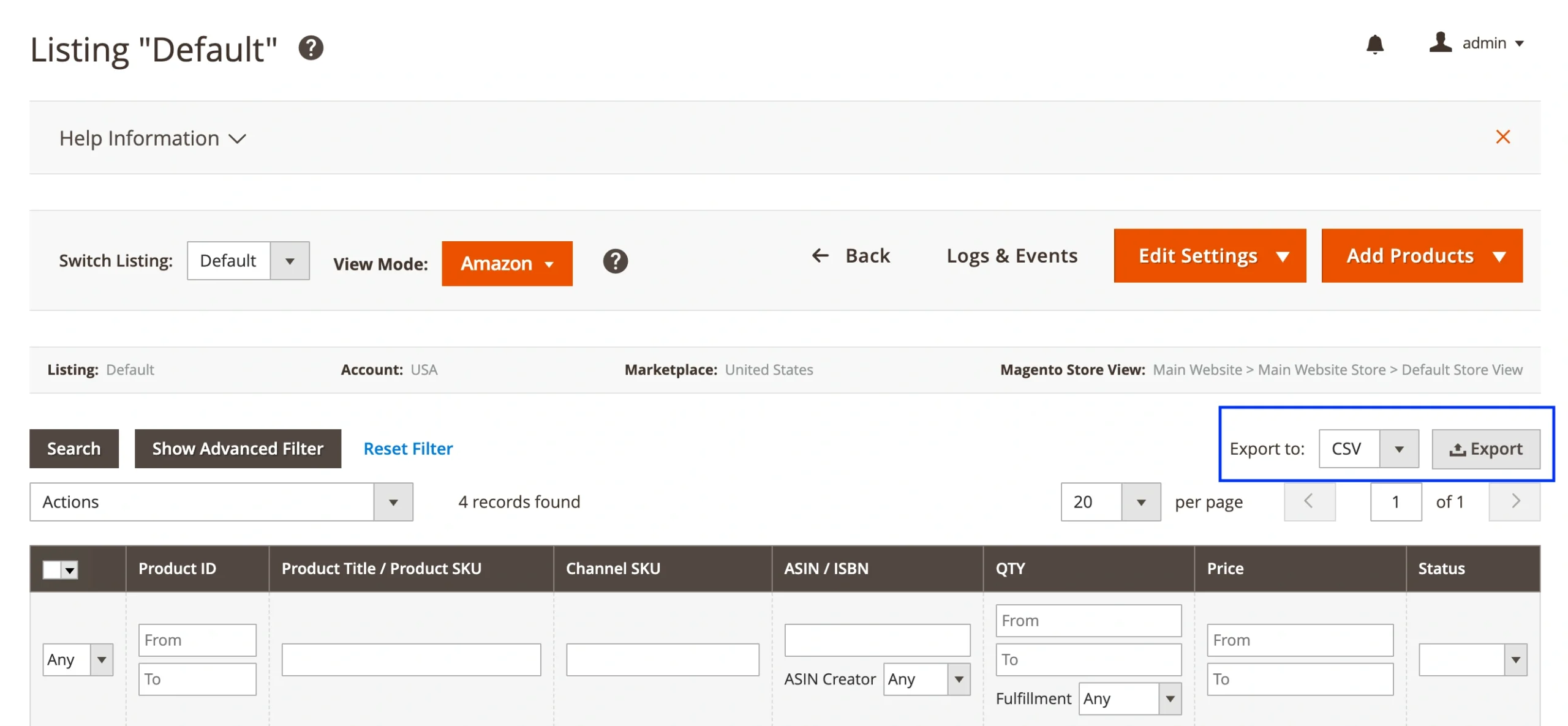
If you manage multiple M2E Pro Listings with Amazon products and only need data from one, go to Amazon > Listings > Items > Items by Listing. Open the listing you need and click the Export button.
Export unmanaged Amazon listings #
M2E Pro imports existing items from your Amazon accounts that haven’t been linked with your Magento products. These are called Unmanaged Items. To export them via CSV, navigate to Amazon > Listings > Items > Unmanaged Items and click the Export button.

By exporting these products to a CSV file, you can identify which ones need to be brought under M2E Pro management.
What’s inside the Amazon CSV file #
The exported file includes key product details in a simple format:
- Magento Product ID
- Product Title
- SKU
- Amazon ASIN / ISBN
- QTY
- Price
- Product Status
You can open the CSV file in Excel, Google Sheets, or other tools to review and share data. It also serves as a useful reference if you're planning to export Magento products or align Amazon listings with your internal catalog.


