
ℹ️ What’s new
As for common changes, this version includes an enhanced Inventory Tracker and the option to round Product Prices on Channels.
For Amazon integration, we’ve added the ability to map Product Type and Magento Attributes, as well as import Tax Registration Numbers for orders on Amazon Brazil marketplace.
Common changes #
Use enhanced Inventory Tracker [Beta] #
This version introduces an enhanced Inventory Tracker, which is an advanced mechanism designed to track inventory updates.
The Tracker guarantees efficient synchronization of the product price and quantity updates, whether they are made through a direct data insert into a database, CSV import, or Magento core algorithms.
You can enable the Inventory Tracker under Stores > Configuration > M2E Pro > Interface & Magento inventory and specify how often the Tracker should synchronize price and quantity updates.

Round Product Prices #
M2E Pro now allows you to round your Prices to convenient numbers like $9.99 or $10.00. This way, you can enhance customer experience with consistent and appealing prices and streamline financial reporting.
Find the Rounding option in your Selling Policy (eBay/Amazon/Walmart Integration > Configuration > Policies > Selling > Price) and select the amount at which you want to round the Price.
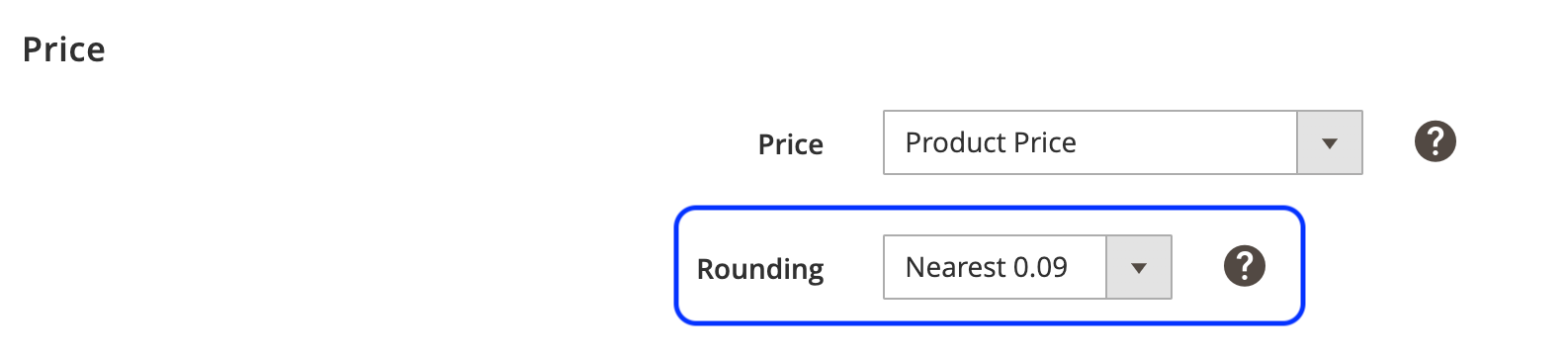
⚠️ If the Price Change is used, the Rounding will be applied to the final Price.
Amazon Integration #
Map Product Type and Magento attributes #
Configuring attributes for different Product Types can take plenty of time. To simplify this process for you, we’ve made it possible to set the correspondence between your Product Type and Magento attributes.
To link your attributes, navigate to Amazon Integration > Configurations > Settings > Attribute Mapping section. There, you can configure and save your attribute mappings as the default ones.

When creating a new Product Type, your saved attribute mappings will be applied automatically.
⚠️ The Attribute Mapping settings won’t affect your existing Product Types.
Use the Buy Shipping Service on more Amazon marketplaces #
With the transition to SP-API, Amazon has expanded the range of marketplaces supporting the Shipping Service tool.
M2E Pro is quick to react to changes, so now you can take advantage of the Amazon Buy Shipping Services on CA, US, MX, ES, UK, FR, DE, IT, TR, BR, and IN marketplaces.
Import Tax Registration Number to Amazon Brazil orders #
If you’re selling on Amazon Brazil marketplace, you may be required to provide a CPF tax number to process and ship orders properly.
Starting from this version, you can opt to import this Tax Registration Number for your Amazon Brazil orders in Magento. Find this setting under Amazon Integration > Configuration > Accounts > Orders > Order Tax Settings:
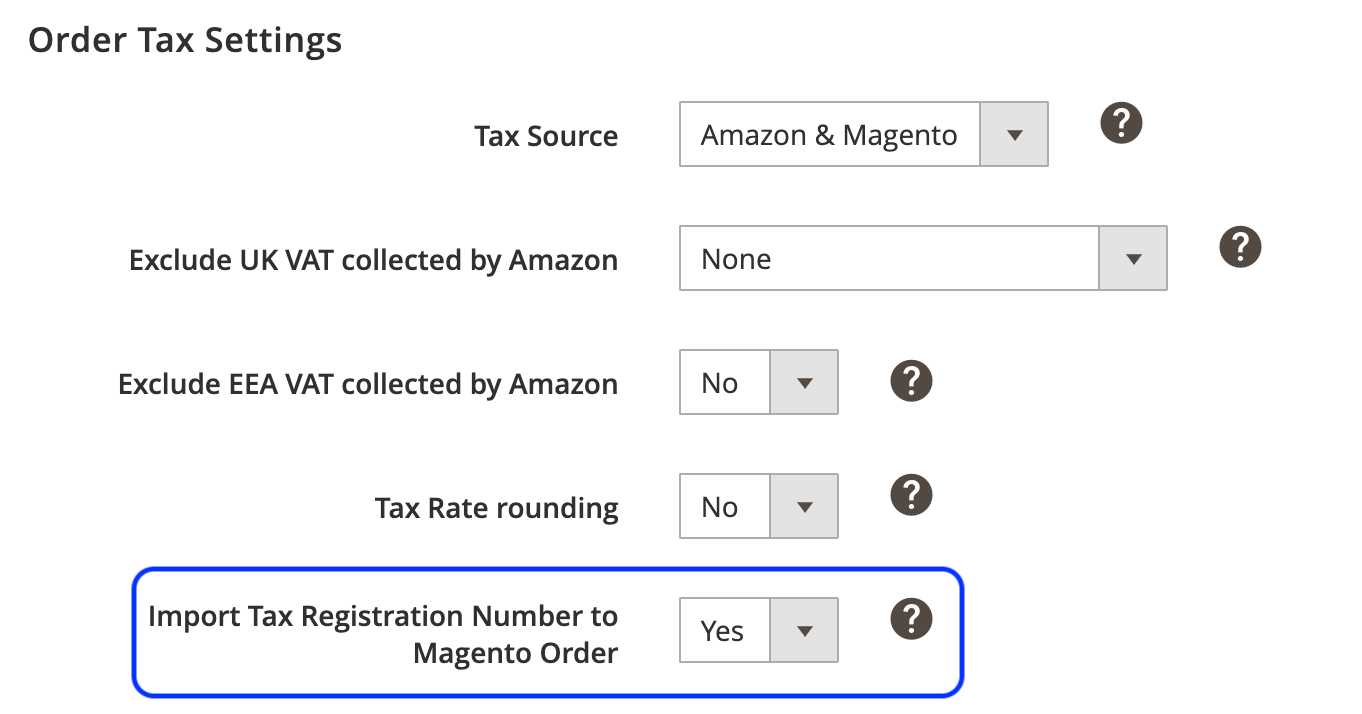
Once enabled, you’ll see the Tax Registration Number displayed as VAT in the Shipping Address of your Magento order.
✅ Want to upgrade? Select the most convenient upgrade method.
Technical changelog #
- Common: [Added] Ability to enable Enhanced Inventory Tracker [#5122]
- Common: [Added] Ability to round Product Prices [#5065]
- Common: [Fixed] Timeout issue when trying to add Magento Products to M2E Pro Listing [#5128]
- eBay: [Fixed] Error "Number of Variations is more than 250” when trying to revise Products with less than 250 Variations [#5026]
- Amazon: [Added] Ability to map Product Type and Magento attributes [#4941]
- Amazon: [Added] Import Tax Registration Numbers to Amazon Brazil orders [#5101]
- Amazon: [Added] Buy Shipping Service tool for all available Amazon marketplaces [#5119]
- Amazon: [Fixed] Other Image URL custom attribute isn’t saved in Product Type settings [#5090]
- Amazon: [Fixed] Unable to save the settings when creating a new Product Type [#5111]


