
ℹ️ What’s new
In this version, we’ve added the ability to process orders cancelled on Kaufland in Magento, as well as upload order invoices to Kaufland.
✅ You can upgrade to version 1.5.0 through the Adobe Commerce (Magento) marketplace.
Process cancelled Kaufland orders in Magento #
In this version, M2E Connect allows more opportunities for order management. Sellers can cancel orders received on Kaufland and process cancellations in Magento.
To enable order cancellation, make sure to set the Cancel Kaufland Orders option to Yes under Kaufland > Configuration > Accounts > Orders > Cancellation. Additionally, you can choose the default reason for canceling. Once a Credit Memo is created in Magento, the order status will be automatically updated to Cancelled on Kaufland.

Upload order invoices to Kaufland #
Now, M2E Connect has streamlined the invoice management process and supports automatic invoice upload to Kaufland.
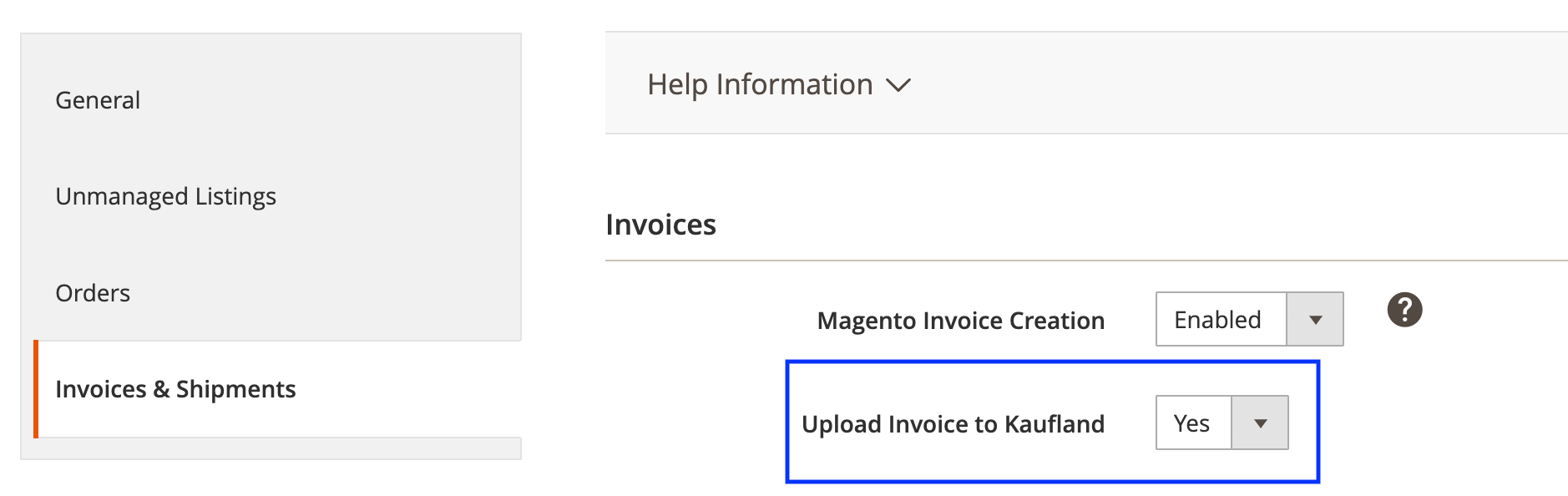
To enable automatic invoice uploads, navigate to Kaufland > Configuration > Orders > Invoices & Shipments. Then set the Upload Invoice to Kaufland option to Yes. M2E Connect will automatically generate the invoice in PDF format and submit it to Kaufland.
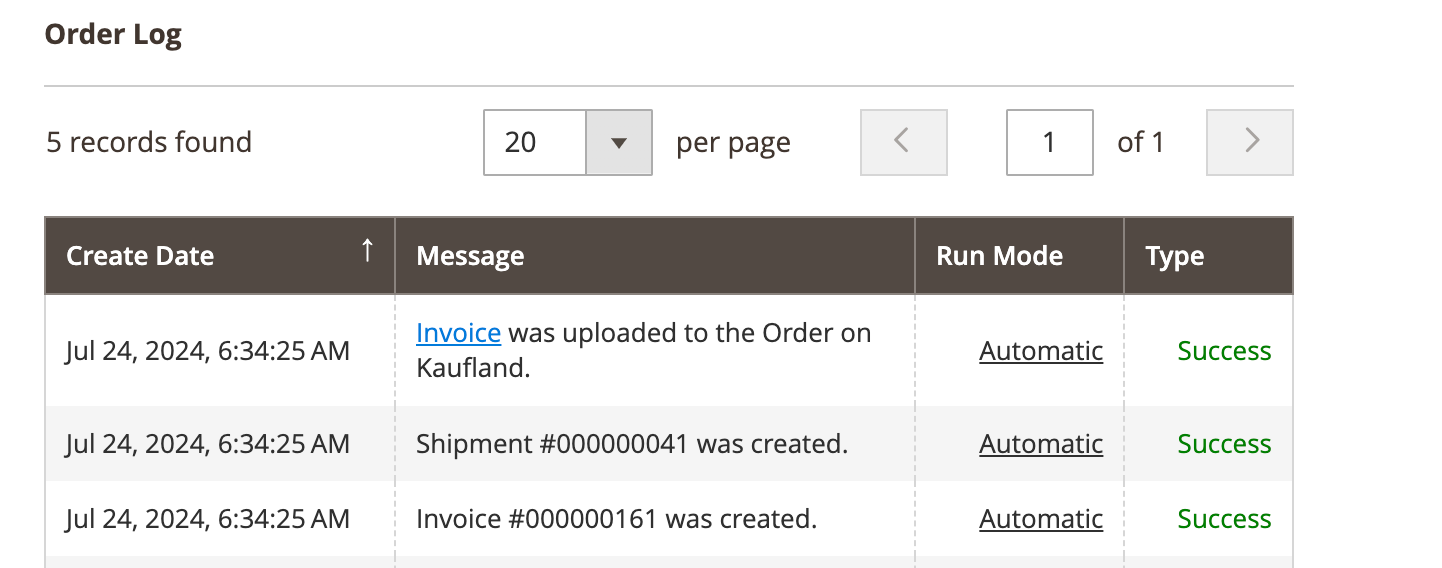
You can track the status of your invoice uploads and view the file in your order logs under Sales > Orders:
Manage all Listing products efficiently #
Starting from this version, viewing and managing all Products added to M2E Kaufland Listings becomes easier. Simply navigate to the newly added “All Items” section in the Listings > Items tab.

The section lets you apply the synchronization actions in bulk and use the filters to find the product you want to manage.
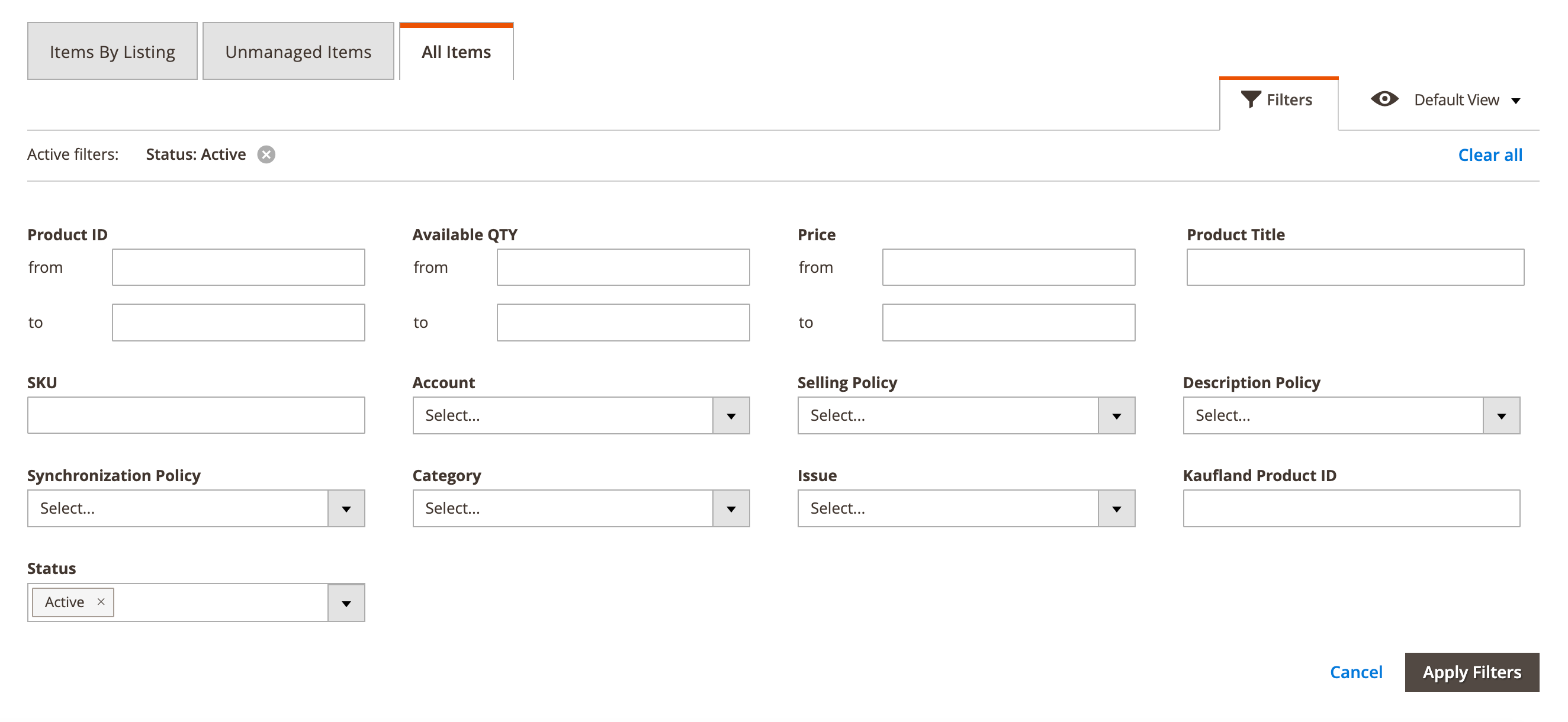
If a Kaufland Product ID is available, clicking on it will take you to the Kaufland listing. Clicking the arrow icon in the Manage column will take you to the M2E Kaufland Listing's products page, where you can manage its settings.
Technical changelog #
- [Added] “All Items” section to the Kaufland Listing grid [#5904]
- [Added] Process cancelled Kaufland orders in Magento [#5853]
- [Added] Upload order invoices to Kaufland [#5852]
- [Fixed] Exception "Description not found" when creating Magento Shipment for Shipped Kaufland order [#6104]
- [Fixed] Incorrect processing of manual Stop Action for multiple products [#6058]
- [Fixed] Products aren’t revised after the Description Policy is changed [#6097]
- [Improved] Disable the Categories & Attributes button for Kaufland units in Settings View Mode [#6003]
- [Improved] Import orders from Kaufland storefronts that haven’t yet been identified [#6059]
- [Removed] Unused listing product statuses [#5829]


