
ℹ️ This feature is available starting from M2E Pro v.1.81.0. If you can’t find it in your extension, please upgrade to the latest version.
Promoted Listings is eBay’s advertising service that helps boost item visibility in search results. M2E Pro for Adobe Commerce (Magento) allows you to manage eBay Promoted Listings directly from the extension. You can create new campaigns, link products to existing ones, or remove items when needed.
ℹ️ Currently, M2E Pro supports the Cost Per Sale (CPS) model only. It means you’re charged a fee only when the item sells through a promoted ad.
The Promoted Listings feature is available for eBay marketplaces in the US, UK, AU, CA, DE, FR, and IT.
How to apply eBay promotional campaigns in M2E Pro #
1) Go to your M2E Pro Listing
Navigate to eBay > Listings > Items and switch to Settings View Mode.

2) Select products to be promoted
Tick the checkboxes next to the listed eBay products you want to promote. Then choose Manage Promoted Listings from the mass actions dropdown and click Submit.

✅ Apply the Advanced Filter to find the products that should be promoted using more precise search conditions.
3) Manage existing eBay campaigns
A pop-up window will appear showing the active and scheduled campaigns synced from your eBay account. From here, you can:
- Add selected items to a campaign
- Remove items from a campaign
- Update campaign settings (e.g., dates or rates)
- Delete a campaign entirely
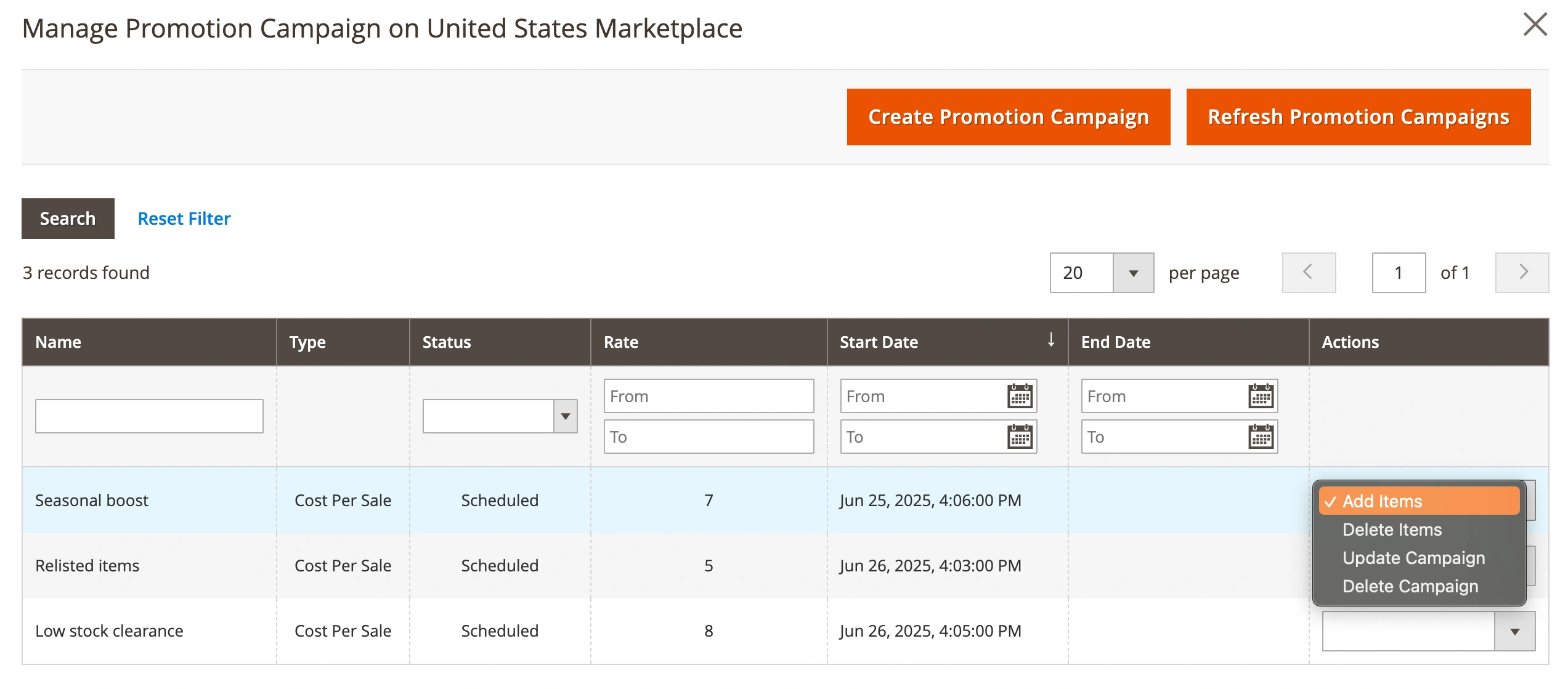
You can also click Refresh Promotion Campaigns to sync the latest campaign data from eBay.
4) Create a new campaign
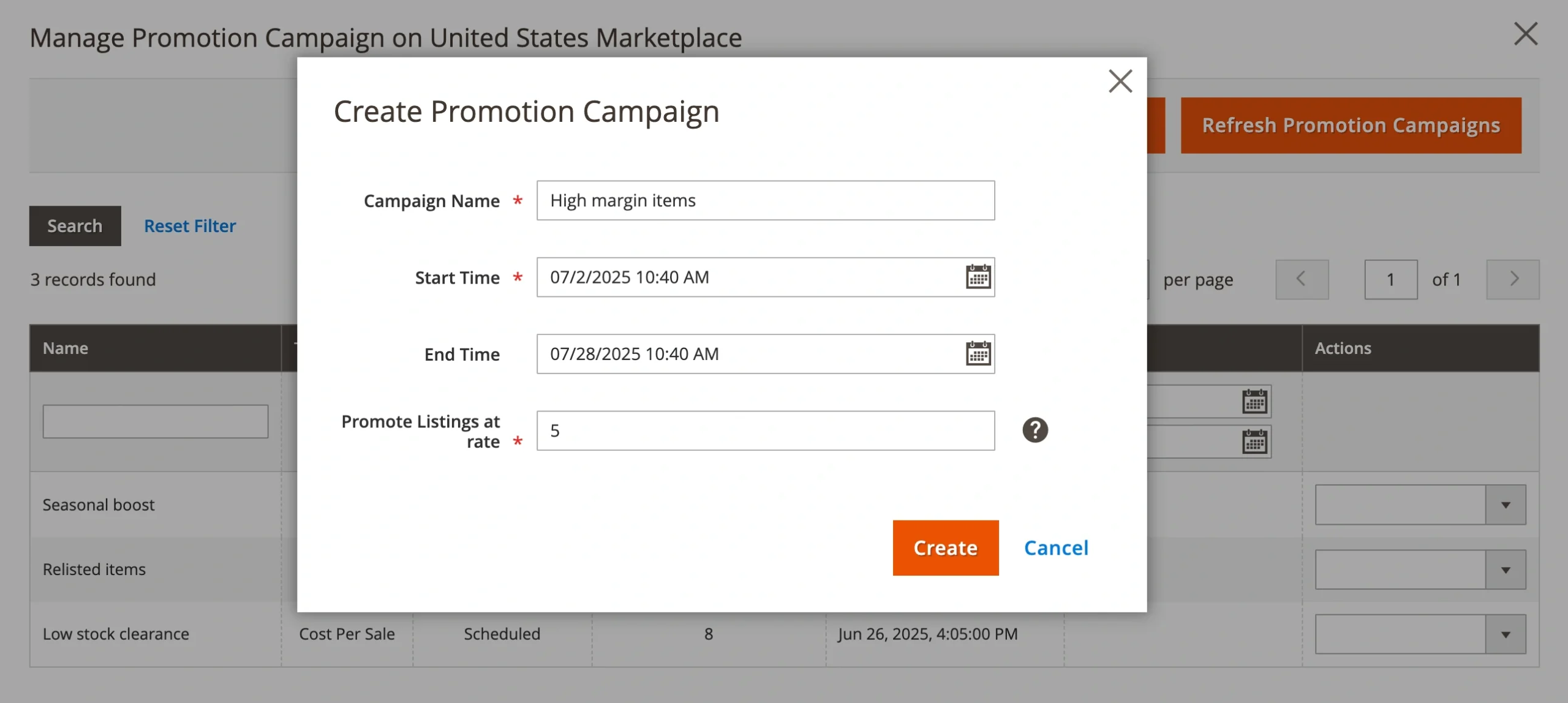
If needed, you can create a promotional campaign directly in M2E Pro.

Click Create Promotion Campaign, then fill in the required fields, such as the campaign name, start time, end time, and promotion rate. Once you click Create, the campaign will appear in the list, and you can start adding products to it.
Track and filter eBay Promoted Listings #
After a campaign is assigned to products, it will appear in the Campaign column of the M2E Pro Listing grid. The information will be synced with eBay as well.
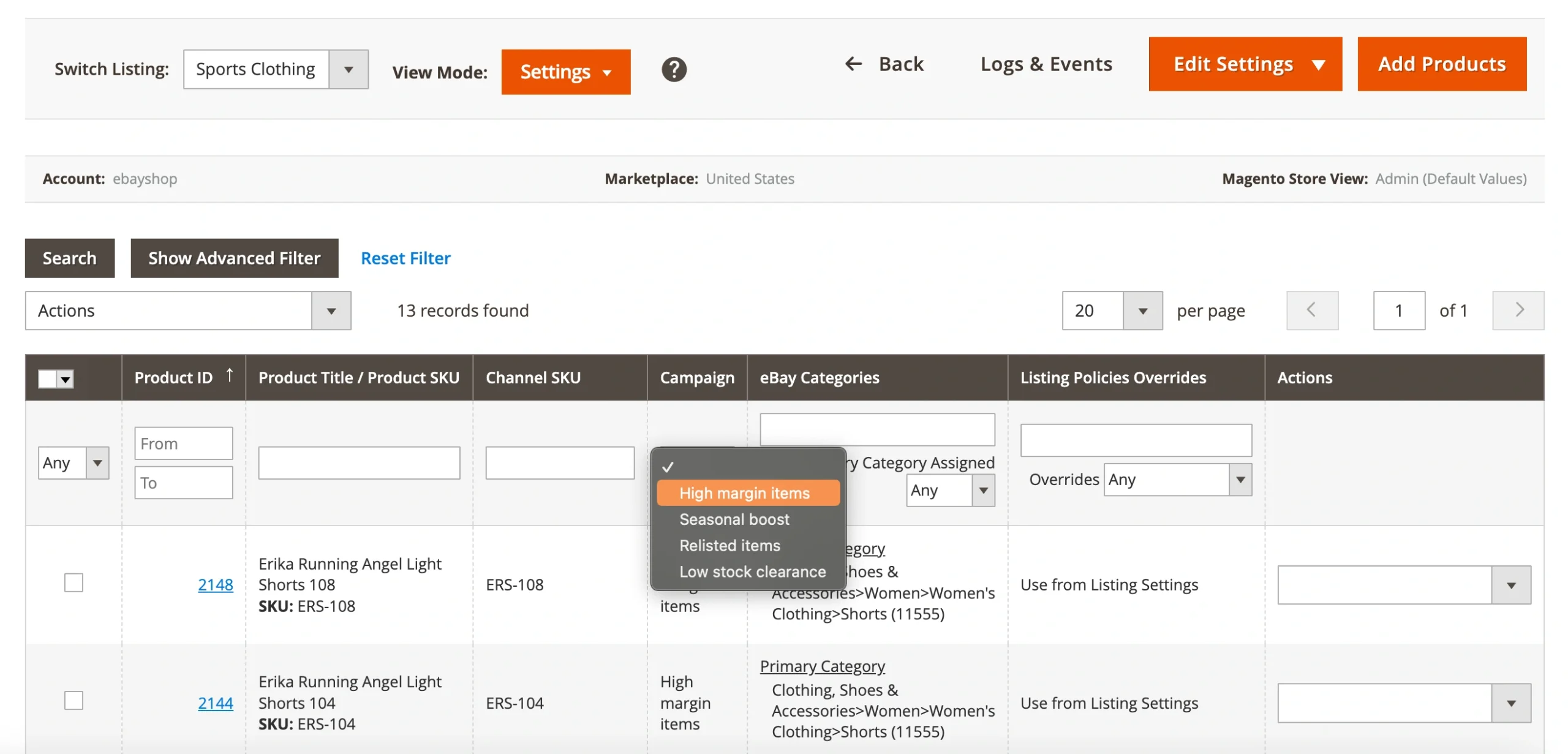
You can also filter your products by campaign using the dropdown above the Campaign column to manage or analyze a specific group of promoted items.
How to cancel Promoted Listings on eBay #
You can remove products from a promoted eBay campaign in M2E Pro:
1) Open the Manage Promoted Listings pop-up (available via the mass actions menu in the Settings View Mode of your M2E Pro Listing).
2) Find the campaign the item is linked to.
3) Use the Delete Items action to unlink the selected products from the campaign.
If needed, you can also delete the entire campaign from the same pop-up. This action will cancel the promotion for all items associated with that campaign on eBay.
ℹ️ All changes made in M2E Pro are automatically synced with your eBay account.


