
ℹ️ What’s new
In this version, we’ve added the ability to set up Shipping Profiles for OTTO products, as well as the ability to track delivery preferences in OTTO and Magento orders.
✅ You can upgrade to version 1.6.0 through the Adobe Commerce (Magento) marketplace.
Set up OTTO Shipping Profiles #
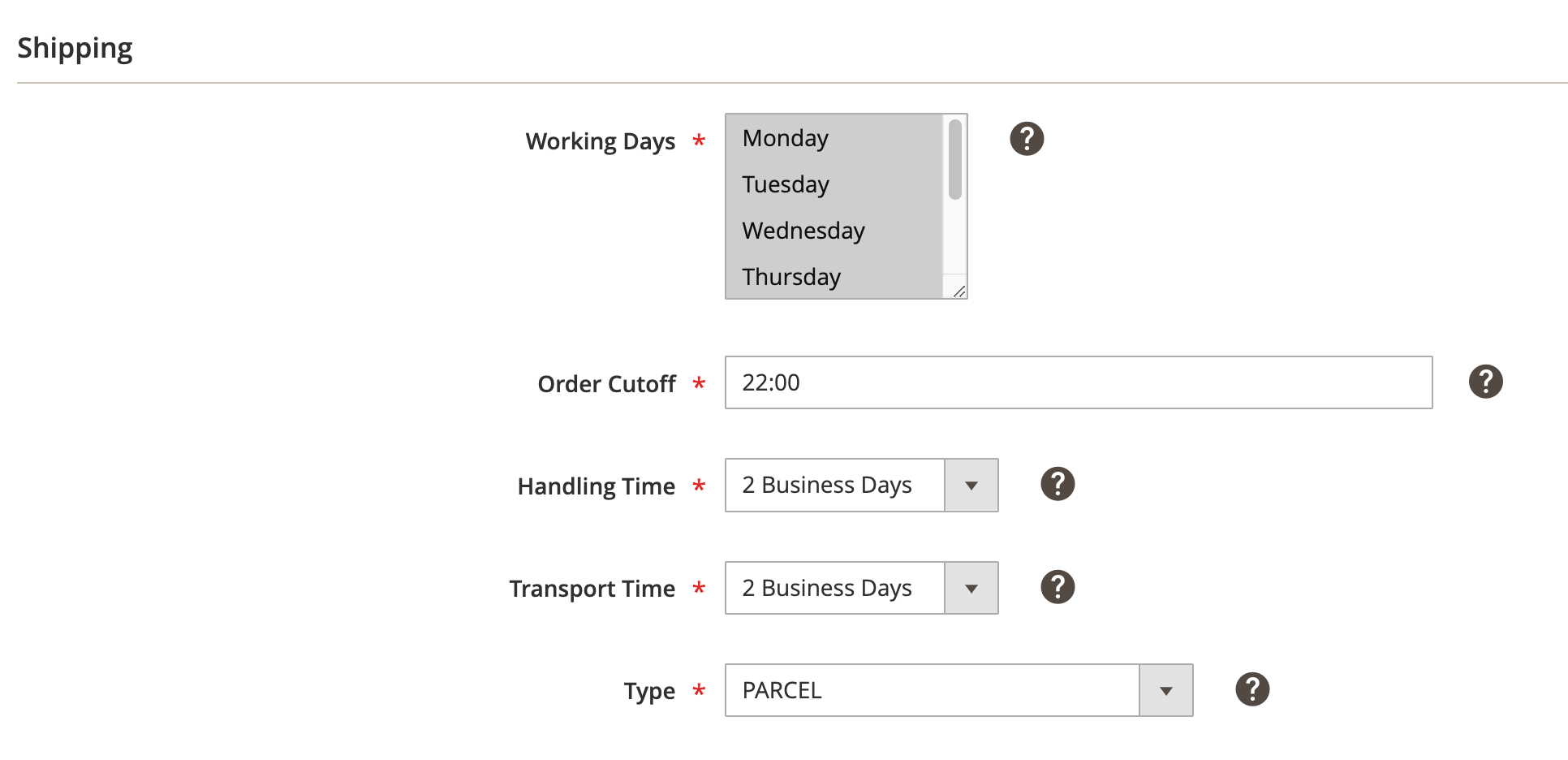
Starting from this version, M2E Connect introduces the ability to configure Shipping Profiles for your OTTO products. These profiles provide control over key delivery parameters for precise and efficient shipping management.
⚠️ OTTO requires all sellers to set up Shipping Profiles no later than February 3, 2025.
You can set up Shipping Profiles in your Shipping Policy (OTTO > Configuration > Policies).
Track delivery preferences in OTTO and Magento orders #
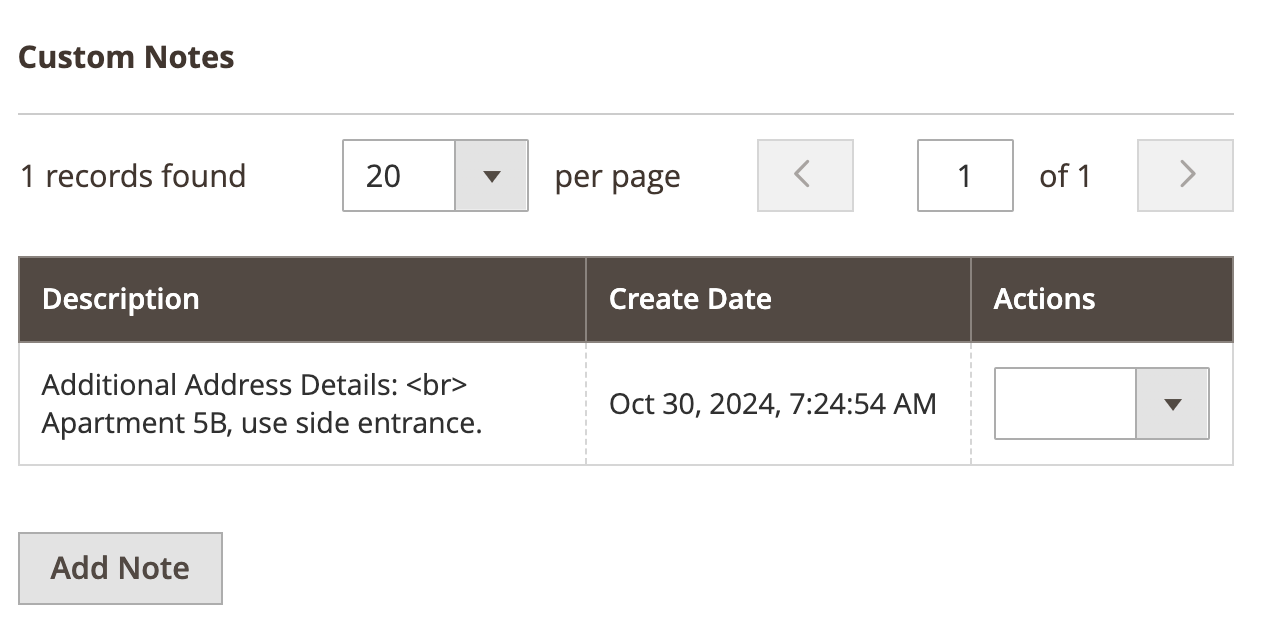
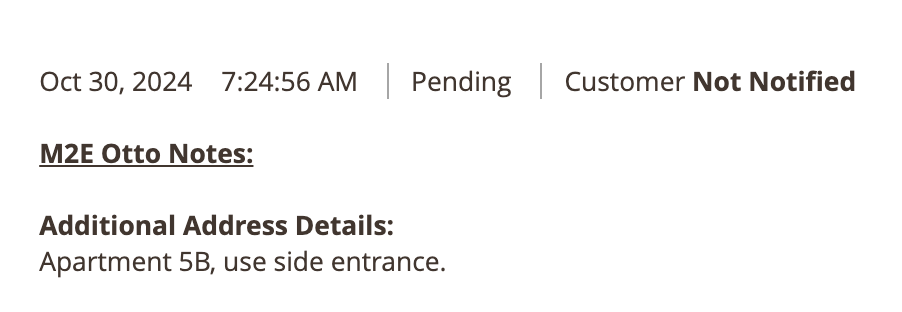
Buyers often have unique delivery preferences, such as specific delivery times, locations, or other special instructions. Starting from this version, M2E Connect imports delivery instructions provided by buyers to OTTO and Magento orders.
With this information, you can ensure that the items are delivered according to the buyers' preferences, increasing customer satisfaction and potentially leading to positive reviews.
You can find imported delivery preferences in:
- Custom Notes section of OTTO order
- M2E Otto Notes section of Magento order
Technical changelog #
- [Added] Edit Categories & Attributes of items within the M2E OTTO Listing [#6296]
- [Added] Import of delivery preferences to OTTO and Magento orders [#6575]
- [Added] Search for an OTTO category [#6476]
- [Added] Support for OTTO Shipping Profiles [#6505]
- [Fixed] Filter of items by the “Not Listed” status in the M2E OTTO Listing grid [#6604]
- [Fixed] Item quantity isn’t updated in M2E OTTO Listing [#6693]
- [Fixed] Position of the "Description Value" field in the Description Policy [#6261]
- [Fixed] Selecting the previously configured category creates duplicates [#6597]
- [Fixed] “Update Access Data” button in Account configurations [#6670]
- [Improved] Display Category Attribute descriptions in info hints [#6601]
- [Improved] Prevent importing products into "Unmanaged" when they are added to M2E OTTO Listing [#6669]
- [Improved] UI of “Update Access Data” and “Add Account” pop-ups [#6551]


