
July brings a fresh round of updates designed to enhance your multichannel selling experience. Take a look at what’s new in your favorite M2E tools.
What’s new in M2E Pro? #
Walmart OAuth 2.0 authorization support #
Walmart has switched to a new OAuth 2.0 authorization protocol for US seller accounts. If your account is still connected through the old method, your integration may stop working soon.
To re-authorize your Walmart US account using OAuth 2.0:
- Upgrade to the latest version of M2E Pro.
- Go to Walmart > Configuration > Accounts > General.
- Click Update Access Data under the Access Details section.

Partial revise of Amazon product details #
Updating your Amazon listings is now more flexible! You can set up M2E Pro to revise specific product details on Amazon based on changes made in Magento or your Product Type settings.
In your Revise Rules (Amazon > Configuration > Policies > Synchronization), you can enable the following options:
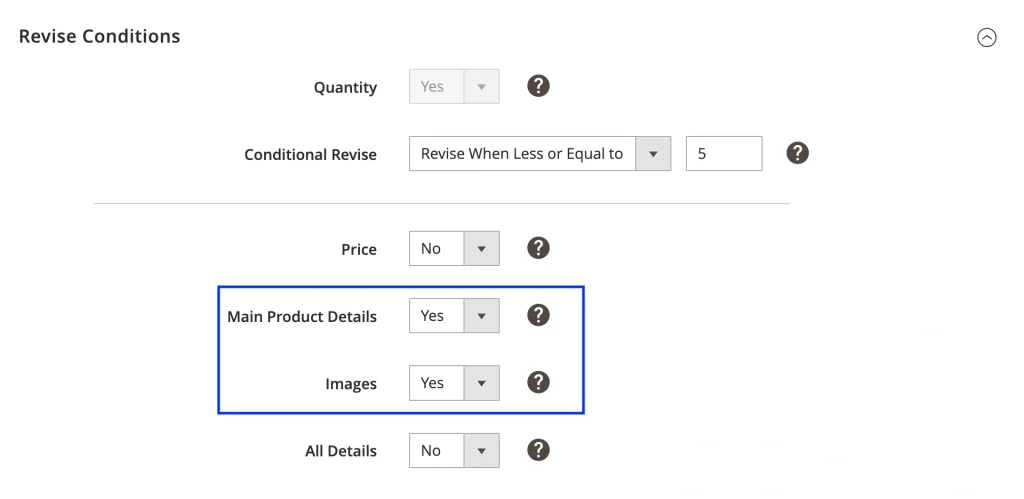
- Main Product Details (Titles, Descriptions, Bullet Points)
- Images
The partial revise of product details gives you more control and helps avoid unnecessary data updates on Amazon.
What’s new in M2E Connect? #
Manage buyer-initiated return requests on TikTok Shop #
Handling returns on TikTok Shop is now more streamlined with M2E Connect. The extension ensures you never miss a buyer-initiated return request and gives you full visibility and control throughout the process.
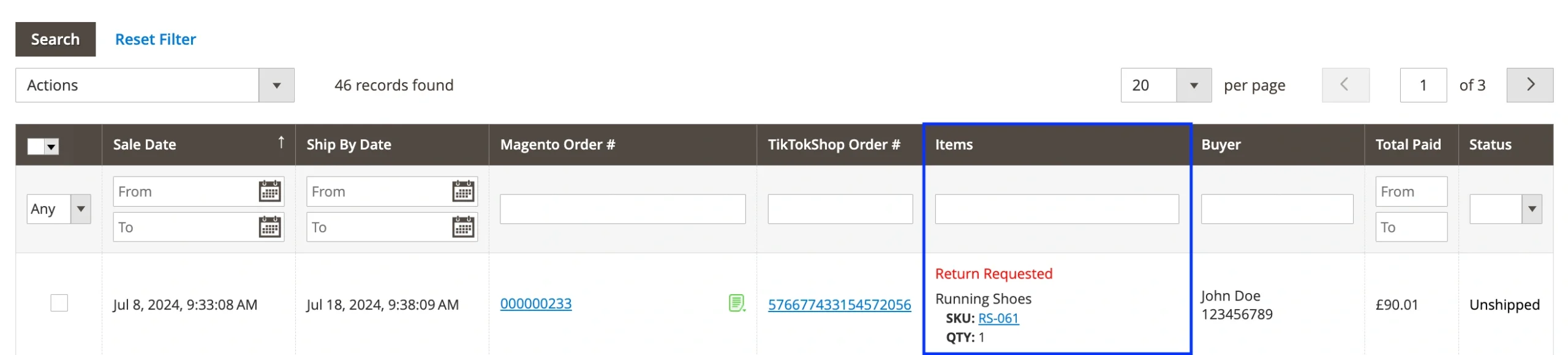
Once a buyer submits a return request via TikTok Shop, it will appear in the Items column of the TikTok Shop Orders grid. You can also review request details in the TikTok Shop order logs and Magento order notes.
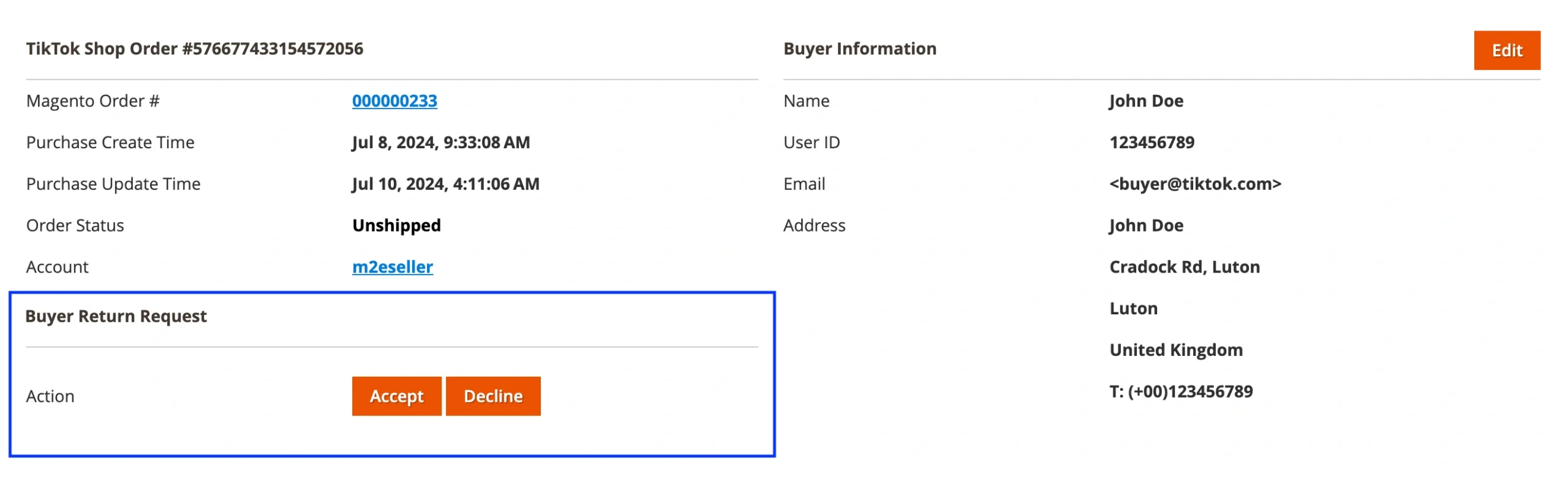
From the Order Details page, you’ll have the option to Accept or Decline the return request.
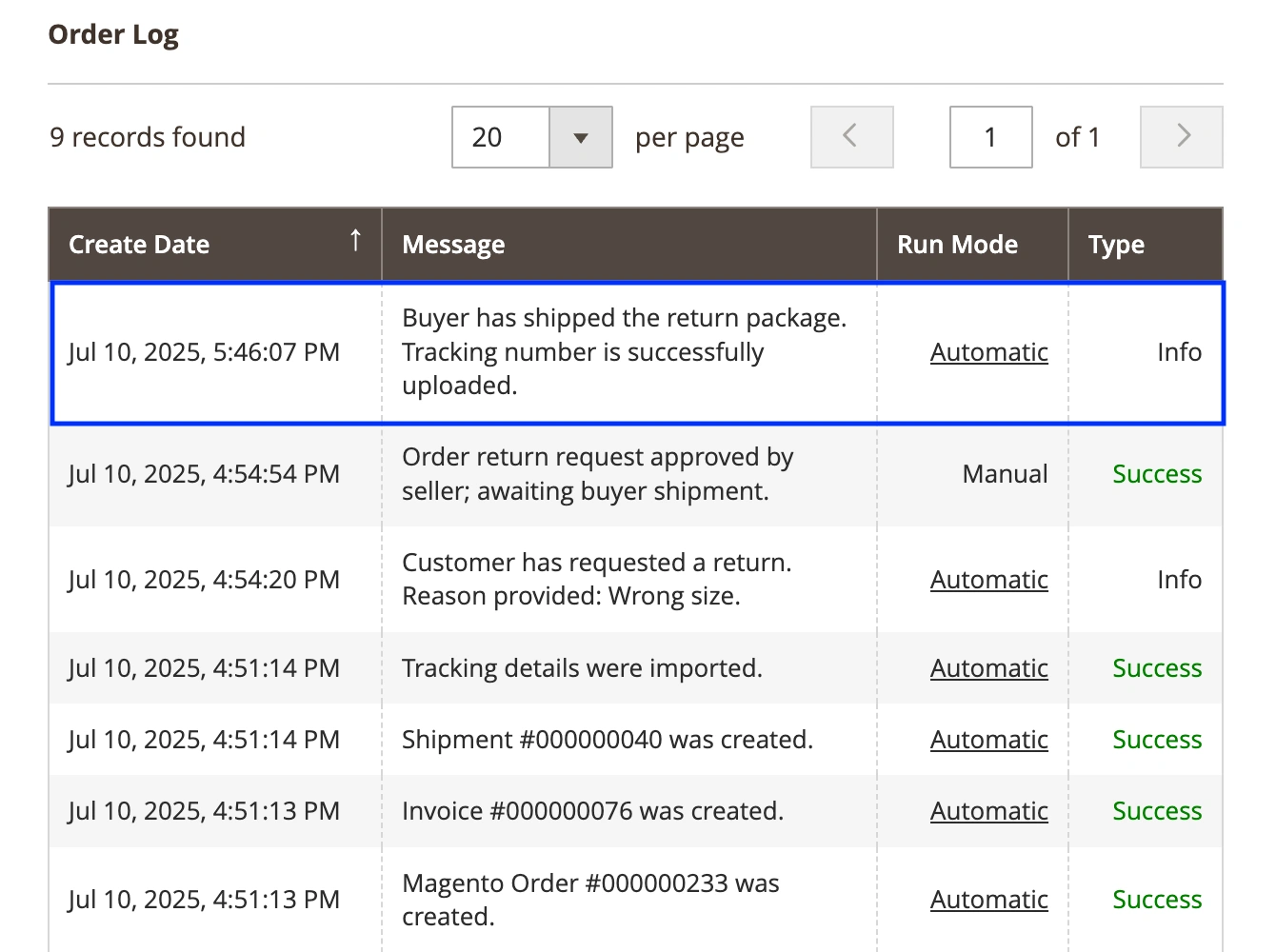
You can track all the request-related activity in the order logs. For example, if you accept the request and the buyer ships the return package with a tracking number, the corresponding log appears:
To finalize the process, create a Credit Memo in Magento. Once it’s created, the return will be marked as accepted and completed in the system.
ℹ️ Sometimes, the buyer or the TikTok Shop system may cancel the return request, for example, if the buyer fails to ship the product before the deadline. This action is also recorded in the order logs.
Assign Item Tax Code to Temu listings #
M2E Connect now allows you to specify Item Tax Codes (ITC) for your Temu products. This code determines the correct VAT rate based on the product’s category.

You can select a Magento attribute that stores the ITC value of your listings in the Selling Policy settings. If no code is assigned, Temu will automatically apply the default code GEN_STANDARD, which corresponds to the standard VAT rate.
Add Bullet Points to your Temu listings #
You can now make your Temu product descriptions more impactful by adding Bullet Points in the Description Policy.
This feature allows you to include up to 5 concise bullet points, each up to 200 characters long. Use them to showcase your product’s most compelling characteristics and benefits. You can either select a Magento Attribute or enter a value manually.
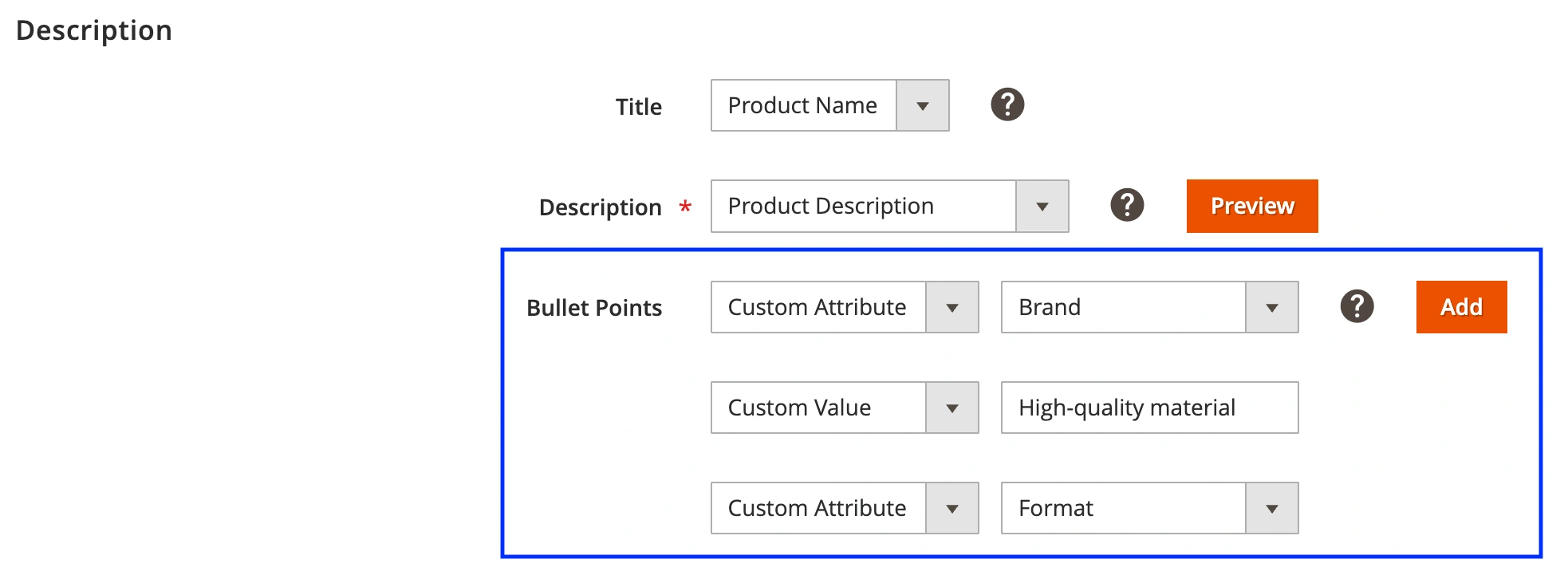
Bullet points not only enhance the visual structure of your listings but also help capture buyer attention and improve conversion.
List Refurbished products on Kaufland #
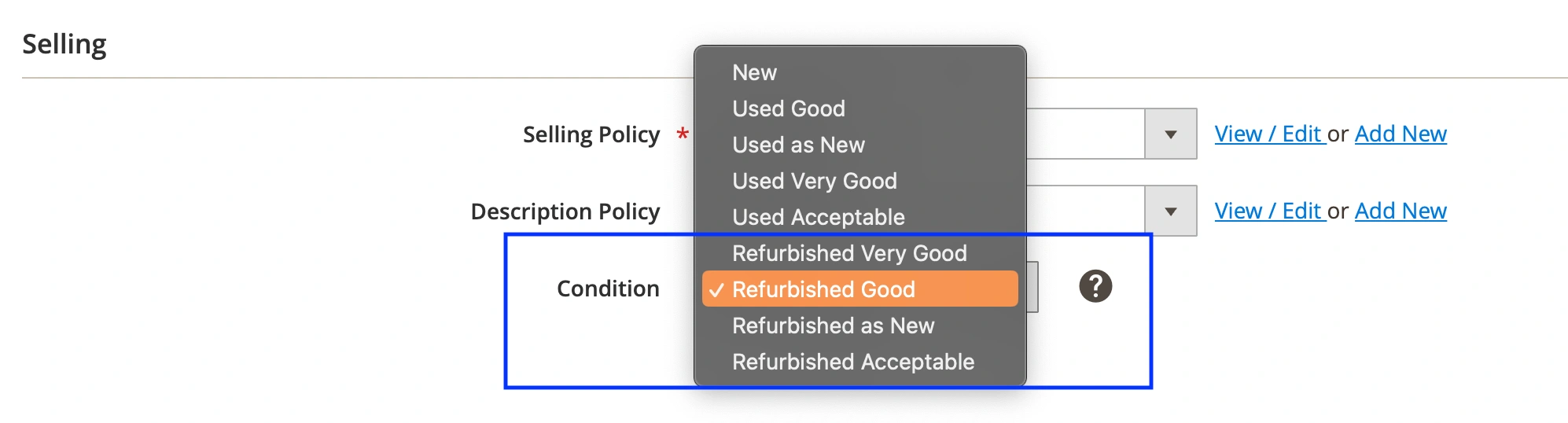
Expand your catalog and reach a broader audience by offering professionally restored products on Kaufland. You can now mark such items as Refurbished in your M2E Listing settings:
- New Listings: Choose one of the Refurbished condition options when creating the Listing.
- Existing Listings: Go to the M2E Kaufland Listing (Listings > Items), click Edit Settings > Configuration > Selling, and update the condition.
Stay tuned for more updates next month, and don’t forget to upgrade your extension versions to take full advantage of these improvements.
✅ Have questions or feedback? We’d love to hear from you – contact our team.


