
You have the ability to install/upgrade your M2E Pro Instance directly from Adobe Commerce Marketplace (former Magento Marketplace).
✅ To use this method, you must have a Customer Account on Adobe Commerce Marketplace.
⚠️ If your M2E Pro was not initially installed from Adobe Commerce Marketplace, but you would like to upgrade the Module on the Adobe Commerce Marketplace website now, please follow these instructions first.
Installation #
Recommendations before starting the installation process:
- it may be necessary that you have full write permissions to all Magento files and folders;
- check whether your server configurations comply with the next values:
- Max execution time = 600 seconds or more,
- Memory limit = at least 1 GB.
Follow the next steps to install the M2E Pro Module:
Step 1. Log in to your Adobe Commerce Marketplace Customer Account.
Step 2. Find M2E Pro Extension in the Adobe Commerce Marketplace catalog.
Step 3. Proceed with the purchasing procedure.
Step 4. Once your order is placed, click Install. You will be redirected to My Access Key section.

Step 5. Under My Access Keys > Magento 2 tab, click Create A New Access Key. The authorization Keys will be generated automatically. The Keys are required to synchronize your Marketplace purchases with Magento Component Manager on the next step.
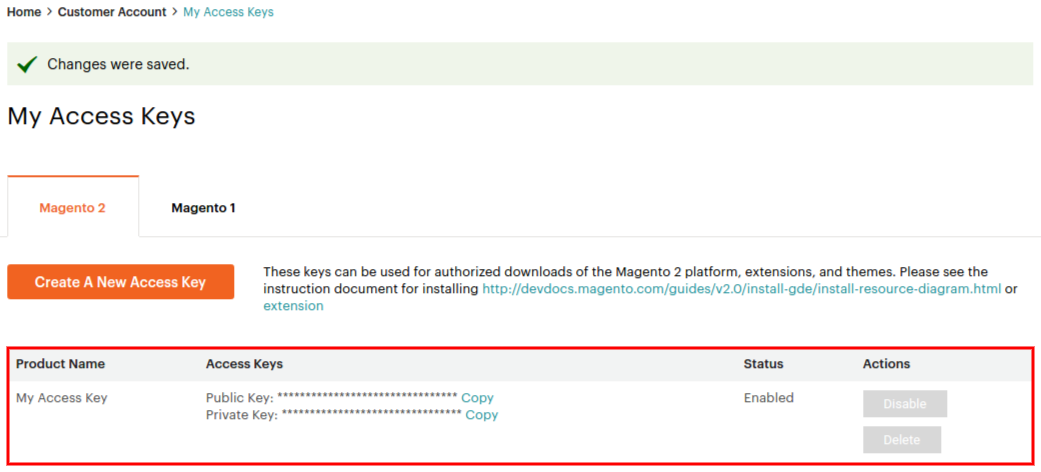
Step 6. Navigate to System > Web Setup Wizard > Component Manager in your Magento 2 Instance. Sign in using the obtained Access Keys and Sync Magento Component Manager with Marketplace.
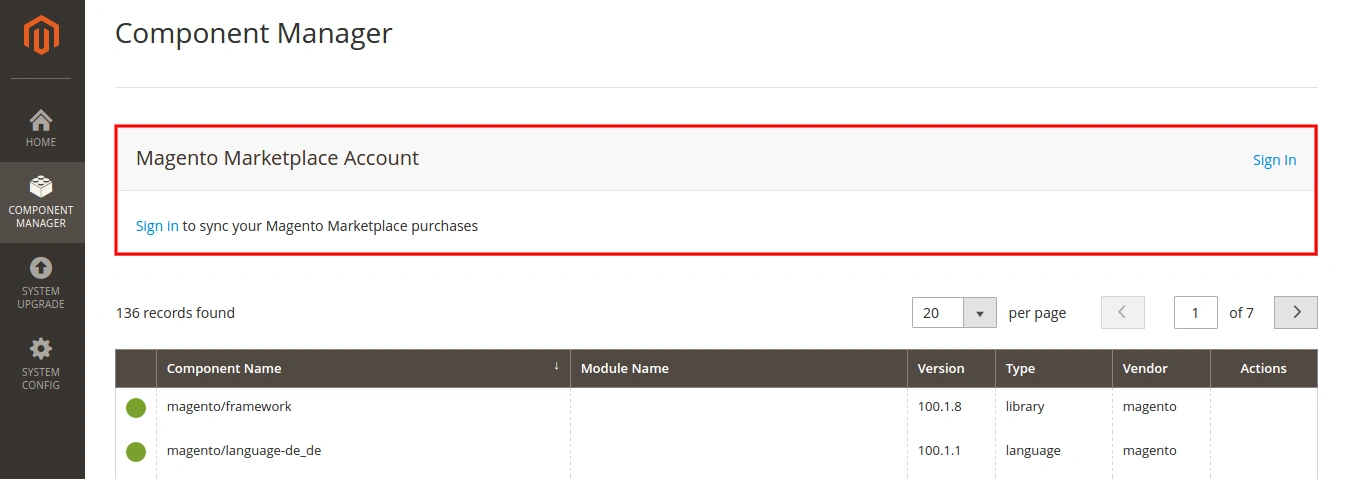
Step 7. The number of new purchases appears. Under the New Purchases, click Install.

Step 8. In the Extensions Grid, find M2E Pro Extension and click Install.

Step 9. The Installation Wizard is opened. Click Start Readiness Check to run the process.

Proceed to the next step after the Readiness Check is completed successfully.
Step 10. Click Create Backup. Your Magento will be put in maintenance mode.

Proceed to the next step after the Backup is created successfully.
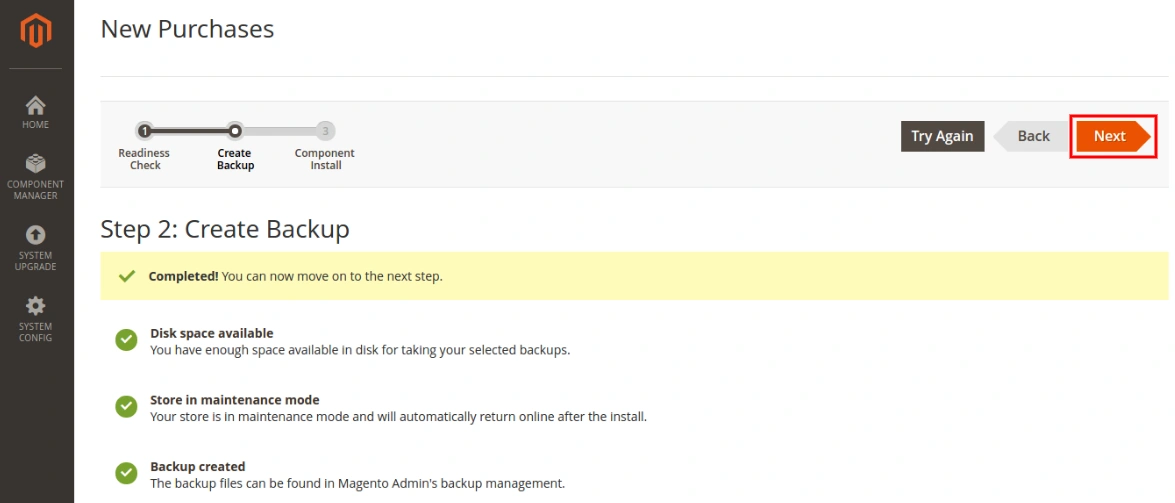
Step 11. Click Install to run the installation process for M2E Pro.

You can monitor the installation progress in the Console Log.
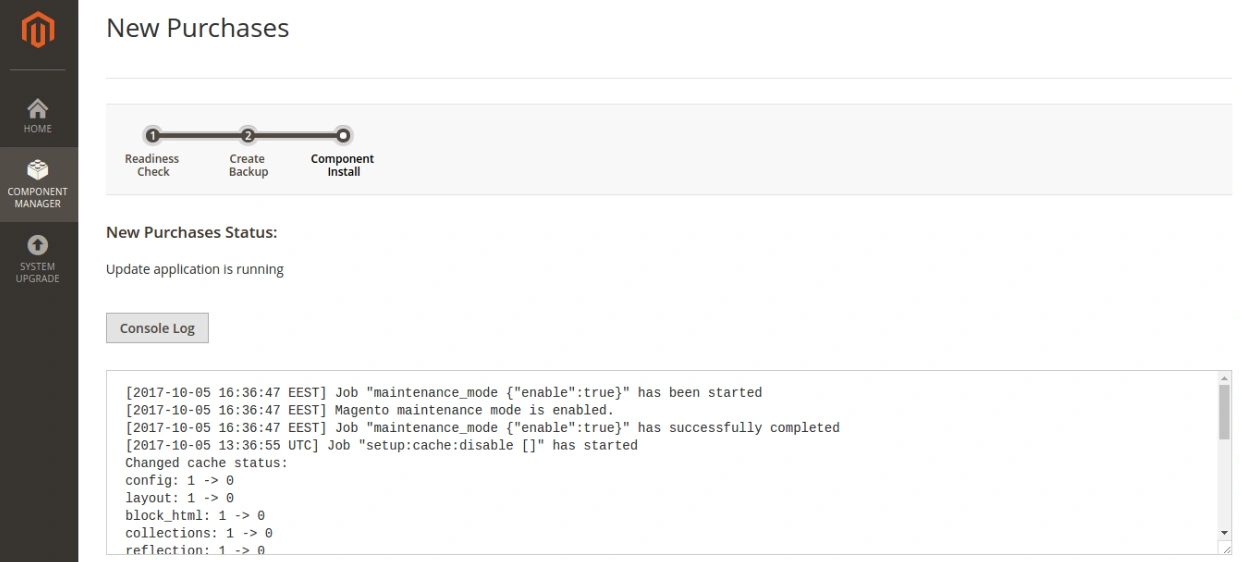
Click Back to Setup Tool after the installation is completed successfully.
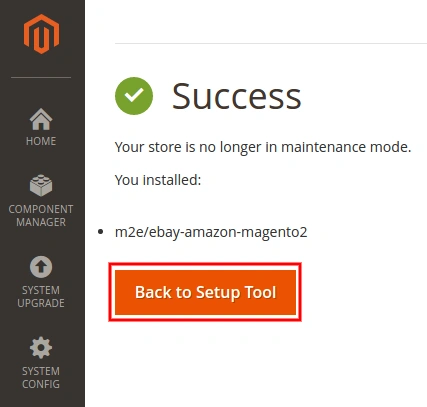
You can ensure that M2E Pro Extension has been installed successfully under the Component Manager tab.
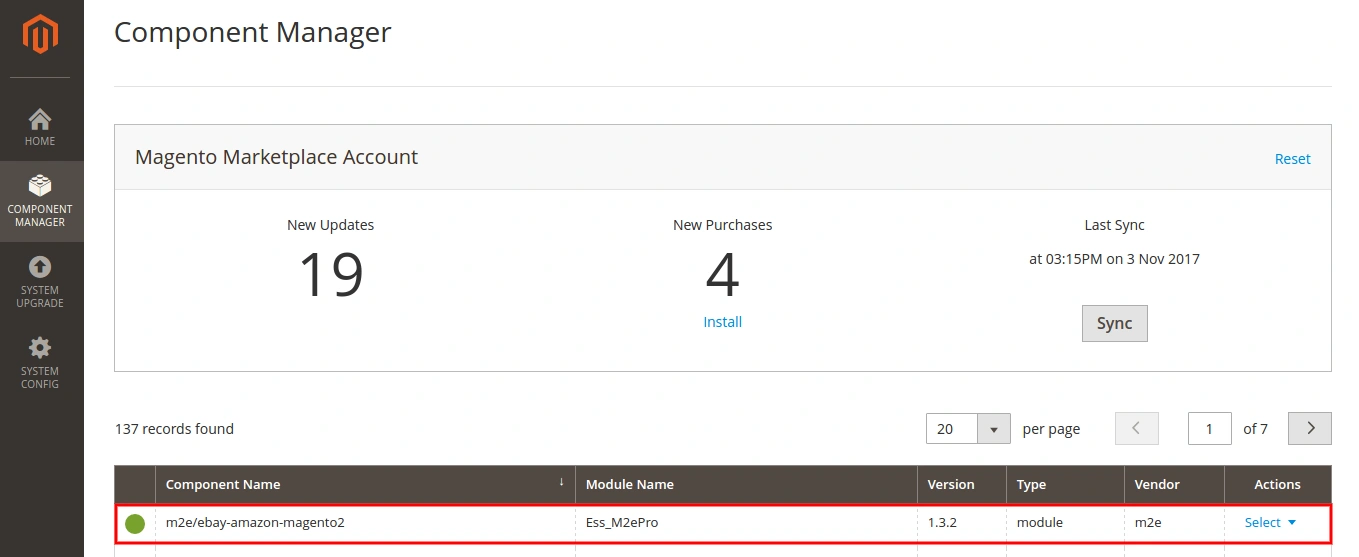
That's it! You have successfully installed M2E Pro on your Magento.
Provide the initial configurations for Extension and enjoy your sales on eBay/Amazon/Walmart Channel via M2E Pro.
Upgrade #
⚠️ If your M2E Pro was not initially installed from Adobe Commerce Marketplace, but you would like to upgrade the Module on the Adobe Commerce Marketplace website now, please follow these instructions first.
Recommendations before starting the upgrade process:
- it may be necessary that you have full write permissions to all Magento files and folders;
- check whether your server configurations comply with the next values:
- Max execution time = 600 seconds or more,
- Memory limit = at least 1 GB.
Follow the next steps to upgrade M2E Pro Module:
Step 1. Navigate to System > Web Setup Wizard > Component Manager in your Magento 2 Instance to check for the update available. Once the new Module version is available, select Update from the Actions drop-down.

Step 2. The Update Wizard is opened. Click Start Readiness Check to run the process.
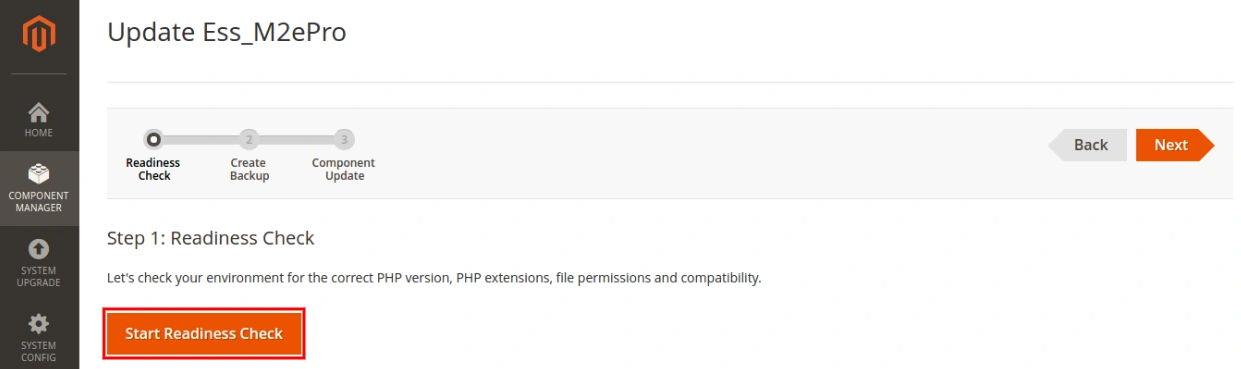
Proceed to the next step after the Readiness Check is completed successfully.
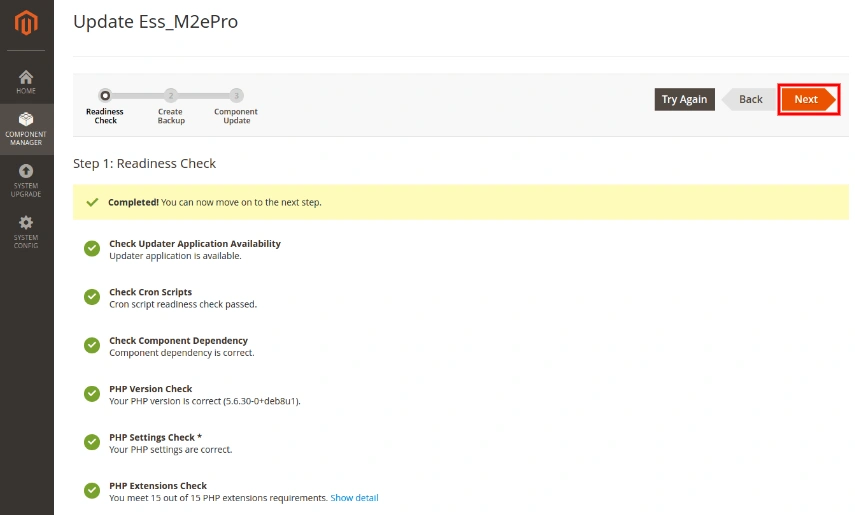
Step 3. Click Create Backup. Your Magento will be put in maintenance mode.
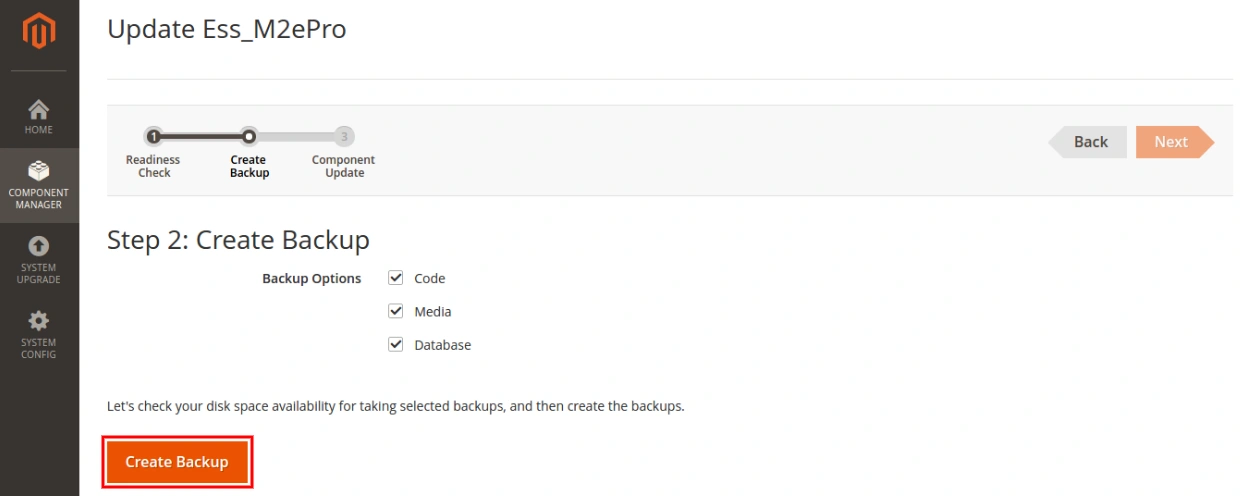
Proceed to the next step after the Backup is created successfully.
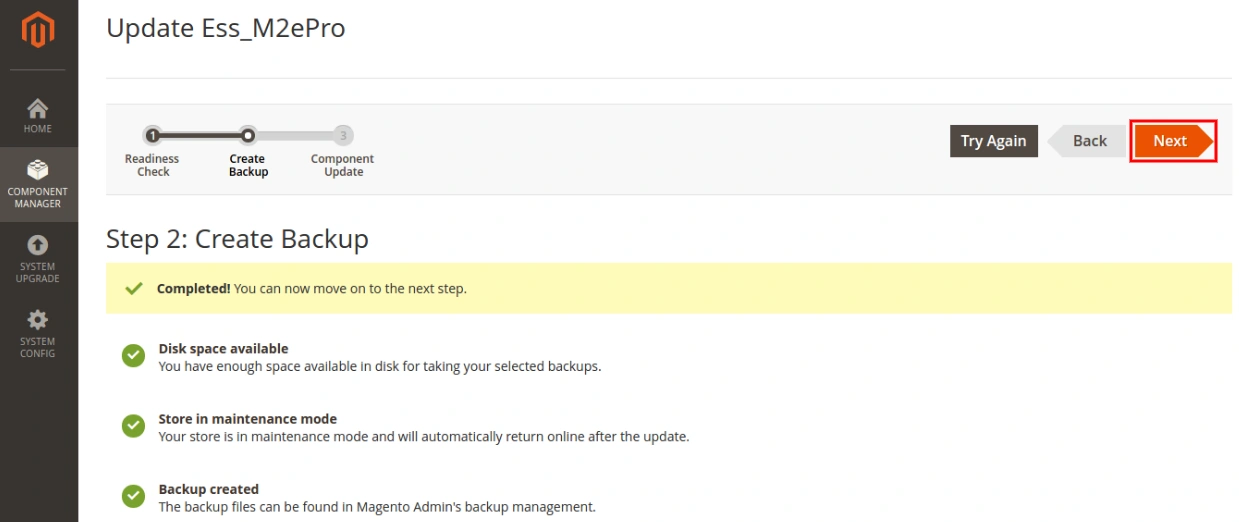
Step 4. Click Update to run the upgrade process for M2E Pro.

You can monitor the upgrade progress in the Console Log.
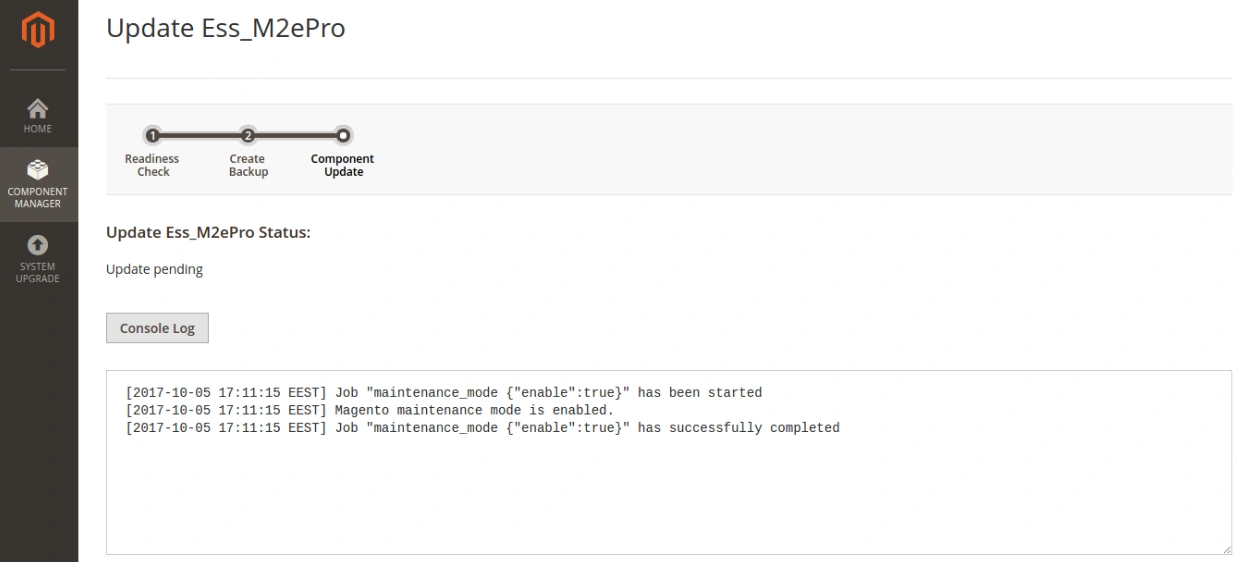
Click Back to Setup Tool after the Module upgrade is completed successfully.

You can ensure that M2E Pro Extension has been upgraded to the latest version successfully under the Component Manager tab.

Our Congratulations! You have successfully upgraded your M2E Pro.


