
This is the most demanding time of the year for online sellers, so we’ve packed November with improvements that simplify and automate your product and order workflows. Take a closer look at all the updates released this month.
What’s new in M2E Pro? #
In November, we kept all efforts focused on reliability. No new M2E Pro features were introduced. Instead, the team concentrated on maintaining a stable, high-performance environment for your busiest sales months.
If you haven’t updated recently, make sure to install the latest version of M2E Pro. It includes essential fixes to ensure that the extension runs smoothly through holiday shopping peaks.
What’s new in M2E Connect? #
Create multiple templates for the same Temu category #
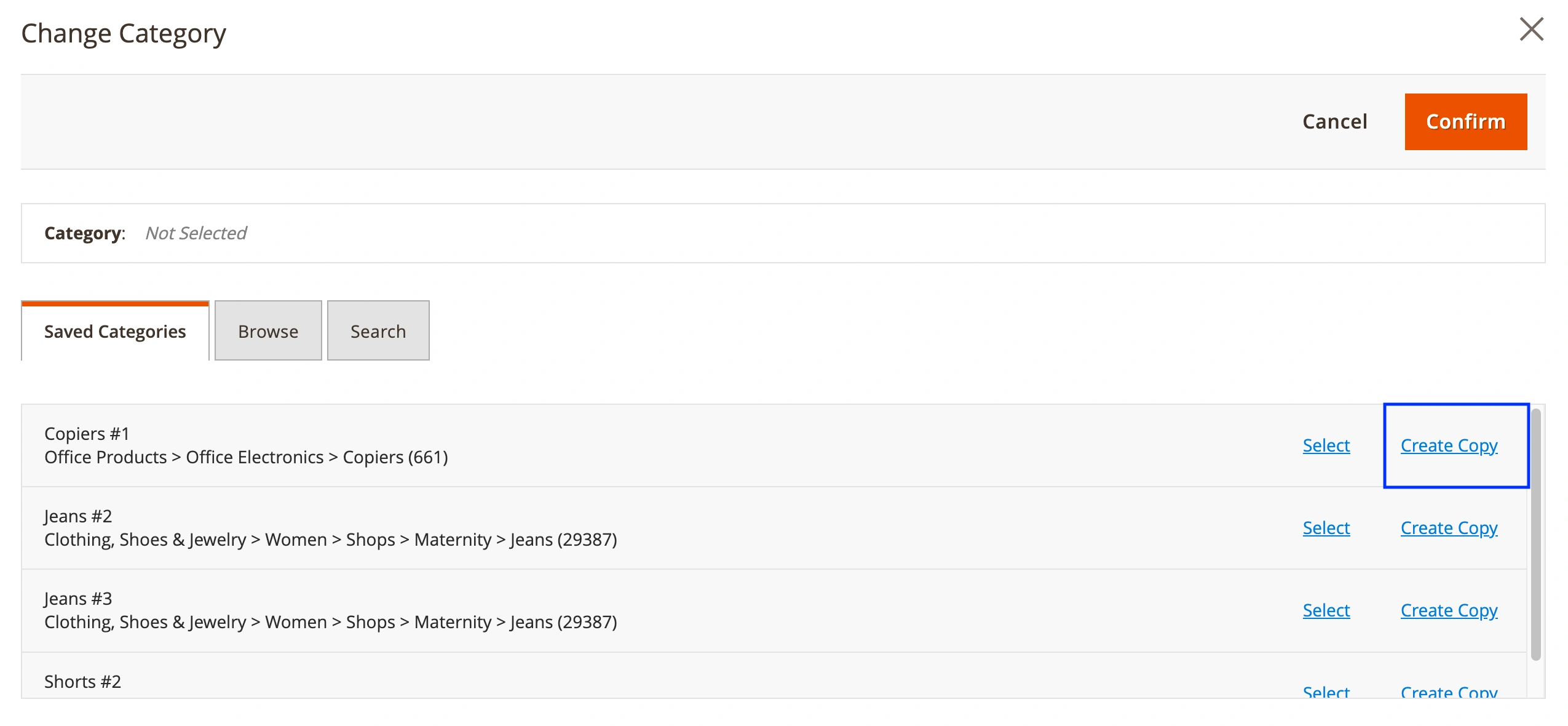
Many sellers use a certain Temu category for a variety of products, but need different attribute settings. That’s why we’ve added the ability to save several templates for one Temu category, each with its own title and custom attribute configuration.
When assigning a category to a new or existing listing, click Create Copy next to an already-used category. This duplicates the category so you can adjust attribute settings independently.
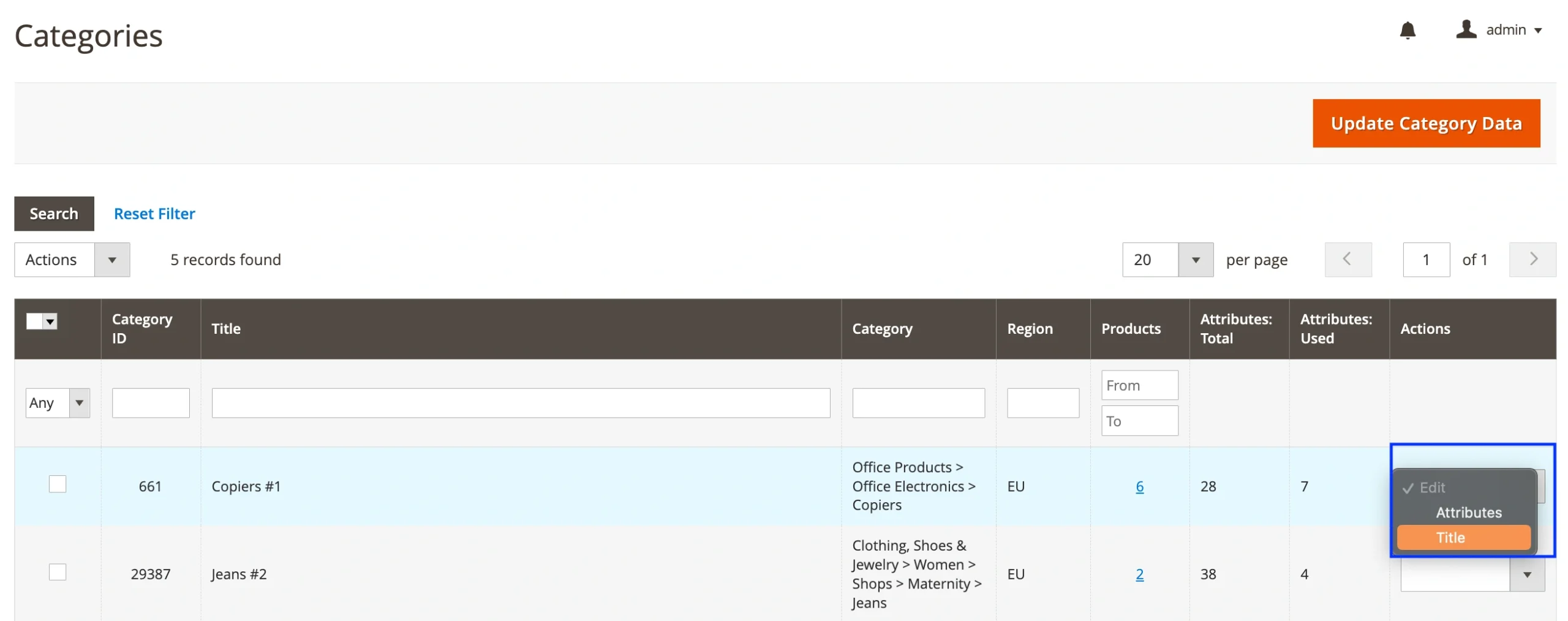
You can also rename category templates for easier recognition under Temu > Configuration > Categories.
Map TikTok Shop shipping carriers by Magento carrier title #
If your Magento store uses custom carrier codes, you can now enable delivery mapping based on the carrier title.
Go to TikTok Shop > Configuration > Accounts > Invoices & Shipments > Shipping Carrier Mapping. Enable Map by Magento Shipping Title to let the system match TikTok Shop carriers using the title provided in the Magento shipment.
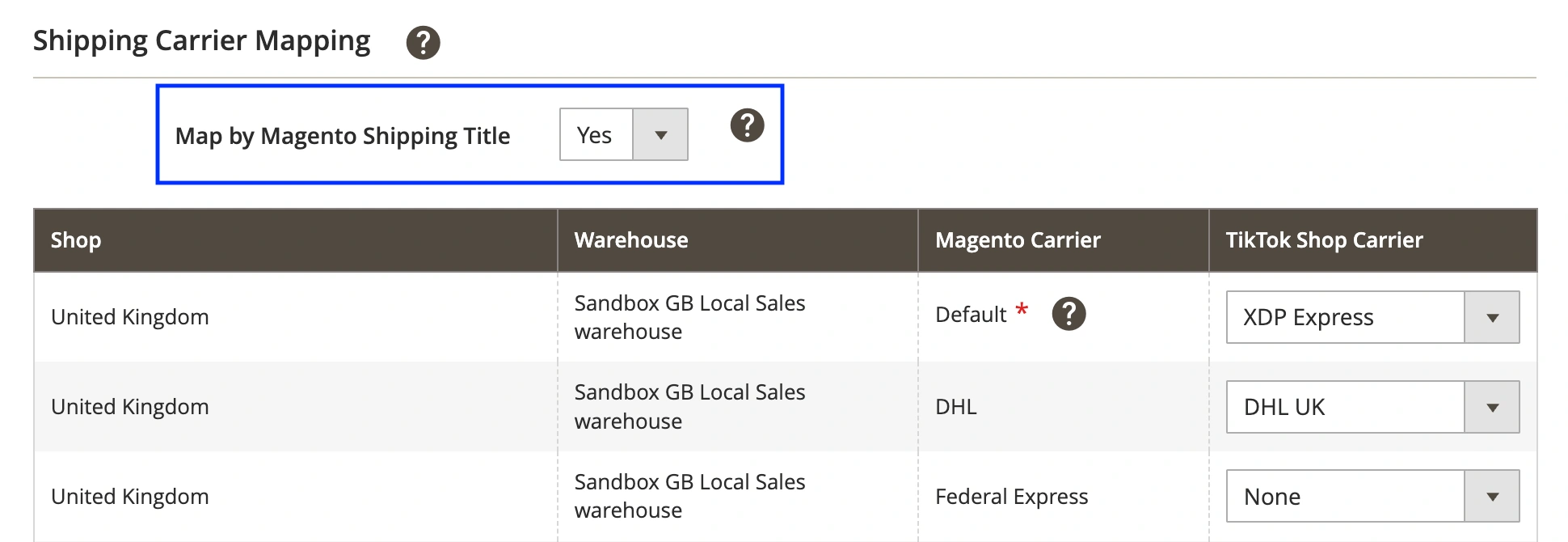
If title-based mapping fails, the system will use your default Magento–TikTok mapping.
For shipments imported to Magento, we’ll create the shipment using a Custom value if the TikTok Shop carrier doesn’t exist in Magento.
Set Auto Add/Remove Rules for Kaufland listings #
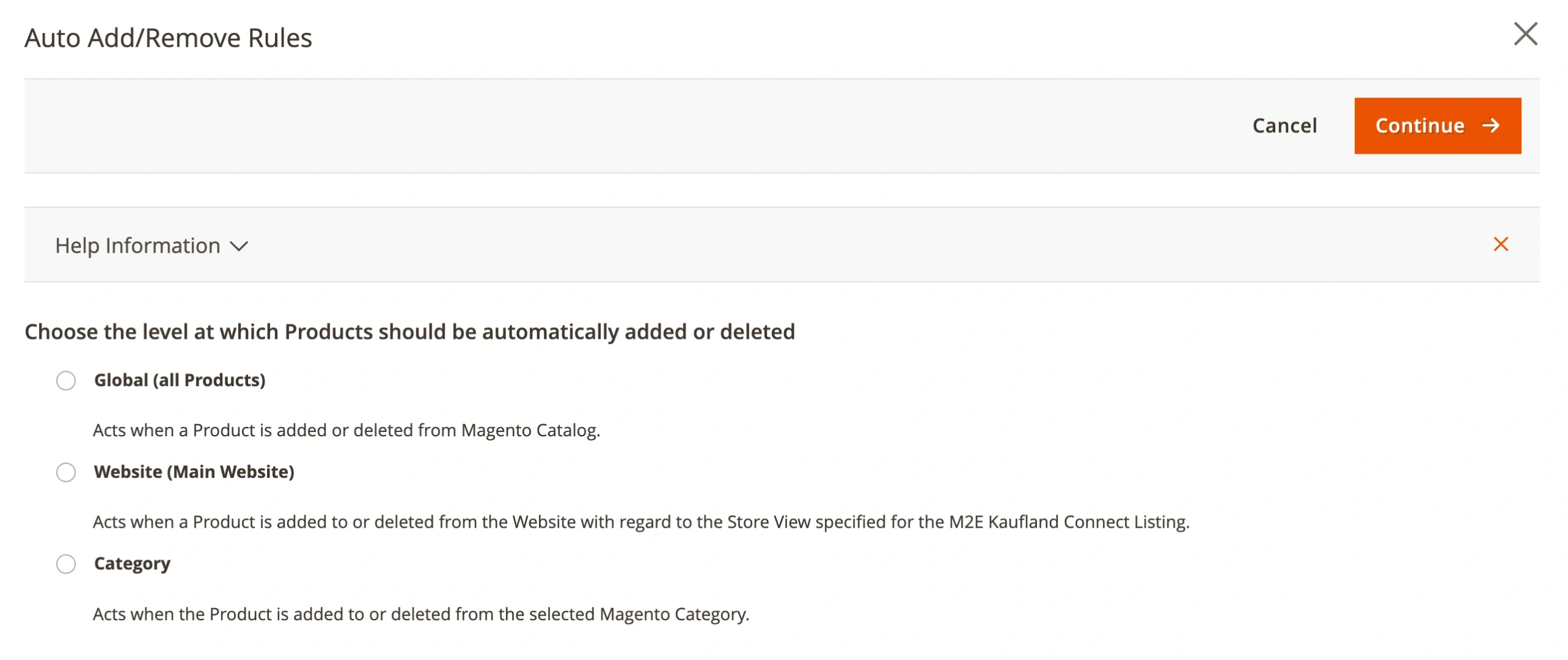
Managing large product catalogs manually is time-consuming. That’s why we’ve added automatic add/remove rules for M2E Kaufland Listings.
Using these rules, you can automate which Magento products should be added to or removed from your M2E Kaufland Listings.
To set them up, go to Kaufland > Listings > Items. Open your M2E Listing, click Edit Settings > Auto Add/Remove Rules.
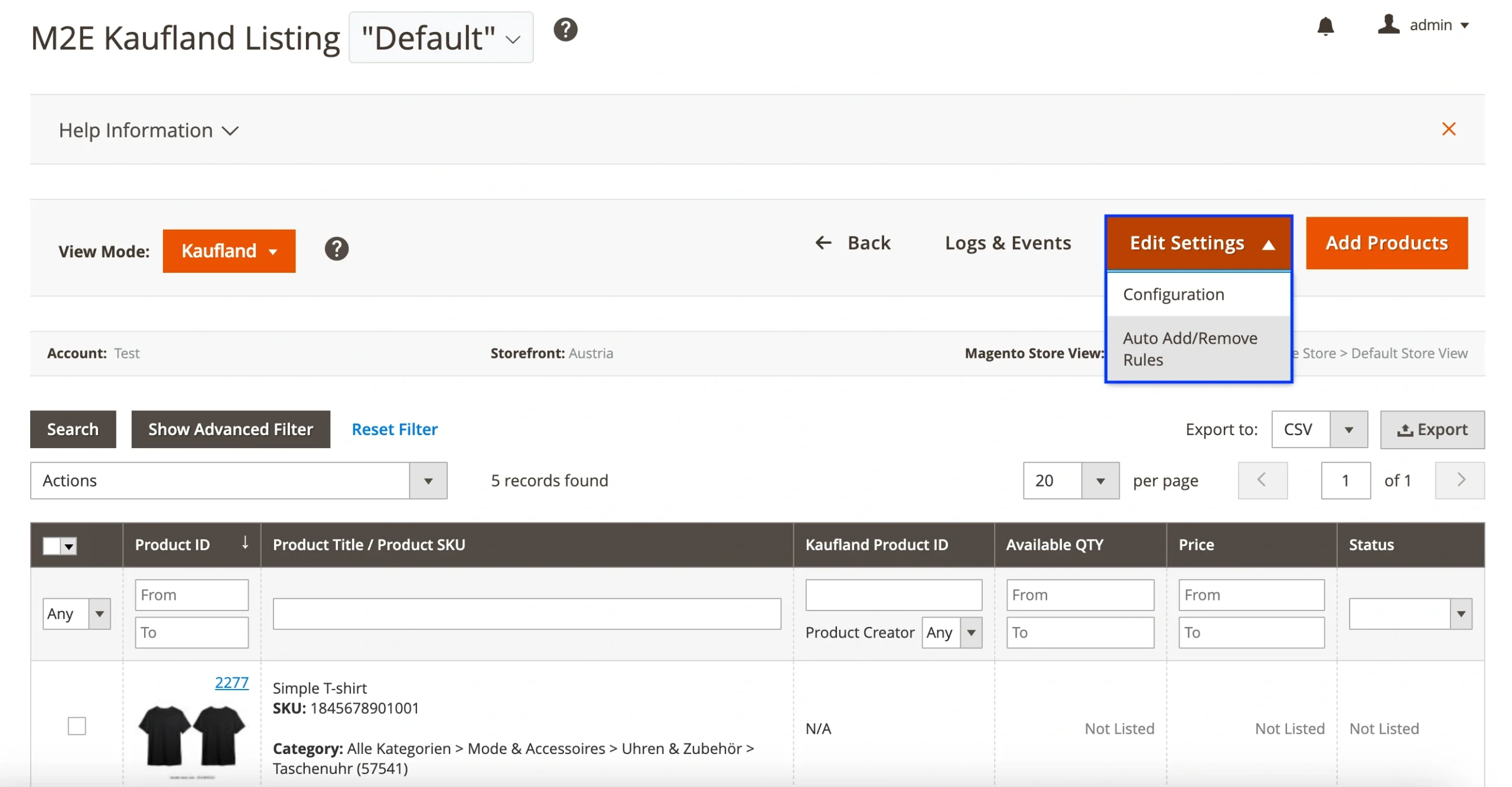
You can configure rules based on Magento catalog, store view (website), or category.
💡 For more information, check out our guide on setting up Kaufland auto add/remove rules.
Stay tuned – more enhancements are already in the works!
If you need help setting up any of the new features, let our support team know. We’re always happy to assist.


