
In this section, you can configure important settings for Amazon items management.
General #
Product Identifiers #
Specify Product Identifier values for your Amazon items at a global level. Amazon uses the indicated Product IDs to associate your item with the existing one from the catalog or to create a new ASIN/ISBN.
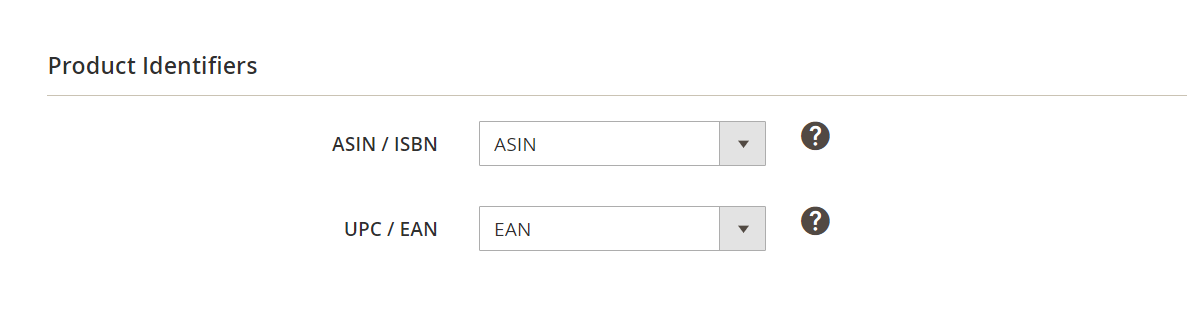
- ASIN/ISBN - select a Magento Attribute that contains the ASIN/ISBN value for the Products you are going to list. The selected attribute will be used at the time of the automatic search for Amazon Products.
- UPC/EAN - select a Magento Attribute that contains the UPC/EAN value for the Products you are going to list.
There is also an option to provide Product Identifiers settings at a Listing level. This is especially useful when listing the same Magento Product under multiple UPC/EANs and ASINs.
You can set product IDs per M2E Pro Listing during listing creation or under Listings > Items > Edit Settings > Selling > Product Identifiers.
⚠️ To create an Amazon Product with a new ASIN/ISBN, you should specify a valid UPC/EAN attribute.
If an item with the specified UPC/EAN already exists on Amazon, M2E Pro will link your item to the existing Amazon Product instead of creating a new one at the moment of the “List” action.
ℹ️ If you have selected Amazon exemption, UPC/EAN is not required, but you can set it if necessary.
The UPC/EAN value is submitted only at the moment of new ASIN/ISBN creation. In case you change the value, it will not be submitted again.
Amazon Business (B2B) #
Enable Amazon Business functionality to manage your B2B sales via M2E Pro.
⚠️ Amazon Business is available for the following marketplaces:
- United States, Canada, Mexico (North America)
- United Kingdom, France, Germany, Italy, Spain (Europe)
- Japan, India (Asia)

With the Price, QTY Discounts option enabled, you will be able to specify Business Price and QTY Discounts for your Offers in M2E Pro Selling Policy.
✅ If you have an approved Amazon Business Account and want to provide business-to-business sales, use all the advantages of M2E Pro integration with Amazon Business program. Learn the details on how to start your Business sales via M2E Pro here.
Amazon Custom #
If you use the Amazon Custom program, you can enable the import of customization details to Magento orders.

When enabled, M2E Pro will import the customization data to the Items Ordered block of your Magento orders, alongside product details.
Synchronization #
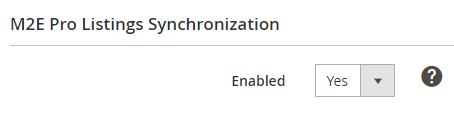
M2E Pro Listings Synchronization – updates and synchronizes Amazon Listings according to Synchronization Policies' rules.
ℹ️ If catalog updates in your Magento are performed using import/export tools, custom scripts, or direct changes in the database, then check the article on how to use Programmatic Possibilities and Magmi Plugin or Track Direct Database Changes functionality to detect changes in products' price and quantity.
You can also enable an enhanced Product QTY and Price tracker.
Specify Yes/No to enable/disable Inventory Synchronization.
✅ The rest of the settings are global for all Integrations. Learn how to properly configure them in this article.


