
We've been busy this August, and we're glad to bring you a new set of updates for your marketplace integrations. Here's what's now available in M2E Pro and M2E Connect.
What's new in M2E Pro #
eBay Parts Compatibility: updated vehicle lists #
eBay has updated its car and motorcycle compatibility lists across its sites, covering both ePIDs and kTypes. The latest fitment data is now in M2E Pro.
Since the lists have grown, some of your parts may now be compatible with vehicles that weren't available before. We recommend reviewing your parts listings to see whether you can add more vehicles. The more complete your compatibility data, the more searches your eBay parts listings appear in.
What's new in M2E Connect #
Cancel OTTO orders from Magento #
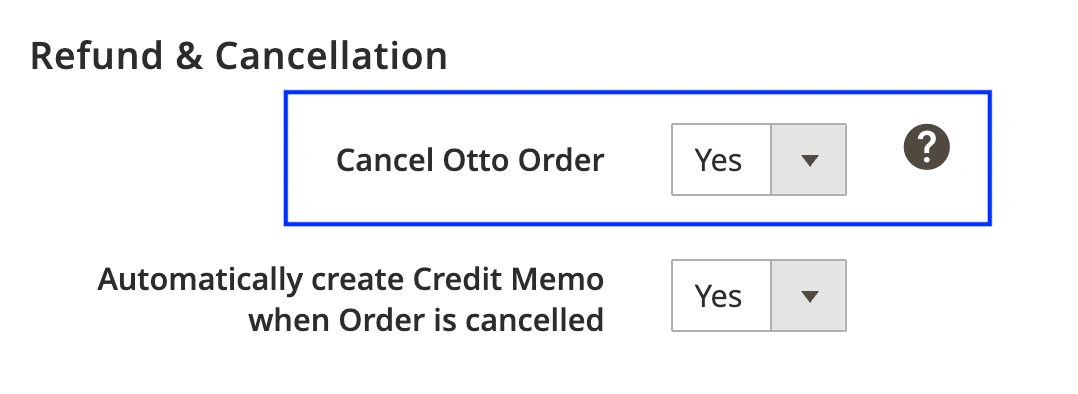
When you can't fulfill an OTTO order, the cancellation has to reach OTTO for the order to close properly on their side. You can now handle this from Magento. Once you create a Credit Memo for the order, M2E updates its status to Cancelled on OTTO.
To enable order cancellation in M2E:
1) Go to OTTO > Configuration > Accounts.
2) Open the Orders tab.
3) In the Refund & Cancellation section, set Cancel OTTO orders to Yes.
Send unit prices to Mirakl marketplaces #
Selling certain products in the EU means displaying the price per unit of measure, not just per pack. That requirement comes from the Price Indication Directive (98/6/EC) and applies across all 27 member states, covering price per liter, kilogram, meter, square meter, or cubic meter.
Mirakl calculates the unit price itself, but only if you provide the following values:
- Product price (configured in your Mirakl Selling Policy).
- Amount in one pack (set up in your Category Policy. It’s the quantity, volume, or weight the buyer gets in a single purchase).
- Pricing unit (now set in your Mirakl Selling Policy. It's the unit of measure the price is expressed in, such as 1 liter, 1 kilogram, 1 meter).
Take a 1.5 l bottle of laundry detergent priced at €9. With the pricing unit set to 1 liter, Mirakl shows €6 per liter on the listing.
You can now submit unit prices for your Mirakl products through M2E. Follow these steps:
1) Make sure unit pricing is enabled on your Mirakl marketplace account.
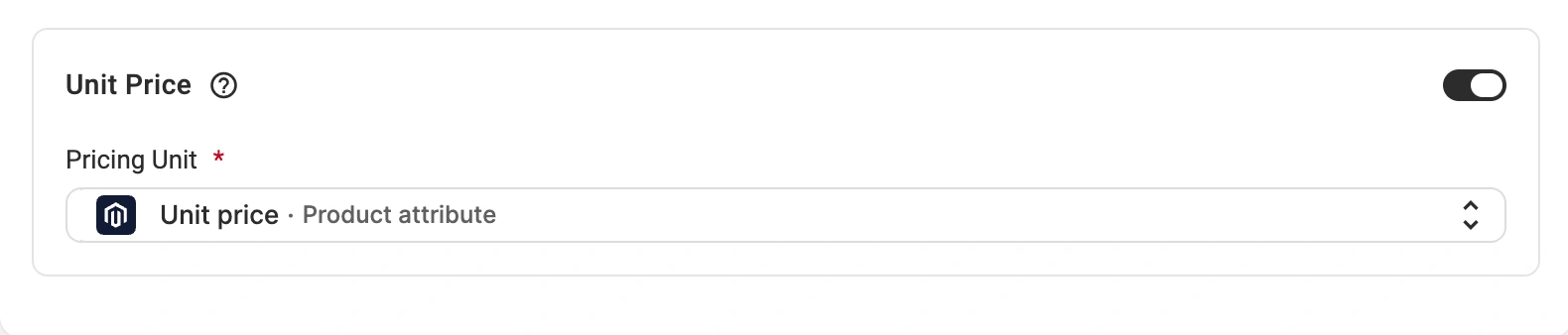
2) Open your Mirakl Selling Policy and switch on the Unit Price option.
3) Use the Pricing Unit field to define the measure. You can select a Magento product attribute as a source or choose a pre-defined Mirakl value.
4) Check your Mirakl Category Policy and confirm the product amount attribute has a value. If this attribute is empty, Mirakl cannot complete the calculation, and the unit price won’t appear in your listings.
Map Magento attribute values to Shein values #
Certain Shein attributes accept only the values defined by the marketplace. If the value in your Magento catalog differs from the accepted one, the listing is rejected, even when both mean the same thing, for example, "Short sleeve" in Magento against "Short Sleeves" on Shein.
M2E validates these attributes during listing. When a value isn't supported, the Listing Validator Assistant highlights the attribute and shows the Map attribute values solution with a list of accepted Shein values.
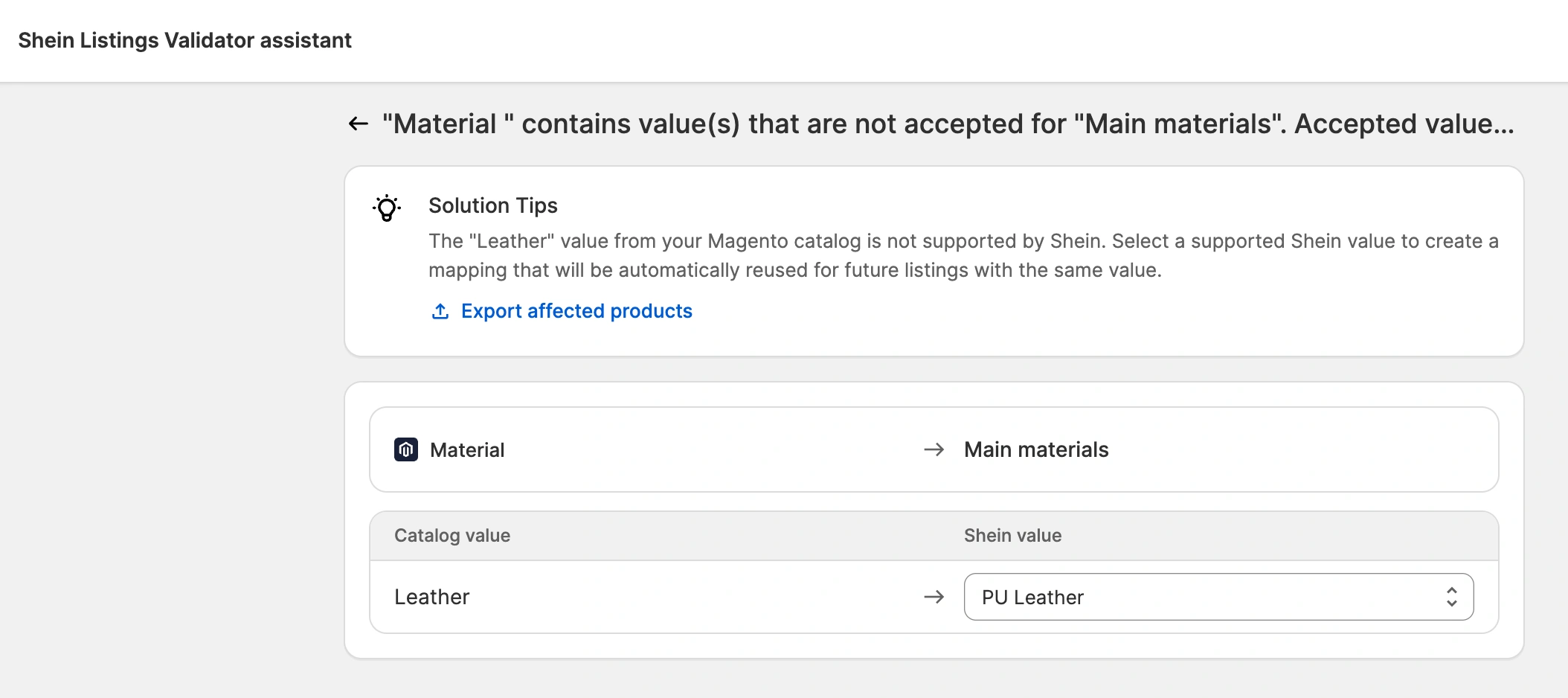
Select the value that corresponds to yours. M2E then offers to save the pair as a global mapping. If you accept, the mapping is applied automatically to future listings and when editing a Category Policy for the product.
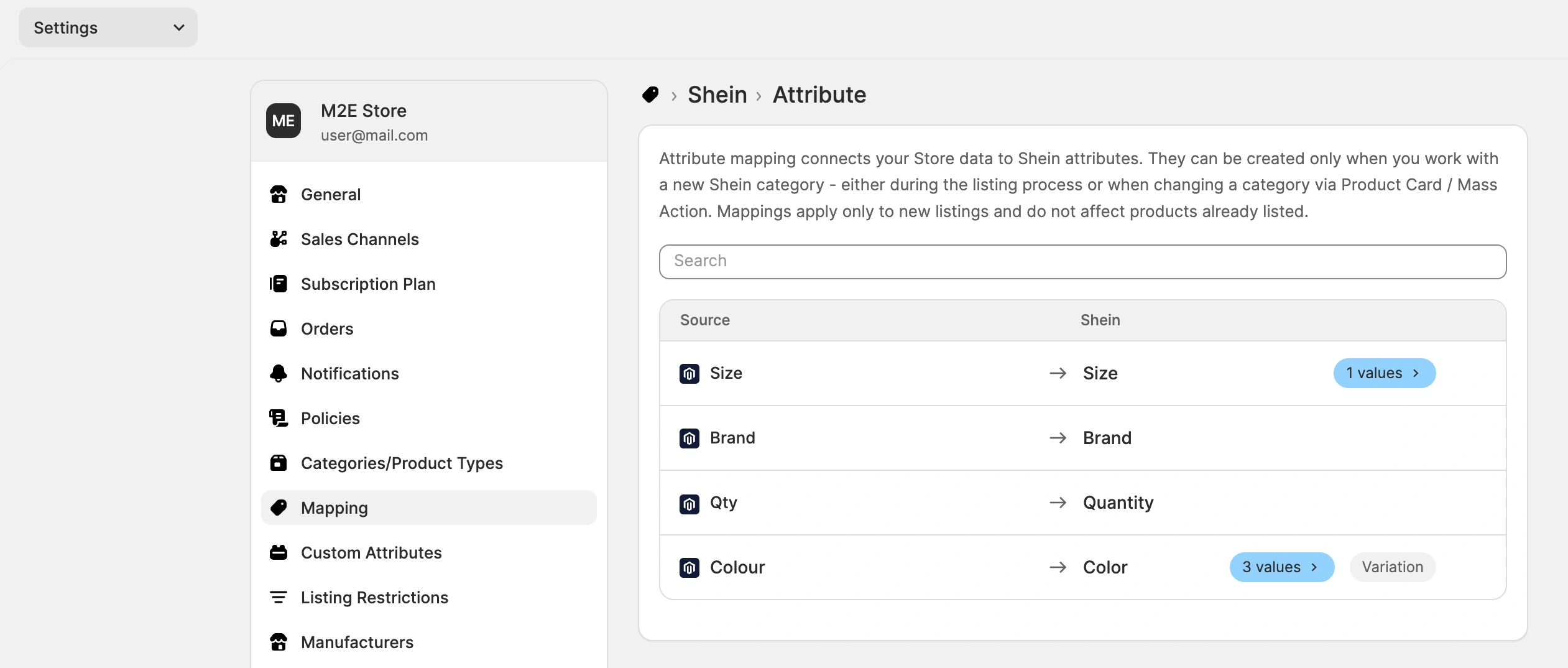
To review or remove saved mappings, go to Settings > Mapping > Attribute:
ℹ️ Attribute value mapping is also available for Mirakl marketplaces.
Sell on Kaufland Netherlands #
Kaufland Global Marketplace has opened in the Netherlands. It's the eighth European market on the platform that puts your products in front of 15.5 million more shoppers.
To start listing there with M2E Kaufland Connect, enable the market on the Kaufland side, then refresh your account details under Kaufland > Configuration > Accounts.
💡 Want to know more about the Dutch market and Kaufland's tools for sellers? Read our blog post.
More updates are coming soon. If you have questions or need help with these features, our support team is here for you.


