
Selling to business buyers on Amazon isn’t just about having good prices – it’s about having the right prices. That’s where B2B repricing comes in. With M2E Amazon Repricer, you can automatically adjust your prices to stay competitive in the B2B segment and land more high-volume deals.
Let’s walk through how to set everything up.
⚠️ At the moment, B2B items in M2E Amazon Repricer cannot sync with M2E Pro. This feature will be available soon.
Step 1. Turn on B2B repricing #
First things first – make sure your Amazon Business account is connected and approved.
Then, go to Settings > General and switch on the “Reprice B2B items” option.

✅ If your B2B products are already in the app, you can skip ahead to step 3.
Step 2. Add your B2B products #
Next, go to the Amazon Items tab. Click Add in the top right corner, choose your marketplace, and select the products you want to reprice for business customers.
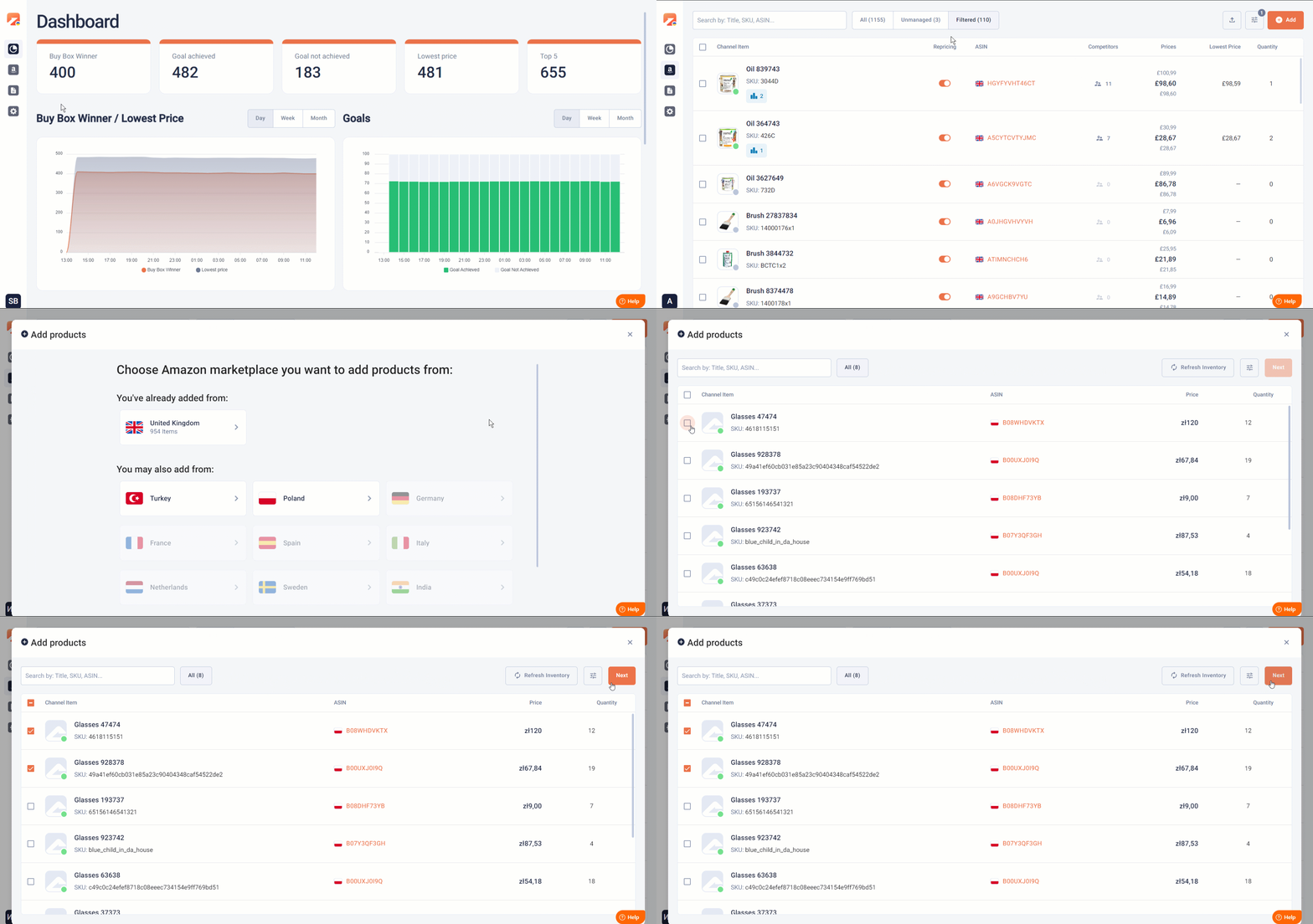
This step links your B2B items to M2E Amazon Repricer so they can be managed separately from your regular listings.
Step 3. Set B2B prices #
At this step, you need to provide the base price you want to start from, as well as the minimum and maximum prices.

Once you’ve set that price range, the Repricer takes over.
⚠️ Shipping costs shouldn’t be included in these numbers.
You can edit prices later in the Amazon Items tab, either:
- One by one (hit Edit in the product card)
- In bulk using the Change prices mass action.
Step 4. Create a B2B Repricing Policy #
This part is your strategy center. You can:
- Compete for the Buy Box
- Undercut the cheapest competitor
- Target a specific seller
Click +Create to start a new policy. Name it clearly, pick your strategy, and tell the system how much lower (or equal) you want your prices to be compared to others.

If there are no active competitors or a Buy Box winner isn’t available, you can configure fallback rules for consistent pricing behavior.
You can provide business discounts and set up to five discount tiers. Just ensure the final discounted price never falls below your minimum threshold.
Click Create, and your new policy will show up in the list, ready to be applied.
Step 5. Launch B2B repricing #
If your products are ready to be repriced, you have two options:
- Single item: Flip the toggle in the Repricing column.
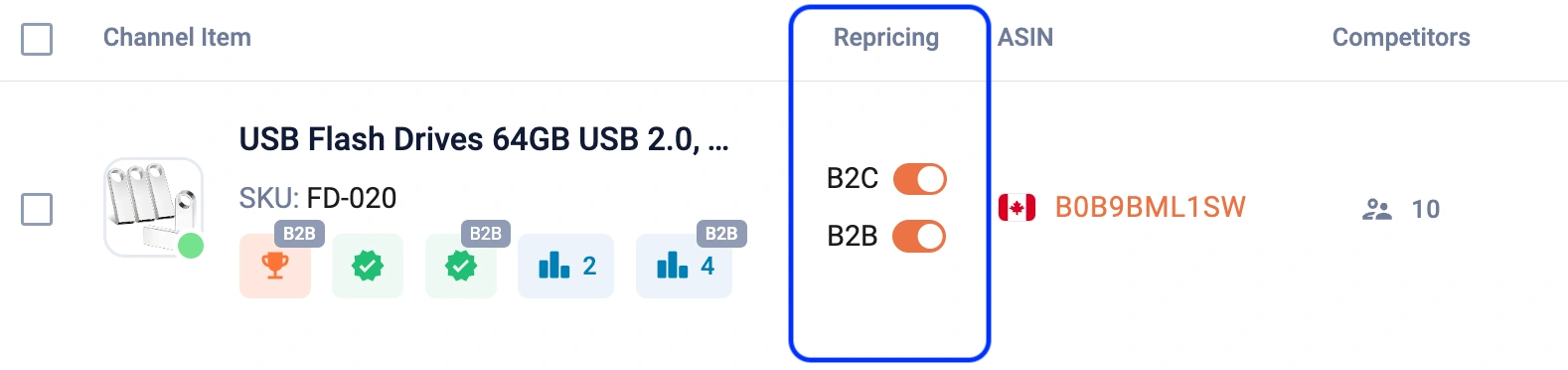
- Multiple items: Select them and choose Enable repricing from the bulk actions menu.
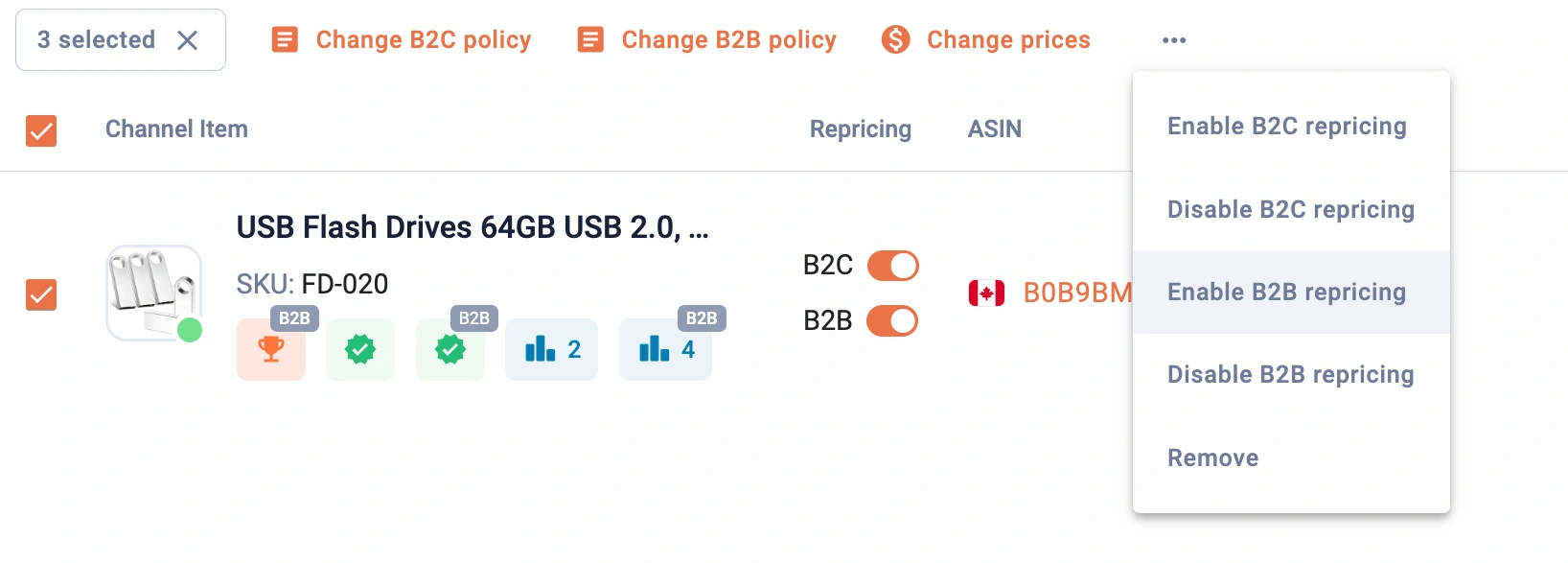
You're all set – the app will now handle B2B repricing automatically.
💡 Need a visual walkthrough? Watch our quick video guide.


