
General #
In Settings View Mode, you can review/adjust the settings defined for each product in your M2E Pro Listing, i.e. M2E Pro Policies and eBay Category settings, add eBay promotions to your products, move selected Listing Products to a different M2E Pro Listing, as well as link a previously Unmanaged item to another Magento Product.
✅ You can use the grid filters or Advanced Filter to filter out the Listing Products.
Using the Actions menu you can manage product settings:
- in-bulk;
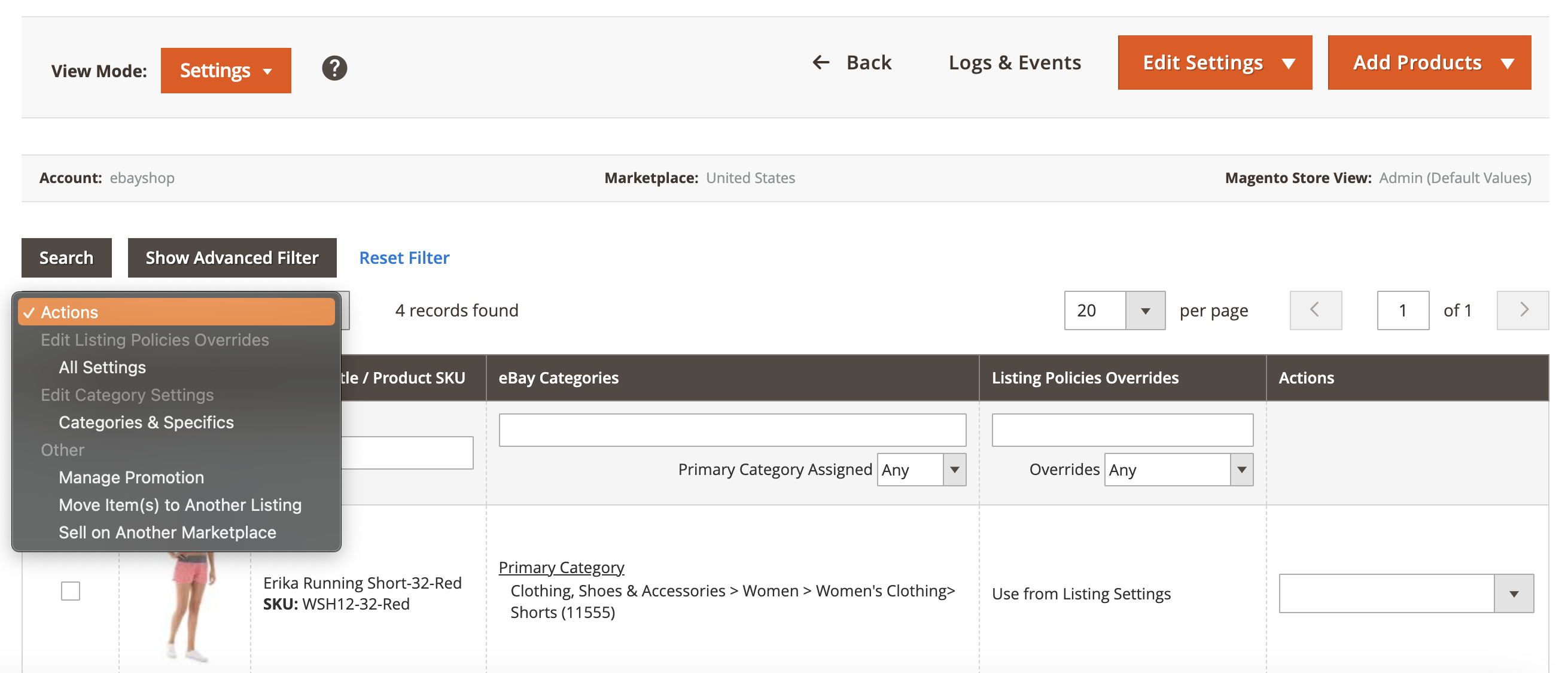
- for an individual item.
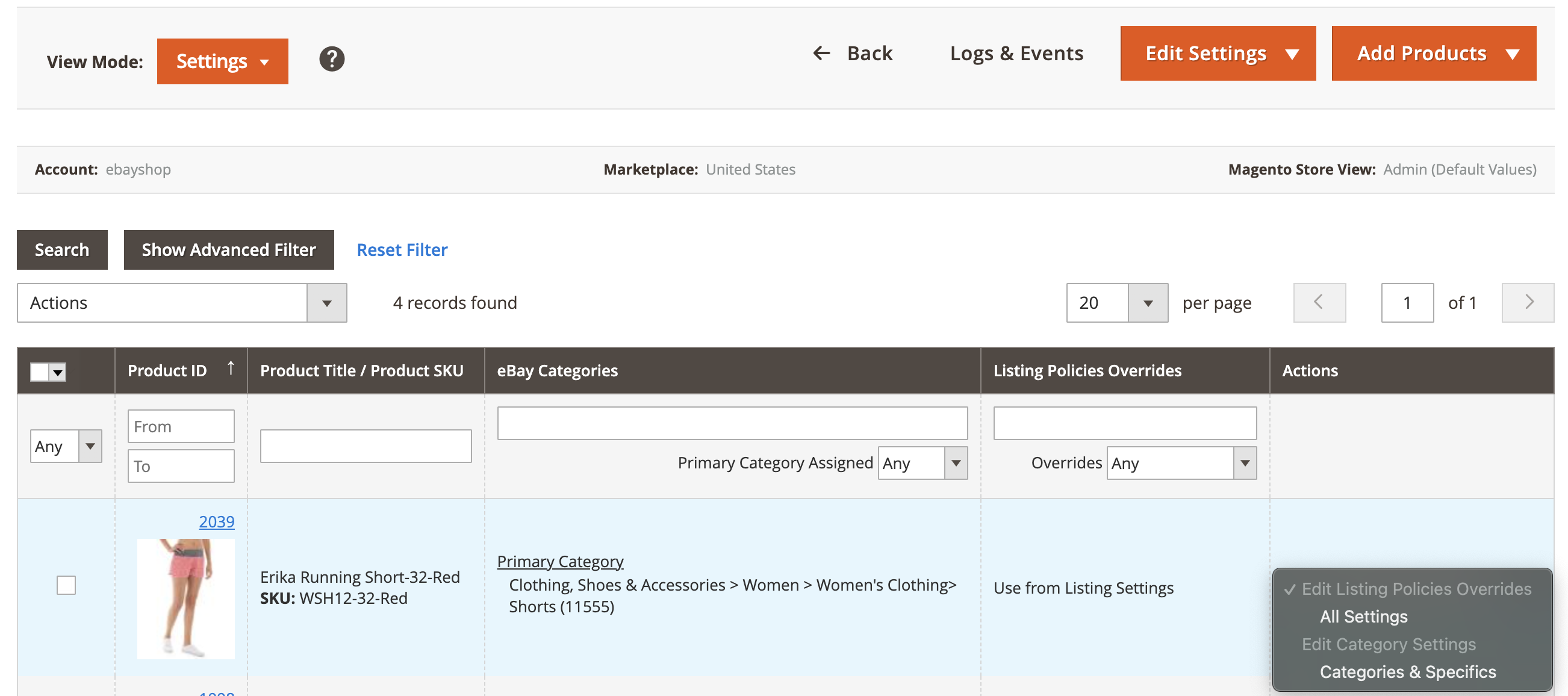
✅ In Settings View Mode, you can override M2E Pro Listing settings for individual items. For that, submit the Edit Listing Policies Overrides action from the individual actions menu. It is possible to change policies or add new ones, and edit eBay Category settings by clicking on Categories & Specifics.
Submit the required action. In the opened pop-up, make the adjustments, then click Save.

The changes will be reflected in the Listing grid.

eBay Category Editing #
To edit eBay Category for a Listing Product, please follow the steps below:
1) Switch your M2E Pro Listing to the Settings View Mode.
2) Select the required Item(s).
3) Select the Edit All Categories action from the Action menu, then click Submit.
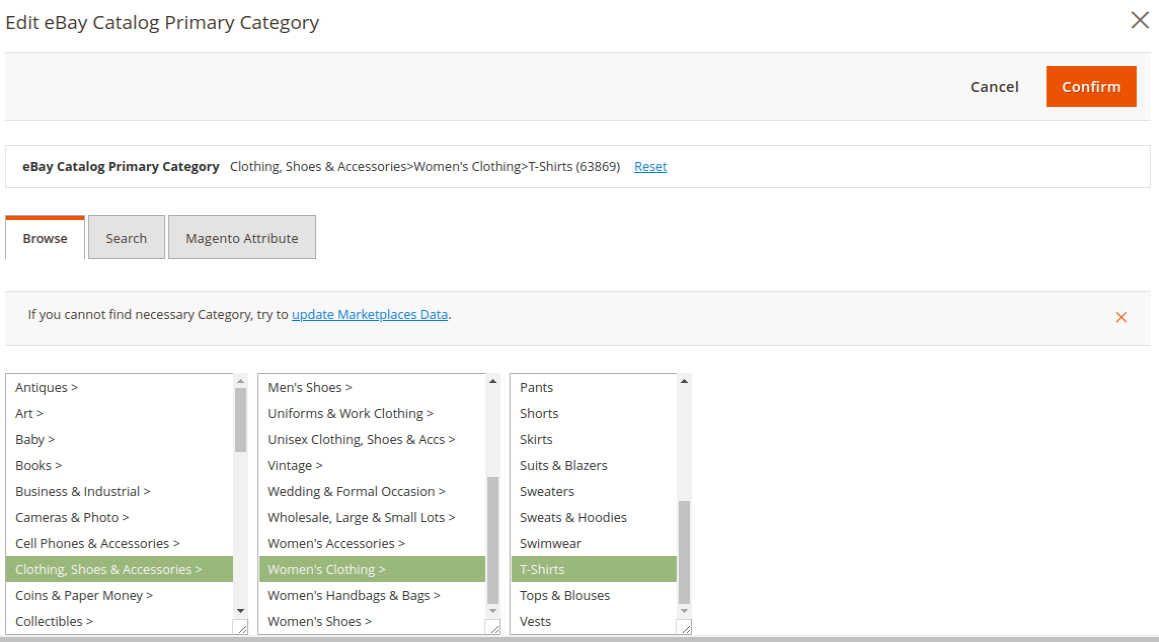
4) In the opened pop-up, click Edit to update the Categories settings.

5) You can use the tabs to browse a Category list, search by the keywords and Category ID, or use Magento Attribute that contains a valid eBay Category ID. Select a Category, then click Confirm.
6) You will get back to the previous screen. Click Continue to proceed with editing Item Specifics.
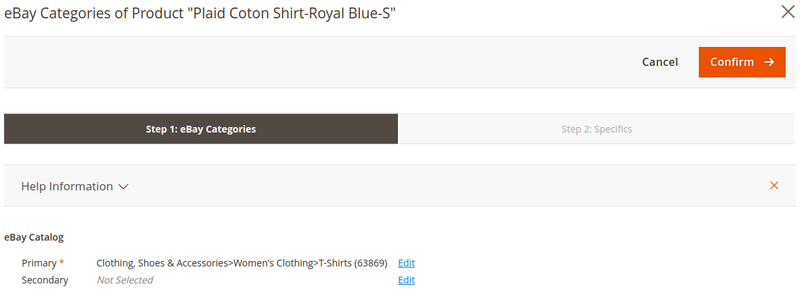
7) Define the specifics and click Confirm.

In the Listing grid, you will see the updates:


