
✅ You can save these settings as a Policy to apply the same configurations across multiple M2E Temu Listings or override Listing settings for individual items.
Quantity #
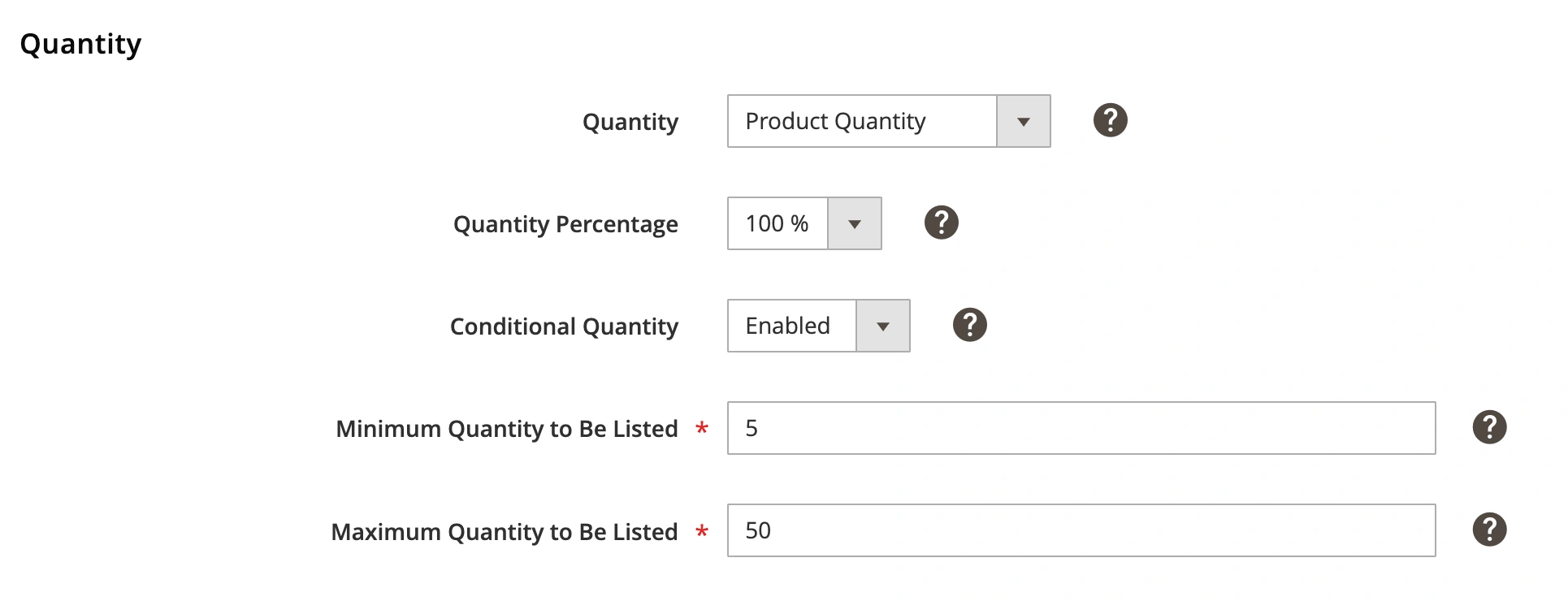
Quantity – the number of items you want to sell on Temu. There are several options available:
- Product Quantity – The listed quantity will match your Magento inventory.
- Custom Value – Set a specific quantity for Temu listings.
- Magento Attribute – Use a predefined Magento attribute for quantity.
Quantity Percentage – List a percentage of your Magento stock. For example, if Quantity Percentage is set to 80% and your Magento stock is 10, Temu will display 8 units.
Conditional Quantity (only available when the Product Quantity or Magento Attribute is chosen) – allows you to set a maximum and minimum number of items to sell on Temu.
- Minimum Quantity to Be Listed – e.g., if you have 2 units in stock but set a Min Quantity to be Listed of 5, the item will not be listed on Temu. Otherwise, the Item will be listed with Quantity according to the settings in Selling Policy.
- Maximum Quantity to Be Listed – e.g., if you have 10 units in stock but want to keep 2 units back, set a Maximum Quantity to Be Listed of 8.
Price #
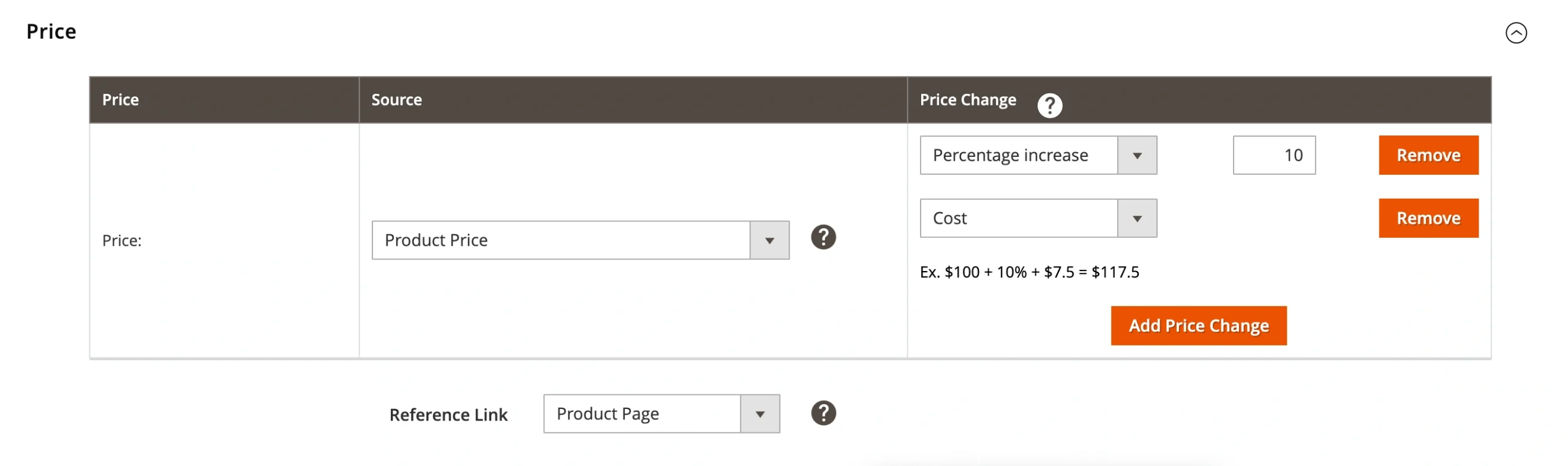
Price – select an item price source:
- Product Price – Matches the price from the Magento product.
- Special Price – Uses the Magento Special Price if available.
- Magento Attribute – Takes the price from a specified Magento attribute (must be numeric).
⚠️ If the Special Price attribute is selected from the Magento Attribute group and it does not contain any value, the Product Price will not be used instead. The item will not be listed on Temu.
If the Special Price attribute is selected as a price source, but it is not defined in Magento Product settings, Product Price will be used instead.
If the End Date of the Special Price attribute has already expired, the extension will revise the product and send the Product Price value to Temu.
Price Change – Adjust Magento Price value that will be submitted to Temu.
You can add multiple price modifications for your products. For that, click Add Price Change, choose how you want to change the price, and enter the relevant value.
There are four available price modification options:
- Absolute Value increase – increases Temu item price compared to the corresponding Magento Product price by the specified number of units.
- Absolute Value decrease – reduces Temu item price compared to the corresponding Magento Product price by the specified number of units.
- Percentage increase (%) – increases Temu item price compared to the corresponding Magento Product price by the specified percent value.
- Percentage decrease (%) – reduces Temu item price compared to the corresponding Magento Product price by the specified percent value.
Also, you can opt for Magento Attribute as a source of product price modification.
✅ It is possible to use the Price Change option in order to set a shipping cost that will be included in the product price.
Reference Link – select Magento attribute with a link to the product from other marketplaces (e.g., Amazon, eBay, TikTok Shop, etc.) This reference helps Temu speed up price assessment.
ℹ️ Links in the selected Magento attribute should begin with https:// or http://.
Tax #

Item Tax Code – select the Magento attribute that stores the Temu Item Tax Code (ITC). This code determines the correct VAT rate based on the product's category.
ℹ️ If no ITC is provided, Temu will apply the default code GEN_STANDARD. It is used for products taxed at the standard rate.


