
M2E Amazon Repricer is created to automatically optimize your Amazon prices. It analyzes your competing products and raises or lowers prices to beat the sellers on Amazon.
The service allows you to set repricing limits, create custom policies, check repricing analytics, and maximize Amazon Buy Box share on various Amazon marketplaces.
💡 Check out our video overview of M2E Amazon Repricer to learn more about its key features.
You can easily integrate your M2E Pro with the Repricer under Amazon Integration > Repricer > Settings. Simply click Connect and link your Amazon account to the service.
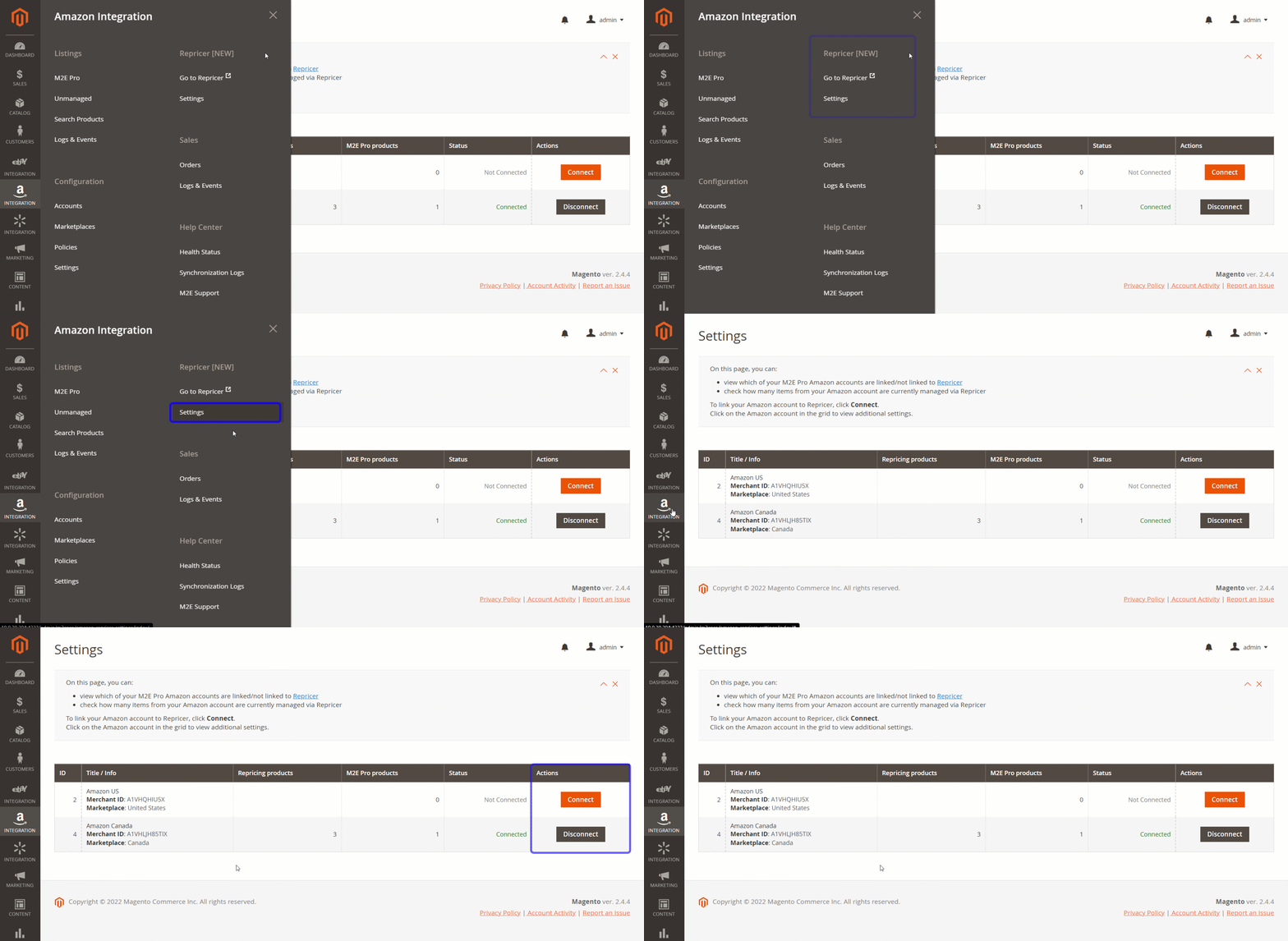
ℹ️ See our user guide to quickly set up M2E Amazon Repricer for your needs.
Once you enable automatic repricing, M2E Pro will stop updating your products' prices to prevent double synchronization. For better visibility, repriced products will be marked with a special icon in the M2E Pro Listing grid.

⚠️ The Sale Price is not compatible with price management via Repricer. It will be automatically disabled within 30 minutes after the discounted product is added to the Repricer.
Additional Settings #
Click on the connected Amazon account to specify how you want to update the Regular, Min, and Max Prices, or disable the repricing feature.
Whenever the Regular, Min, or Max Price value is changed in Magento, it will be automatically updated in the Repricer.
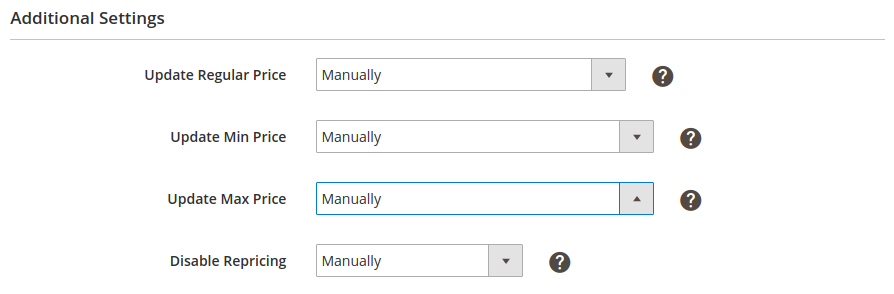
Specify the source of the Regular Price update:
- Manually - provide the Regular Price manually via the Repricing Service.
- According to Selling Policy the value is based on the M2E Pro Selling Policy.
- From Product Price - the value is equal to the Magento Product Price attribute.
- From Special Price - the value is equal to the Magento Special Price attribute.
- From Magento Attribute - specify the value using the Magento attribute.

Select how the Min Price value should be updated:
- Manually - provide the Min Price manually via the Repricing Service
- Less than Regular Price by Value - Min Price is equal to the Regular Price decreased by the provided value.
- Less than Regular Price by Percent - Min Price is equal to the Regular Price decreased by the provided percent.
- From Magento Attribute - specify the value using the appropriate Magento attribute.
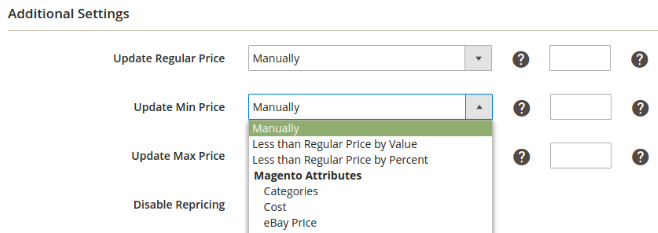
ℹ️ For example, when you select the Less than Regular Price by Value option, your Min Price will be calculated as the Regular Price decreased by the value you set. If you set 5 and your Regular price is 17, the Min Price will be calculated as 12.
Select how the Max Price value should be updated:
- Manually - provide the Max Price manually via the Repricing Service.
- More than Regular Price by Value Max Price is equal to the Regular Price increased by the provided value.
- More than Regular Price by Percent - Max Price is equal to the Regular Price increased by the provided percent.
- From Magento Attribute specify the value using the appropriate Magento attribute.

ℹ️ For example, when you select the More than Regular Price by Percent option, your Max Price will be calculated as the Regular Price increased by the percent you set. If you set 50% and your Regular Price is 10, the Max Price will be calculated as 15.
Specify a condition for disabling the dynamic repricing for your Items:
- Manually - repricing can be stopped only via the Repricing Service.
- When Status is Disabled - repricing is stopped for Magento Products with Disabled status.
- From Magento Attribute - repricing is stopped if the Yes value is specified for the selected Magento Attribute.

Please note the following when using Repricer:
- It can take up to one hour to update the Min/Max/Regular prices with the changes made to the corresponding Magento Attributes.
- The M2E Pro Listing grid is updated with the repriced values once a day. That’s why you may notice a difference between price values displayed in M2E Pro and Repricer. Find the most actual data in the Repricer app.
- Settings provided in the Repricer app override those in the M2E Pro additional settings. If your Min/Max/Regular price is updated via Magento Attributes, but then you change it directly in Repricer, your price will be recalculated based on the Repricer's value.


