
ℹ️ What’s new
In this version, we've added the ability to map TikTok Shop Category and Magento Attributes, as well as specify a warehouse for TikTok Shop Listing Products.
✅ You can upgrade to version 2.5.0 via Composer or Adobe Commerce marketplace.
Map TikTok Shop category and Magento attributes #
Configuring attributes for different TikTok Shop categories can take plenty of time. To simplify this process, we’ve made it possible to set the correspondence between your TikTok Shop category and Magento attributes.
Navigate to Configuration > Mapping > Attribute Mapping to configure and save your default attribute mappings:
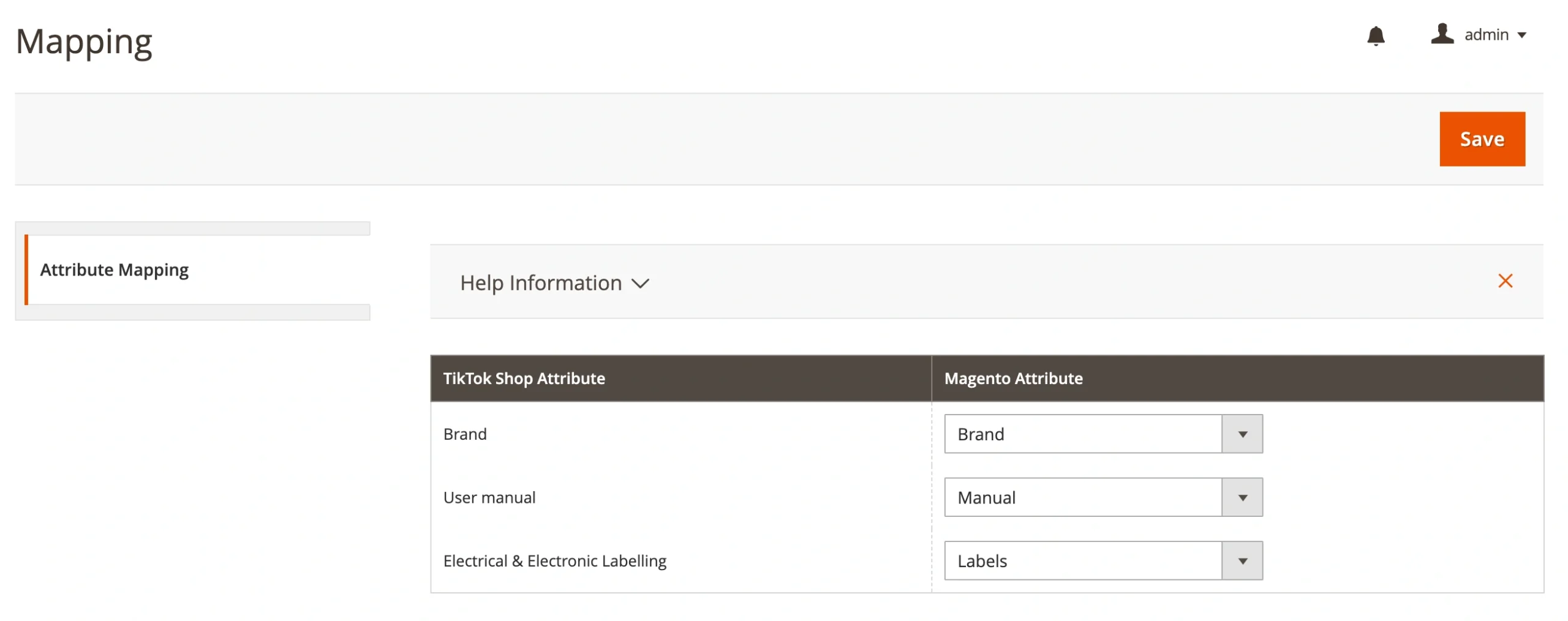
ℹ️ Mapping ensures that each TikTok Shop category attribute is automatically matched with the correct Magento attribute. You can update your saved mappings anytime if a more suitable attribute becomes available.
Select a warehouse for TikTok Shop Listings #
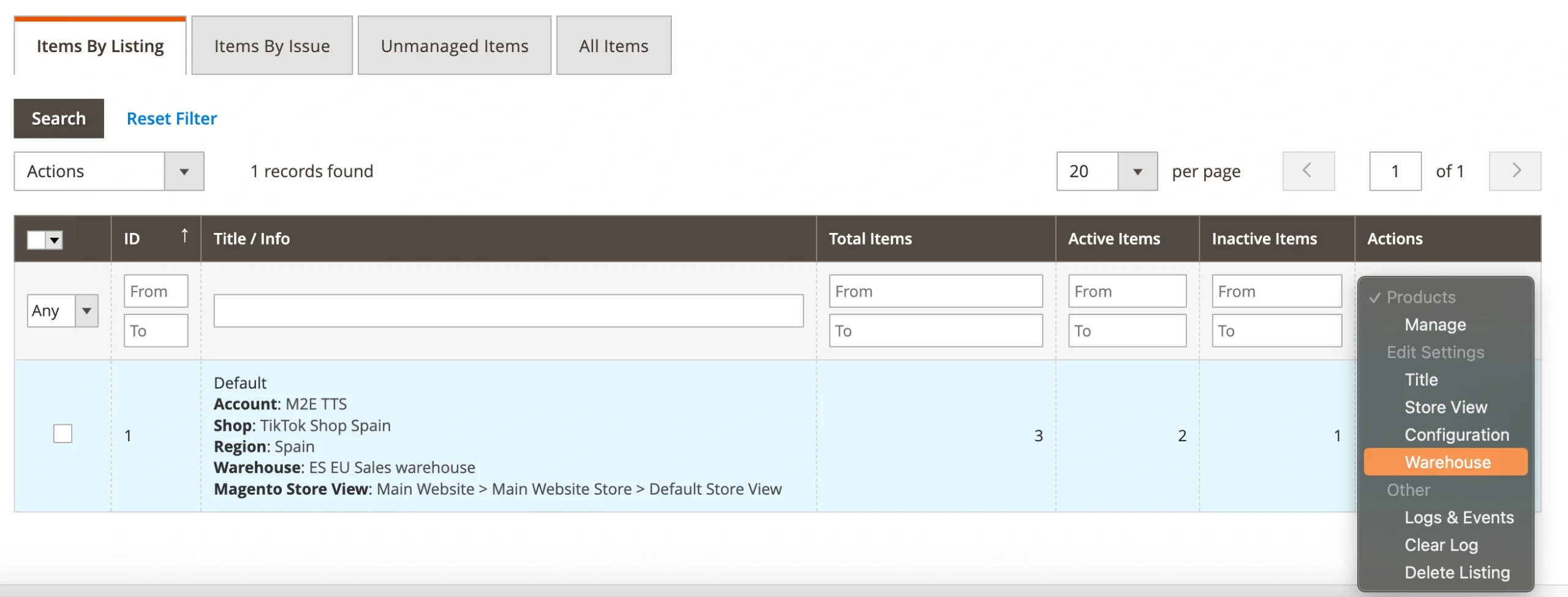
This version gives you more control over your TikTok Shop Listings. Now, you can select the warehouse where the products are stored, so your listings always reflect the correct stock location.
You can choose one of your available warehouses when creating a new M2E TikTok Shop Listing (step 1):

If you need to update the warehouse for an existing M2E TikTok Shop Listing, use the Listing Actions menu:
Technical changelog #
- [Added] Ability to save mapping between Magento and TikTok Shop Attributes [#7372]
- [Added] Ability to specify a warehouse for a Listing Product [#7376]
- [Added] Display of extension validation errors in Items by Issue grid [#7443]
- [Added] Display of Incomplete Product status reason [#7030]
- [Fixed] Display of the order log 'Customer has requested return of the Item…' [#7455]
- [Improved] Interface of GPSR settings [#7413]
- [Improved] Display of "Invalid Region/State value in the Shipping Address" error [#7002]
- [Improved] Help block text on the Orders page [#7426]
- [Improved] Number of allowed characters for the Magento Order number configuration [#7471]
- [Improved] Tooltip texts next to the package dimension fields [#7462]
- [Removed] Deprecated GPSR Responsible Person address lines [#7353]


