
If an eBay Order contains Items that haven’t been matched to Products in your Magento inventory, you will need to let M2E Pro know which Magento Product in your inventory matches the eBay Item.
There are two types of matching:
- Linking to Magento Product – applies to Simple Products.
- Set Options – applies to Variational Products.
Link to Magento Product #
To link a Magento Product to an Item in an eBay order, click Link to Magento Product for the item in the Transaction Item(s)section of View order details.

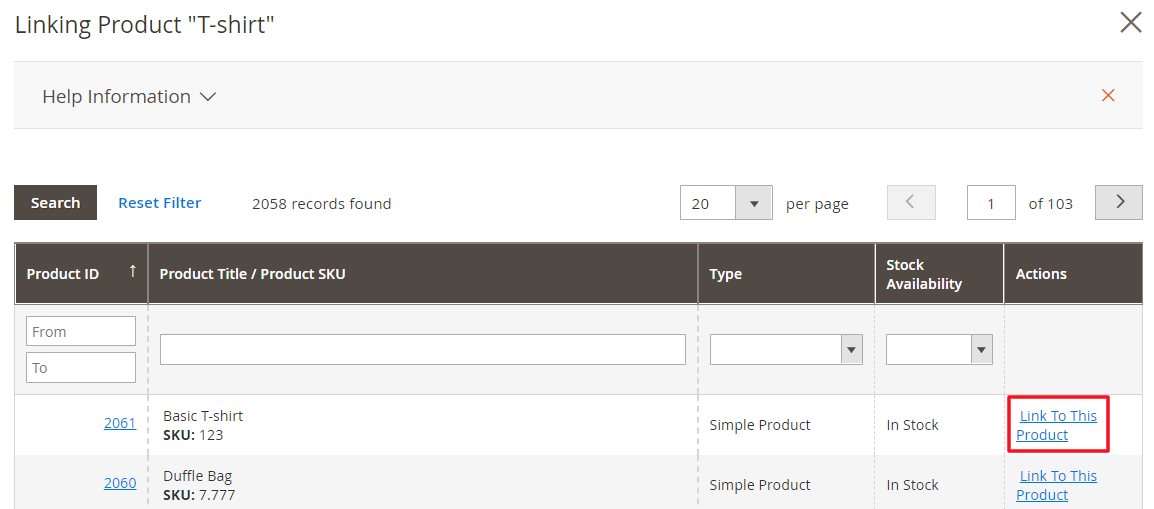
Order Item Linking will appear, allowing you to enter a product ID or SKU directly.
When you find the product you want to use for linking, click the Link To This Product link on the appropriate line.
Set Options #
To set up options on Variational Products in an eBay Order, click the Set Options link for the item in the Transaction Item(s) section of the View order details screen.

Set the product options then choose if you want to use the same details for future orders by selecting Save selection for subsequent orders. Click Confirm to save your settings.
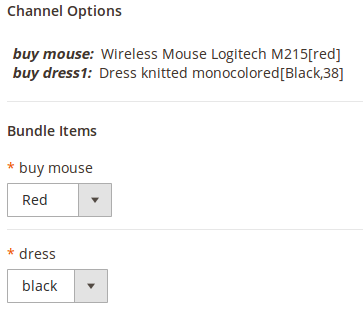

After saving, you can still click Set Options to change the options for an eBay item.


