
This month brings a wave of exciting updates across the M2E solutions. From long-awaited eBay Promoted Listings support to new marketplace expansions – let’s dive into what’s new.
What’s new in M2E Pro? #
Manage eBay Promoted Listings #
A long-anticipated feature is finally here! You can now create and manage eBay Promoted Listings in M2E Pro for Adobe Commerce (Magento).
Promoted Listings is eBay’s advertising service that boosts your products’ visibility in search results. Within M2E Pro, you can:
- Manage existing eBay campaigns
- Create new promotional campaigns
- Link or unlink items from campaigns

💡 Learn how to set up eBay Promoted Listings in this guide.
What’s new in M2E Connect? #
Expand your reach with TikTok Shop Brazil #
Your next big opportunity is here: TikTok Shop has gone live in Brazil. Be among the first to list your products using M2E Connect and build your brand in this thriving market.

Use Analytics Dashboard for TikTok Shop & Temu #
M2E Connect introduces a centralized Analytics Dashboard for TikTok Shop and Temu. With its help, you can view key metrics of your marketplace sales, shipments, and overall product performance. Navigate to Overview > Dashboard to get started.
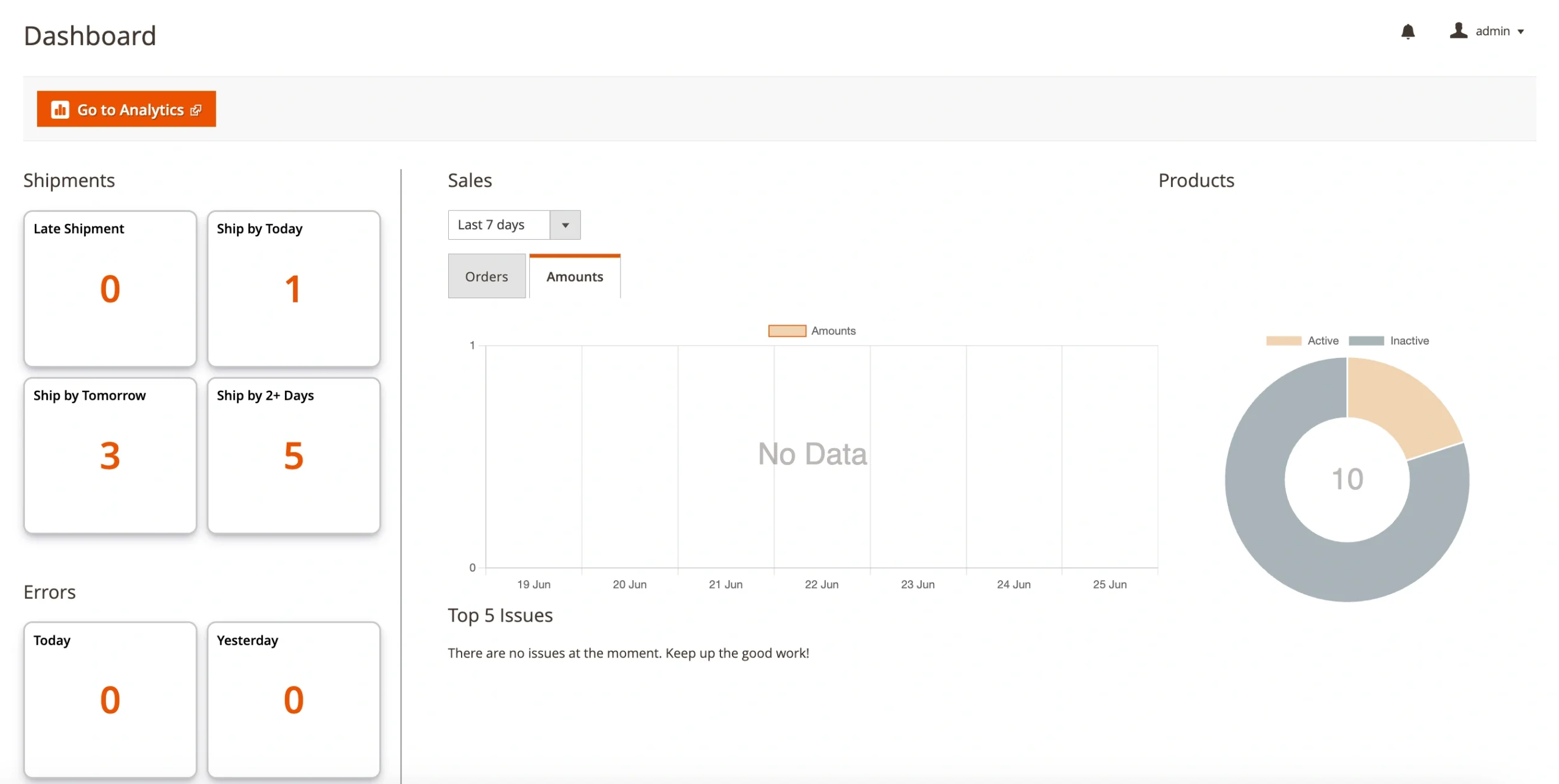
ℹ️ Looking for deeper insights? Use the M2E Analytics app for TikTok Shop and Temu to analyze and optimize your strategy further.
Sell Configurable Products on Temu #
You can now list Magento Configurable Products on Temu in order to sell items with variations. Just like Simple Products, you need to add them to your Temu Listing in M2E Connect and provide the needed information, like category and variation attributes.
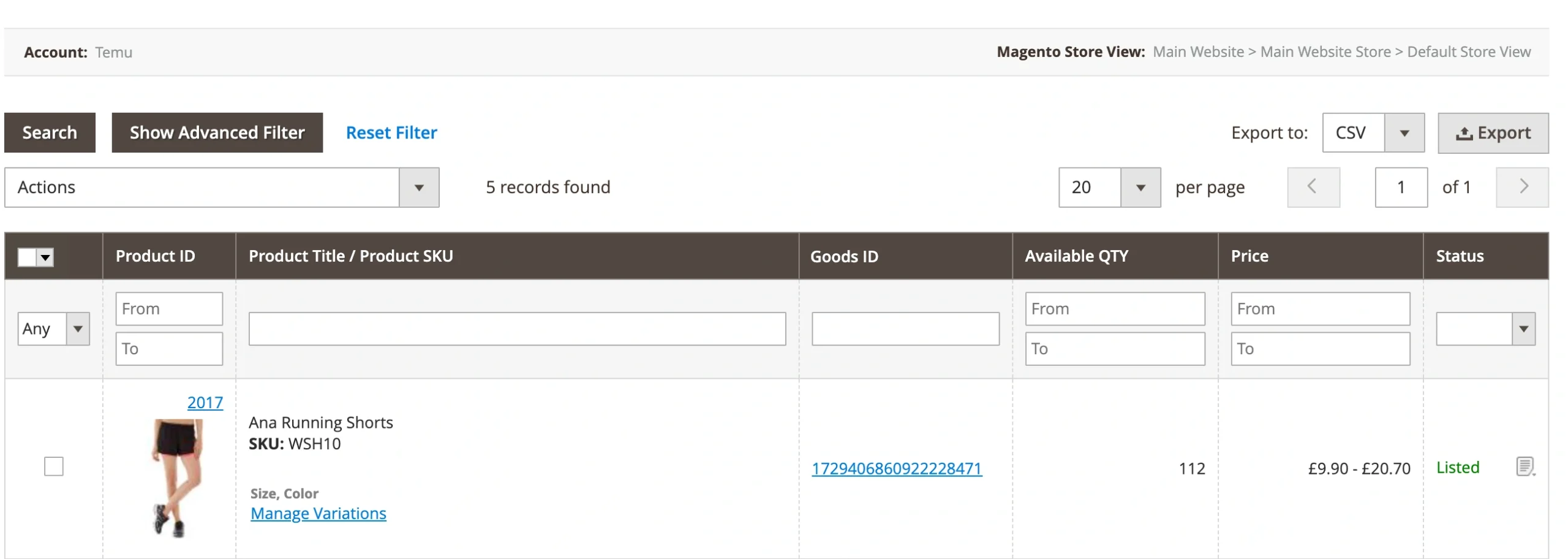
💡 Follow our guide to list variational products on Temu.
Add reference links for Temu products #
You can now provide a Reference Link at the SKU level – a link to the same product on another Channel (e.g., Amazon, eBay). This helps Temu assess pricing based on other marketplace listings.
How to set it up:
- Go to your Temu Selling Policy > Price section
- Choose a Magento attribute that contains the link
- Make sure the link begins with https:// or http://

Fulfill Walmart orders with Amazon MCF #
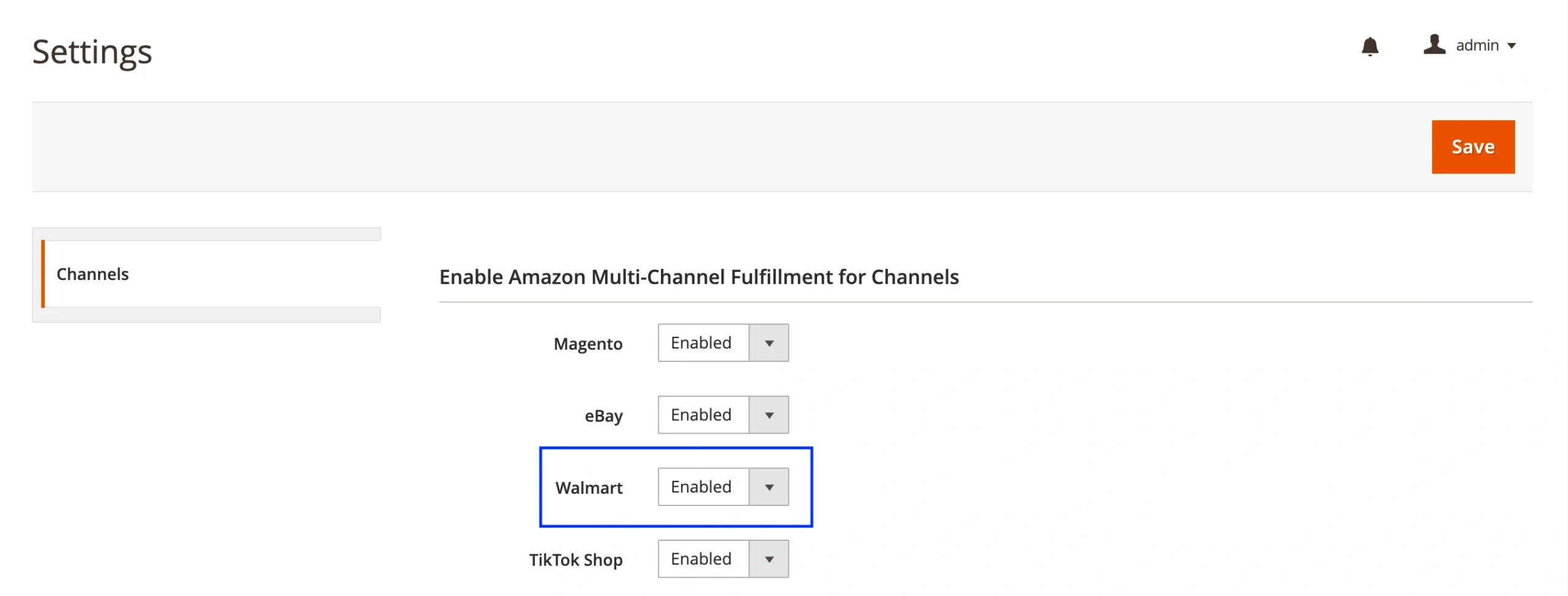
Good news for sellers using Amazon’s Multi-Channel Fulfillment (MCF)! You can now fulfill your Walmart orders using your FBA inventory through M2E Amazon MCF.
Go to Configuration > Settings > Channels and enable MCF for Walmart. From there, Amazon will take care of warehousing, picking, packing, and shipping, while M2E handles the order routing and keeps your Walmart order details synchronized.
Make sure you’re using the latest versions of M2E Pro or M2E Connect to access these new features.
✅ Need help? Our support team is here to assist you anytime.


