
Walmart repricing allows you to automatically adjust product prices on Walmart based on predefined strategies, while keeping prices within safe minimum and maximum limits. With M2E Pro, you can apply repricing to Magento products listed on Walmart and control pricing behavior through a dedicated Repricer Policy.
Follow this guide to configure the Walmart Repricer in M2E Pro.
Step 1. Create a repricer strategy in Walmart Seller Center #
Before you set up repricing in M2E Pro, make sure to create a repricer strategy in your Walmart Seller Center.
Navigate to the Pricing section in Seller Center and choose Automate pricing. Click Create Strategy in the top-right corner, and configure your strategy settings according to your pricing goals.
💡 For detailed instructions, refer to the Walmart Repricer documentation.
Step 2. Prepare min and max price attributes in Magento #
M2E Pro uses Magento product attributes to define the minimum and maximum price limits for repricing. These values determine how low or high Walmart repricing is allowed to go.
In your Magento catalog, make sure you have product attributes for Min Price and Max Price. Then, assign appropriate values to these attributes for the products you plan to reprice.
💡 If you need help creating product attributes, visit the Adobe Commerce (Magento) documentation.
Step 3. Create the Walmart Repricer Policy #
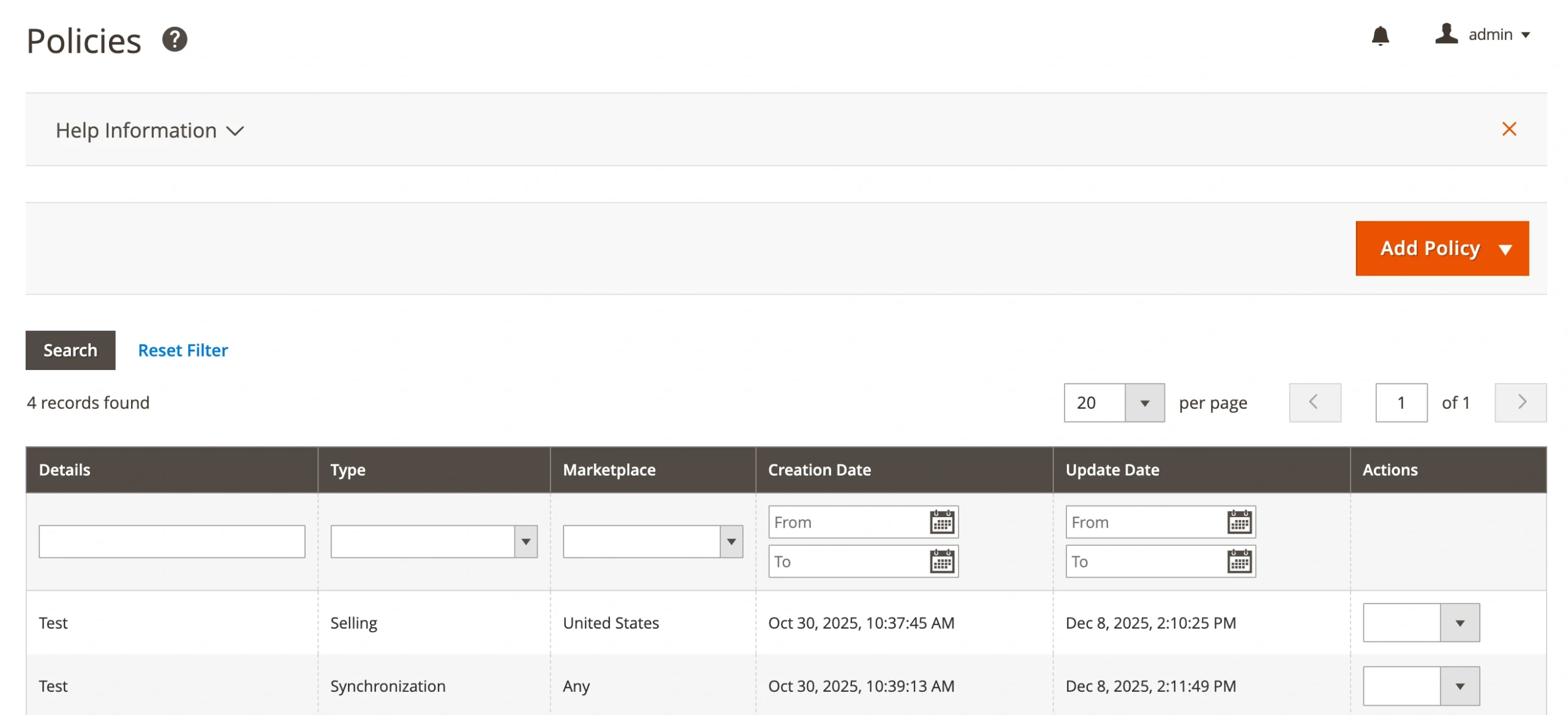
Navigate to Walmart > Configuration > Policies in M2E Pro. Add a new Repricer Policy, which will be used for products with Walmart repricing enabled.
Step 4. Select a repricer strategy #
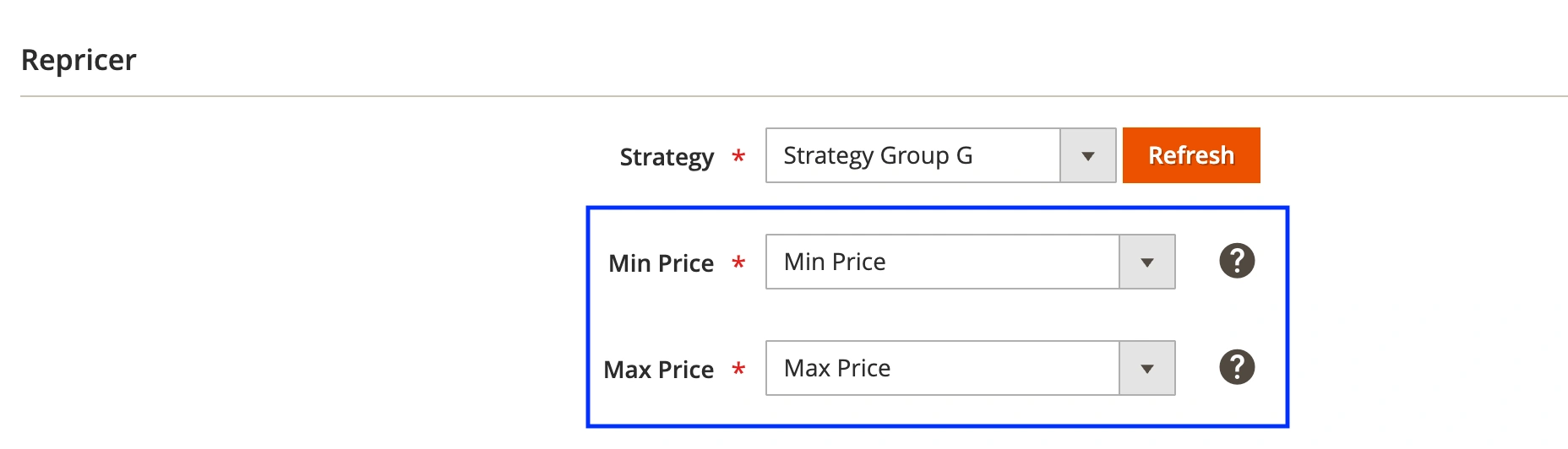
Navigate to the Repricer section. In the Strategy field, select one of the strategies created in your Walmart Seller Center.
If you do not see your strategy, click Refresh to reload the list from Walmart.

The selected strategy determines how M2E Pro adjusts your product price within the allowed range.
Step 5. Set min and max price sources #
Next, define which Magento attributes M2E Pro should use for price limits during repricing.
In the Min Price field, select the Magento attribute that contains the lowest acceptable price for your products.
In the Max Price field, select the Magento attribute that contains the highest acceptable price for your products.
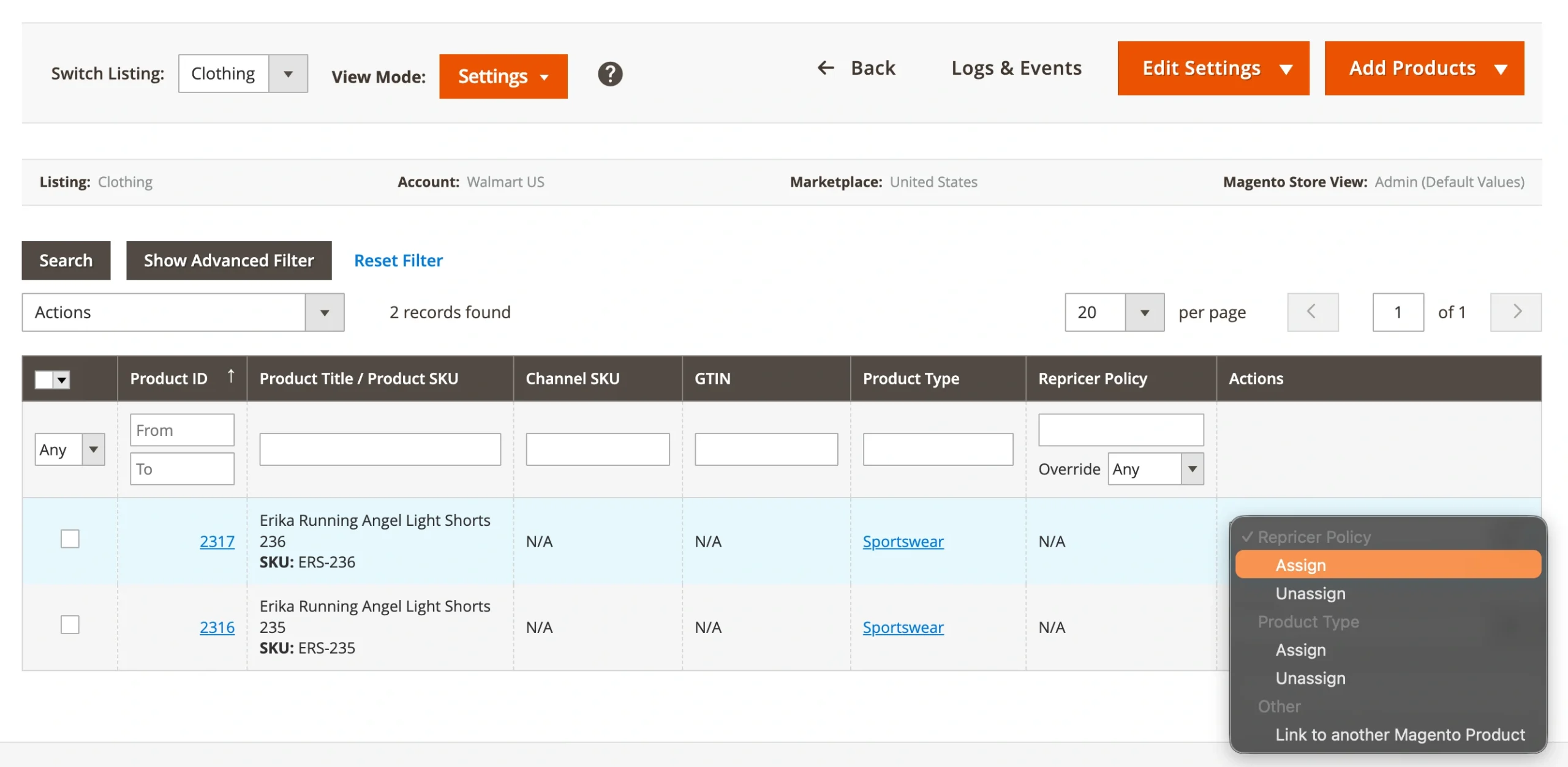
Once done, save your Policy settings and assign it to the products you want to reprice.
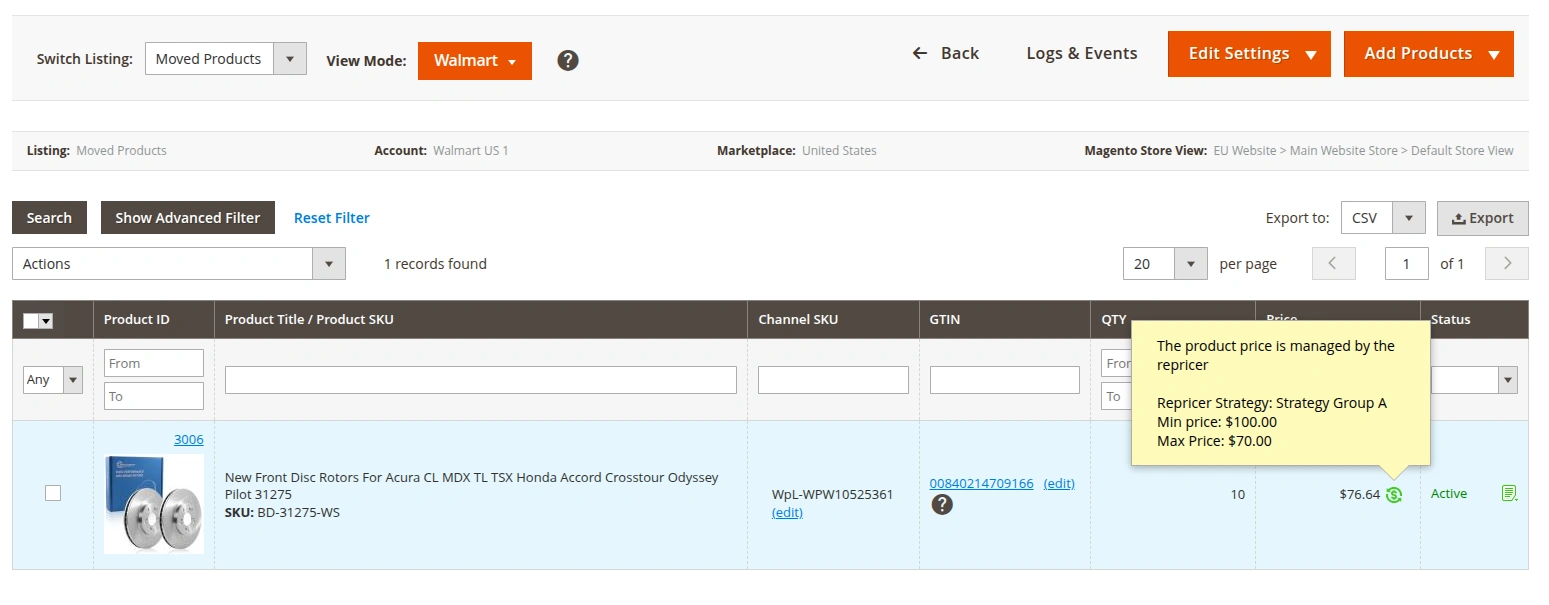
In the M2E Pro Listings grid, products using repricing will be marked with a special icon:
ℹ️ To make sure that M2E Pro tracks min and max price changes and updates them on Walmart, check that the Price option is enabled in your Revise Rules.


