
This guide explains how to connect and manage the B&Q marketplace using M2E Mirakl Connect.
B&Q focuses on DIY, home improvement, garden, and household products. It runs on the Mirakl platform, which means it follows Mirakl standards for product data, offers, pricing, and order handling.
M2E Mirakl Connect lets you manage B&Q from your store. After connecting, you can:
- sync products and offers,
- update prices and stock,
- import and process orders,
- send tracking and shipment updates,
- and monitor listing and validation results.
The integration works through the Mirakl API. Once connected, M2E keeps your catalog and orders synchronized between your store and B&Q.
ℹ️ Most steps in this guide also apply to other Mirakl marketplaces supported by M2E.
Outside M2E Mirakl Connect #
B&Q is one of the UK’s largest DIY and home-improvement retailers. Its online marketplace allows third-party sellers to list products alongside B&Q’s own catalog. The marketplace focuses on home, garden, furniture, tools, and related categories, and targets UK customers.
Costs of selling on B&Q #
Selling on B&Q typically includes:
- Monthly fee: about £39/month
- Commission: usually 7–15% per order, depending on category
- Setup fee: none
- Payout schedule: typically twice per month
These costs can vary by category and commercial agreement, but this range reflects the standard structure for B&Q marketplace sellers.
Technical requirements #
Before starting the setup, make sure the following requirements are met:
- You are VAT-registered
- Your products have valid EAN or GTIN codes
- Prices are available in GBP
- Shipping settings are defined
- You are approved to sell in the required B&Q categories
Products that don’t meet B&Q data requirements may be rejected during validation.
Request seller account & access #
Before connecting B&Q to M2E Mirakl Connect, make sure your seller account and product data meet the marketplace requirements. Missing access or required data can block product exports or order sync.
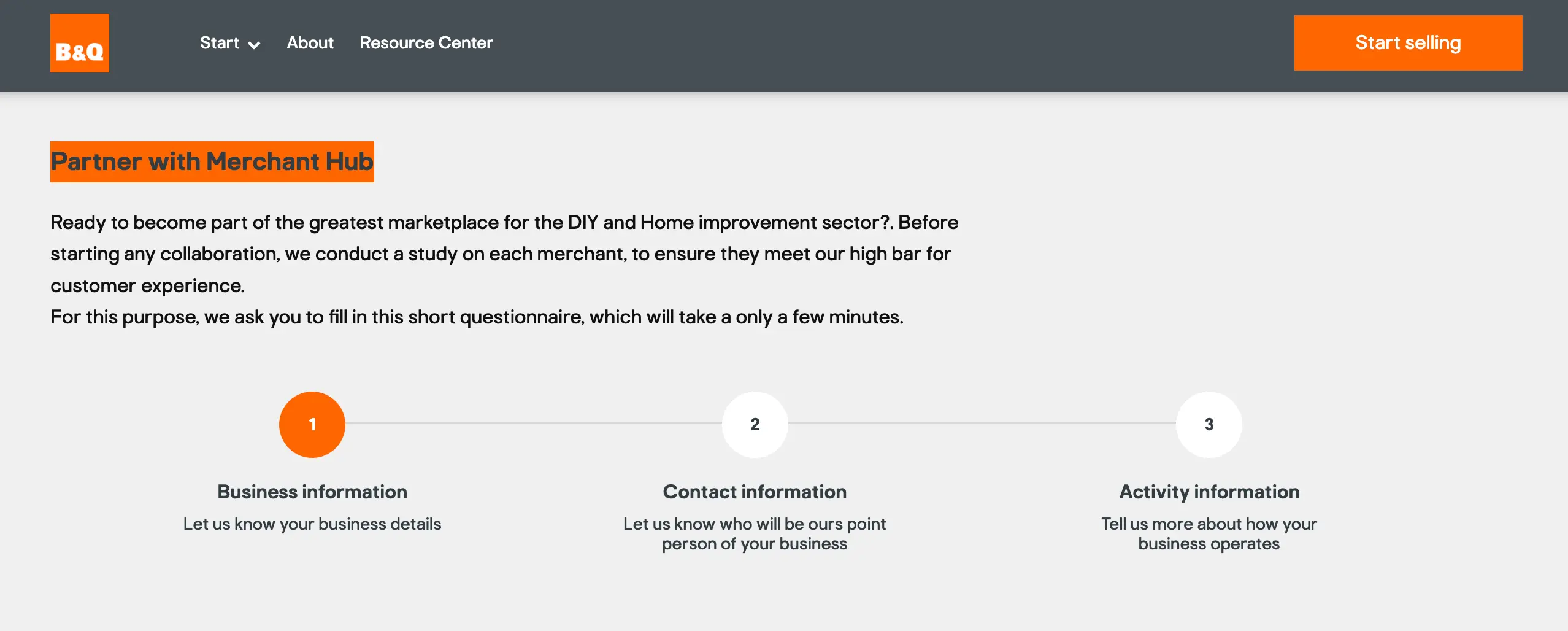
To sell on B&Q, you must first apply and get approved by the marketplace.
- Apply to B&Q. Submit your application via the B&Q Partner / Merchant Hub. B&Q handles approval and may take time.
- Account approval is required. You can’t connect B&Q to M2E until your seller account is fully approved and active.
- Mirakl Seller Admin access. After approval, B&Q provides access to the Mirakl seller portal. You will use this portal to manage products, offers, and orders on the marketplace side.
API key. You need a valid Mirakl API key to connect B&Q to M2E Mirakl Connect. The API key is generated in your Mirakl Seller Admin.
Inside M2E Mirakl Connect #
To manage B&Q from M2E, you need to connect your Mirakl seller account using an API key. The connection allows M2E to exchange product, offer, and order data with the marketplace.
Once connected, M2E can sync:
- products and offers
- prices and quantities
- orders and statuses
- tracking and shipments
How to connect B&Q #
You can connect B&Q to your Adobe Commerce (Magento) store using M2E Mirakl Connect. The process is quick and follows the standard setup for all Mirakl marketplaces.
Steps:
- Install the M2E Mirakl Connect extension and grant permissions.
- Sign in to your M2E account (or create one).
- Add your B&Q marketplace account using your Mirakl API URL and API key.
- Link your Magento products to B&Q listings.
- Enable inventory sync to keep stock levels aligned.
- Configure order import so B&Q orders appear in Magento and automatically reduce stock.
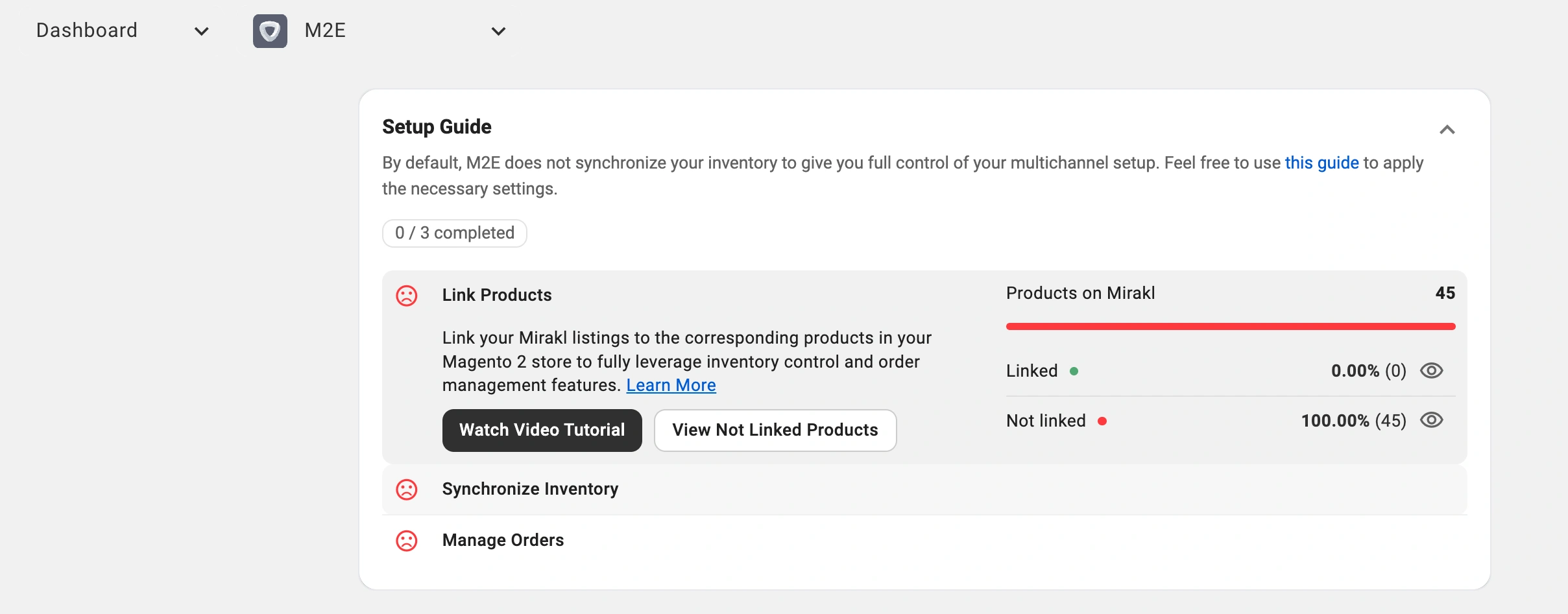
Once completed, your catalog, stock, and orders will sync automatically between Magento and B&Q.
✅ Read the full setup guide: M2E Mirakl Connect User Guide.
Day-to-day management #
After the connection is set up, daily operations become mostly automated. You maintain products and stock in Magento, and M2E pushes updates to B&Q. Orders download automatically, allowing your team to process them using the same workflow as website orders.
Product sync setup #
There are two ways to start managing products on B&Q with M2E.
Publish new products (coming soon)
Use your Magento product data to create new listings on B&Q. Once listed, products appear on the marketplace, and M2E begins managing their price and quantity based on your store data.
Link existing B&Q listings
If products already exist on B&Q, link them to the matching Magento items.
Linking is required for synchronization. It tells M2E which Magento product controls each B&Q listing. Once linked, M2E will update stock and pricing on B&Q and keep both systems in sync.
Product management & sync policies #
M2E Mirakl Connect uses policies to control how your products are listed, priced, and synchronized with B&Q. A policy is a reusable template that defines key settings, such as inventory updates, pricing rules, and order-handling behavior.
Policies help you manage large catalogs efficiently. Instead of configuring each product separately, you assign a policy to a group of items, and M2E applies those settings automatically.
How policies work in daily operations:
- Policies define how Magento data syncs to B&Q (stock, price, status).
- Any changes made to a policy apply to all products that use it.
- You can create multiple policies for different product groups, brands, or strategies.
- Policies can be created, edited, duplicated, or removed from the Configuration section or directly within a listing.
Category management #
Managing categories correctly is essential to ensure your products appear in the right sections on B&Q. M2E Mirakl Connect allows you to efficiently assign, update, and revise categories for your listings.
Order management #
M2E Mirakl Connect automatically handles your entire order lifecycle on B&Q. Once the connection is active, orders flow directly into Magento, where you can manage them like any other store order.
You can enable automatic order creation in your account settings. M2E Mirakl Connect automatically creates Magento orders for incoming B&Q sales. Or create Magento orders manually if necessary.
On the B&Q marketplace side #
B&Q is a Mirakl-powered marketplace, meaning many product and offer attributes are marketplace-controlled. These attributes are standardized across Mirakl channels and help ensure consistency in product data, pricing, shipping, and compliance.
Key product attributes #
Required product attributes:
- EAN – unique product identifier
- Main image – minimum 500×500 px, max 10 MB, JPEG or PNG
- Name – structured format: [brand] [color] [product type] [size] [quantity]
- Shop SKU – your merchant product number
Category-specific attributes:
- Core pack quantity
- Diameter
- Length
- Weight
- and other measurable details
Offer attributes:
- Price – mandatory for all products (GBP)
- Optional: discount price, start/end dates, strike-through price, bulk discount threshold
- ECO/EPR compliance codes and producer IDs
- Lead time to shipment, product condition (Offer state), and minimum quantity alerts
- Logistic class codes: Standard (S), Bulky (B), Made-to-order (MTO)
Pricing & discounts #
- Pricing v1: Map Discount price, start/end dates, and quantity threshold for bulk discounts.
- Pricing v2: Use Strike price as the regular price and Price as the discounted price; bulk discounts work the same way.
Inventory & shipping #
- Stock levels are automatically synced from Magento to B&Q for all linked products.
- Carrier mapping is optional; only B&Q’s approved carriers are recognized.
- Shipping is included in the product price; the standard delivery promise is “delivered in 7 days.”
ℹ️ By understanding and mapping Mirakl-backed attributes correctly, your Magento products will synchronize seamlessly with B&Q, ensuring accurate listings, pricing, and order processing.
FAQ #
Why are my products not appearing on B&Q? #
Common reasons include:
- missing required attributes
- invalid EAN/GTIN
- incorrect category mapping
- prices not in GBP
- invalid images
Check M2E logs first. If no issue appears, download the Mirakl import report to see marketplace-side errors.
Are B&Q orders automatically accepted? #
Yes, you only need to process and ship them.
Does B&Q support promotions or discounts? #
You can send discounted prices using Mirakl pricing fields. The discount price must be lower than the base price and have valid dates.
Can I sell in multiple countries through B&Q? #
B&Q mainly targets UK customers. Some cross-border shipping may be supported depending on your setup, but your primary market is the UK.
✅ In case of any questions, contact our support team.


