
This guide shows how to connect and manage Best Buy Canada with M2E Mirakl Connect.
Best Buy Canada is a large marketplace for electronics, appliances, and branded tech products. It runs on the Mirakl platform. Product data, pricing, offers, and orders must follow Mirakl rules and Best Buy’s requirements.
M2E Mirakl Connect links Best Buy Canada to your Adobe Commerce (Magento) store. After you connect the marketplace, you can:
- sync product content and offers,
- update prices and stock automatically,
- import and process orders,
- send tracking and shipment data,
- and review listing and validation results.
The connection uses the Mirakl API. Once set up, M2E keeps your catalog, inventory, and orders aligned between Magento and Best Buy Canada.
ℹ️ The setup steps in this guide are similar for other Mirakl marketplaces supported by M2E Mirakl Connect.
Outside M2E Mirakl Connect #
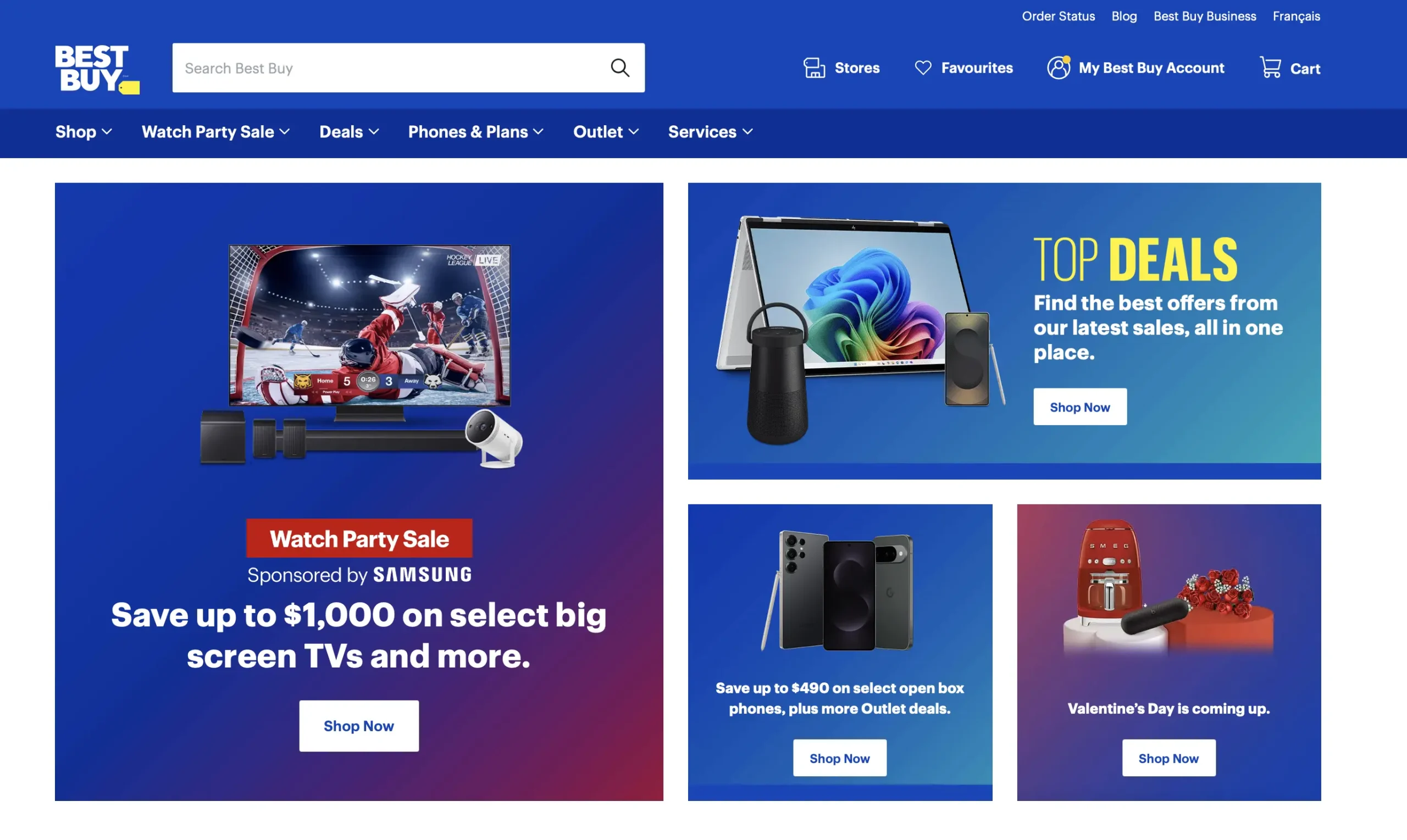
Best Buy Canada is a leading online marketplace for electronics, appliances, and technology products. It allows approved sellers to list branded goods alongside Best Buy’s own catalog.
Key facts:
- Focus on electronics, appliances, and tech accessories
- Canada-only marketplace
- Built on the Mirakl platform
- Strict product content and validation rules
- Supports English and French product data
Because Best Buy targets branded and standardized products, listings must meet detailed content and image requirements. Products without valid identifiers or complete attributes may be rejected during validation.
Costs of selling on Best Buy #
Selling on Best Buy Canada typically includes the following fees:
- Setup fee: CAD 29.99
- Monthly fee: CAD 29.99
- Commission: varies by product category
- Payout schedule: bi-weekly
Fees and commission rates may vary depending on your category and commercial agreement with Best Buy Canada.
Technical & business requirements #
Before starting the integration, make sure the following requirements are met:
- Your Best Buy Canada seller account is approved
- You have access to the Mirakl Seller Hub
- You have a valid Mirakl API key
- Products have valid UPC or EAN codes
- Prices are available in CAD
- Canadian shipping settings are configured
- You have a return address in Canada
ℹ️ French product content is required if you sell in Quebec or other French-speaking regions.
Products that don’t meet Best Buy’s data requirements may fail validation or not appear on the marketplace.
Request seller account & access #
Before you connect Best Buy Canada to M2E Mirakl Connect, you must be approved as a seller.
- Submit your application through the official Best Buy Canada onboarding page. Complete all required fields and provide accurate business details.
- Wait for Best Buy to review your request. The marketplace checks your business information and confirms which categories you can access. Review times can vary.
- Make sure you meet the basic requirements. Best Buy may require a registered Canadian business, listed with the Chambre de Commerce du Canada, a valid Canadian return address, and the ability to manage customer service, inventory, and pricing without delays.

Important: M2E Mirakl Connect can only connect to Best Buy Canada after your seller account is fully approved and API access is available.
Inside M2E Mirakl Connect #
M2E Mirakl Connect integrates Best Buy Canada through the Mirakl API. The connection allows both systems to exchange data automatically.
The integration syncs:
- product content
- offers and prices
- stock levels
- orders and shipment details
How to connect to Best Buy Canada #
You can connect your Adobe Commerce (Magento) store to Best Buy Canada using M2E Mirakl Connect. The setup follows the standard process for Mirakl marketplaces.
Steps to follow:
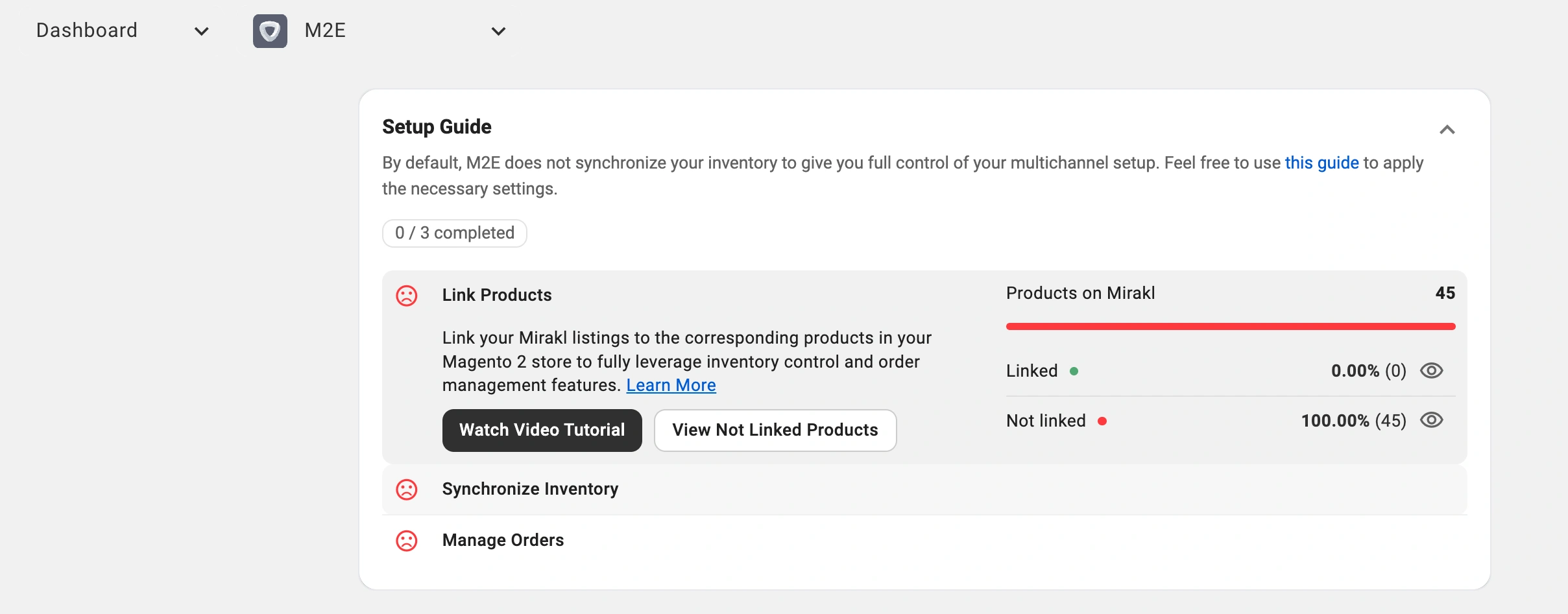
- Install the M2E Mirakl Connect extension and grant permissions.
- Sign in to your M2E account (or create one).
- Add a new marketplace account by entering your Mirakl API URL and API key.
- Link Magento products to Best Buy listings.
- Enable stock synchronization.
- Enable order import so Best Buy orders appear in Magento.
Once connected, your catalog and orders sync automatically.
✅ For step-by-step instructions, refer to the complete M2E Mirakl Connect User Guide.
Day-to-day management #
After setup, most operations run automatically.
You manage your catalog in Magento. M2E sends updates to Best Buy when prices, stock, or product data change. Orders are also automatically imported into Magento.
Product sync setup #
There are two ways to start managing products on Best Buy Canada.
Publish new products (coming soon)
Create new Best Buy listings using your Magento catalog. M2E sends product content and offer data to the marketplace. After Best Buy approves the items, the listings go live. M2E then keeps your price and stock in sync.
Link existing listings
If your products are already listed on Best Buy, connect each Best Buy offer to the right Magento product. This link is required for synchronization. It tells M2E which Magento item controls the Best Buy listing. After linking, M2E automatically updates stock, price, and listing status.
Product management & sync policies #
M2E Mirakl Connect uses policies to control how product data is sent and updated.
A policy can define:
- pricing rules
- stock update settings
- listing status behavior
- order-handling behavior
Policies are reusable templates you can apply across multiple products.
Key benefits:
- Manage large catalogs with less manual work
- Apply bulk changes in a few clicks
- Keep settings consistent across listings
- Use separate policies for different brands or categories
If a policy changes, all assigned products update automatically.
Category management #
Correct categories help your products appear in the right sections on Best Buy. With M2E Mirakl Connect, you can assign, update, and review categories for many listings at once. This keeps your catalog organized and improves visibility on the marketplace.
Order management #
M2E Mirakl Connect handles the entire Best Buy order lifecycle. Once the marketplace is connected, Best Buy orders are imported into Magento and appear as standard store orders.
You can enable automatic order creation in your account settings. When this option is active, Magento orders are generated for every new Best Buy purchase. You can also create orders manually if you prefer more control.
On the Best Buy marketplace side #
Best Buy Canada runs on the Mirakl platform. This means product data, offers, and orders follow Mirakl rules and validation.
Key product attributes #
To list products on Best Buy Canada, the required data must meet the marketplace rules.
Required product data
- UPC or EAN
- product title
- brand
- manufacturer part number (MPN)
- model number (for many electronics)
- main image
- shop SKU
- web hierarchy location
The web hierarchy location defines the category placement on Best Buy’s website. Products without this value may not appear on the marketplace.
Image rules
Use square images that are at least 500 × 500 pixels. Each file must be 10 MB or less. Accepted formats are JPG, PNG, and GIF. Your main image must be on a plain white background.
Language
English is mandatory. French is optional unless you sell in Quebec or another French-speaking market, where French is required.
Variations
Variants are available only in specific Best Buy categories. Setup depends on the category rules and the attributes Best Buy uses, such as size and color.
Pricing, taxes, and discounts #
All offers must follow Best Buy and Mirakl pricing rules.
Pricing
- prices must be submitted in CAD
- price excludes tax
- warranty (parts and labor) field is required
Discounts
Best Buy supports discounts through Mirakl pricing fields.
Depending on your pricing version:
- Pricing v1: base price + discount price with start and end dates
- Pricing v2: strike price (regular) + price (discounted)
Discount price must be lower than the regular price. Dates must be valid and correctly formatted.
Taxes and eco fields
- Supported tax codes – GST, PST, and HST.
- Some products require eco or EPR attributes depending on the category and province.
Inventory & shipping #
Stock levels are synced from Magento to Best Buy for all linked products.
Inventory
- stock updates automatically
- minimum quantity alerts can be configured
Shipping
- lead time to ship defines handling time
- orders must follow Canadian shipping rules
- delivery timelines must match configured lead time
Logistic classes
Logistic classes control how items are shipped on the marketplace. Always use the marketplace codes, not the display names.
- LETTER – flat or envelope items up to 0.5 kg
- SMALL – parcels from 0.5 to 3 kg
- MED – packages from 3 to 15 kg
- LARGE – shipments from 15 to 30 kg
- HEAVY – items over 30 kg
- LTL – freight that requires scheduled delivery
FAQ #
Is French required to sell at Best Buy? #
French content is only needed if you sell in Quebec or other French-speaking regions.
Can I sell refurbished products? #
Refurbished items are allowed but must be properly flagged and meet Best Buy’s content and condition guidelines.
✅ If you have questions about the setup or synchronization, contact the M2E support team.


