
In this tutorial, you will learn how to start selling your Magento Products on Amazon via M2E Pro. You will go through the preliminary set-up requirements and configuration of Amazon integration.
Preliminary requirements #
Before you start, please ensure that:
- You have installed the latest version of M2E Pro. Please read more about Extension installation/upgrade.
- Your Seller account registration is fully completed and approved by Amazon.
✅ No Amazon Seller account yet?
Begin selling on Amazon – special offer for new sellers
If these requirements are met, you may start configuring Amazon integration.
Initial set-up wizard #
The following step-by-step wizard will help you complete the basic settings of Amazon integration.
Step 1. Module Registration #
Provide your contact details. These are the details that will be associated with your M2E Pro License Key. Once you complete the step, please click Continue.

Step 2. Account Onboarding #
Select the Amazon Marketplace you would like to sell your products on. Then, press Continue.

You will be redirected to Amazon Seller Central. Please enter your credentials and click Sign In.
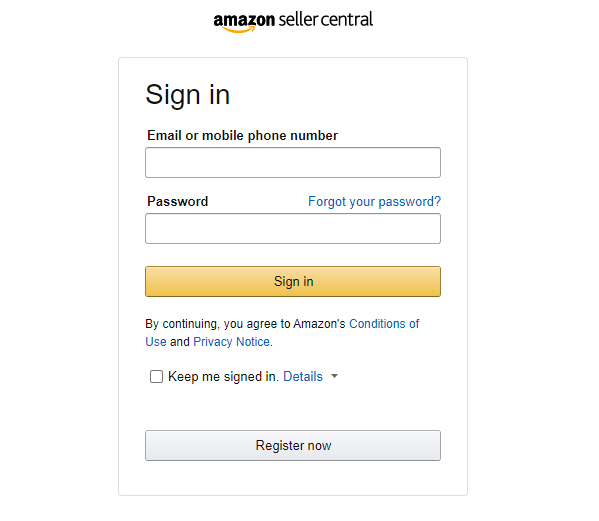
Confirm that you allow M2E Pro to access your Amazon selling account.

Once done, you’ll be redirected back to M2E Pro.

Step 3. General Settings #
Configure basic settings for further management of your Amazon items via M2E Pro. Find the detailed instructions here.
✅ At any time, you can edit general settings under Amazon Integration > Configuration > Settings > General.
Final configurations #
To be listed on Amazon, Magento Products must be added to M2E Pro Listing first. Using M2E Pro Listing, you may organize your products into different groups by certain parameters, e.g. product type, brand, promotion event, etc.
The product group approach allows you to share the same selling and synchronization settings across all products inside the Listing.
To complete the configuration of Amazon integration, you need to:
- set up M2E Pro Listing and assign Selling, Synchronization Policies to the Listing;
- add Magento Products to the Listing;
- assign M2E Pro Policies to the selected Listing Products, e.g. you can set:
- Product Types for a product to create a new ASIN in the Amazon catalog,
- Product Tax Code Policy - to list the product on Amazon Business Europe,
- Shipping Policy - to apply Amazon Shipping Templates to the product.
From this point on, M2E Pro starts managing your products automatically.
💡 Explore More Features
Learn more about all M2E Pro tools and automation options for Amazon sellers:
👉 Full feature list of Magento Amazon integration


