
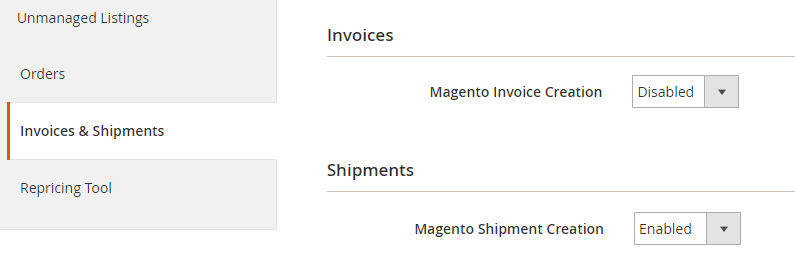
Under the Invoices & Shipments tab (Amazon > Configuration > Accounts > edit Account), you can set M2E Pro to automatically create invoices and shipments in your Magento. To do that, keep Magento Invoice/Shipment Creation options enabled:
Invoice Uploading to Amazon #
In case you are managing orders across Amazon European Marketplaces (UK, DE, IT, FR, ES, NL, BE, PL, SE), M2E Pro allows you to set up automatic invoice uploading.

⚠️ The Invoice Uploading to Amazon feature should be enabled for each Amazon European account in your M2E Pro.
Using the Invoice Uploading to Amazon feature, you will be able to manage invoices, upload them directly to Amazon, create corresponding invoices in Magento, etc.
Let’s take a closer look at the options to help you set up automatic invoicing for Amazon European accounts via M2E Pro:
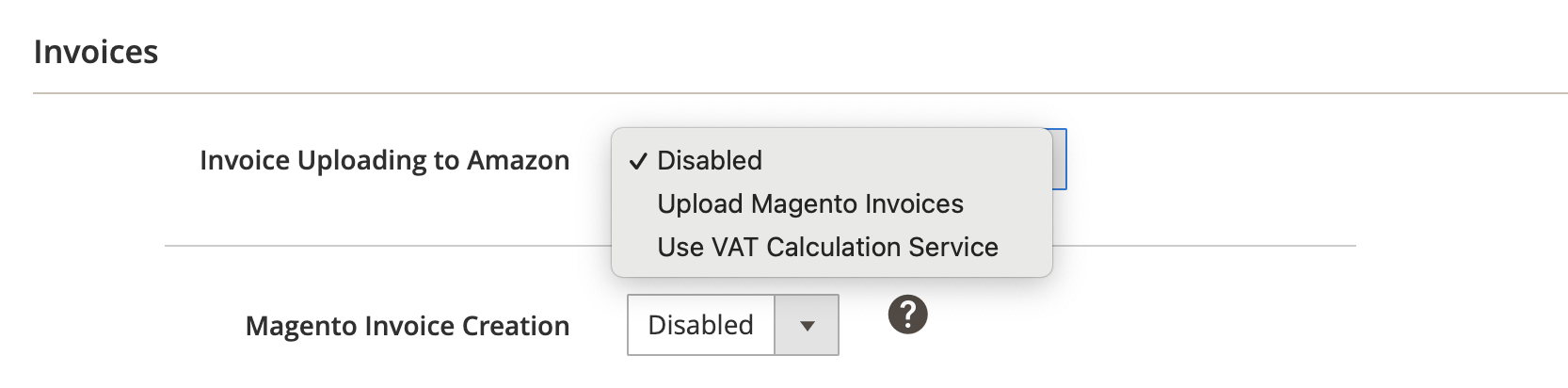
- Disabled - M2E Pro will not automatically upload invoices to Amazon.
- Upload Magento Invoices - Once an Invoice is created for Magento order, it will be automatically uploaded for the corresponding order on Amazon.
⚠️ There is a limitation on the automatic upload of VAT invoices to Amazon – no more than 50 invoices can be uploaded within 10 minutes. The reason for that is Amazon API's throttling limits.
⚠️ Due to the nature of Amazon API operation, M2E Pro is unable to receive and check the results of the Magento invoices upload in a proper way. Please make sure to check for yourself whether your Magento invoices have been uploaded successfully.
If you choose to upload Magento invoices, we recommend keeping the Magento Invoice Creation option enabled to make M2E Pro create Magento Invoices automatically:

💡 Find out extra information on how to manage Magento Invoices for Amazon European accounts here.
- Use VAT Calculation Service - Amazon will calculate the VAT amount based on your VAT calculation settings (in case you have VAT Calculation Service enabled in your Seller Central Account).
VAT Invoice Creation #
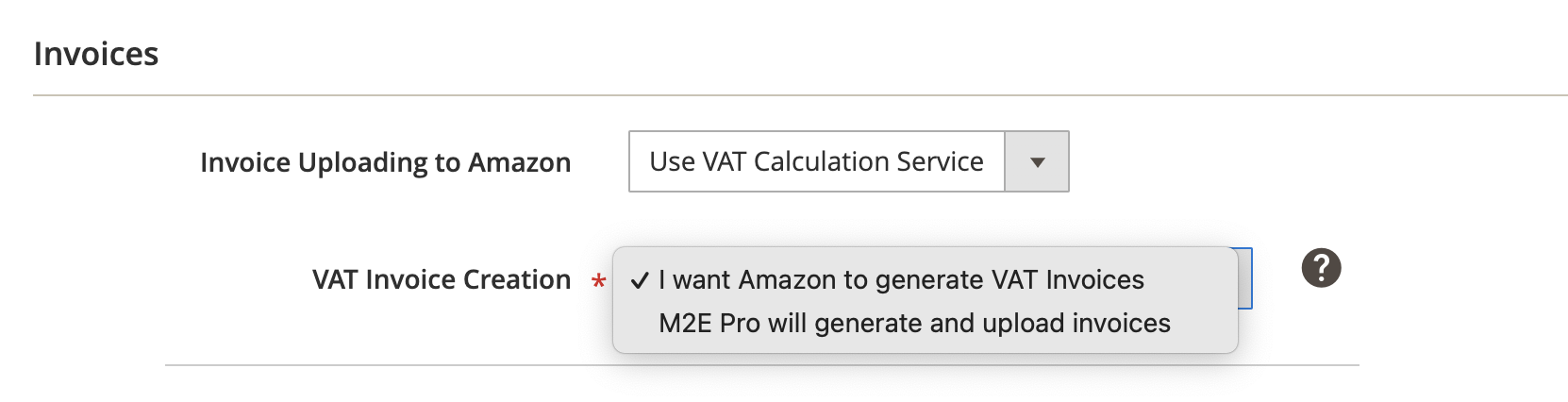
⚠️ The VAT Invoice Creation field will appear only if you set “Invoice Uploading to Amazon” to “Use VAT Calculation Service”.
- I want Amazon to generate VAT Invoices - Amazon will generate VAT invoices directly in your Seller Central.
- M2E Pro will generate and upload invoices - M2E Pro will generate invoices on the basis of VAT calculations taken from the Channel. Once M2E Pro receives the VAT-related data, it will automatically upload the generated invoices to Amazon.
⚠️ There is a limitation on the automatic upload of VAT invoices to Amazon – no more than 50 invoices can be uploaded within 10 minutes. The reason for that is Amazon API's throttling limits.
⚠️ Due to the nature of Amazon API operation, M2E Pro is unable to receive and check the results of VAT invoices upload in a proper way. Please make sure to check for yourself whether your VAT invoices have been uploaded successfully.
ℹ️ Invoices will be sent from ship-to locations with VAT registration numbers that you provided when registering for the VAT calculation service.
In case of order cancellation/refund, Amazon or M2E Pro (depends on the settings) will automatically create and upload Credit Notes to your Seller Central.
Important! Before you select the VAT Invoice Creation option, go to Stores > Configuration > General > General > Store Information first. Make sure that you have filled in the following fields:
- Store Name
- Country
- ZIP/Postal Code
- City
- Street Address
This information is vital for the correct generation of VAT Invoices.
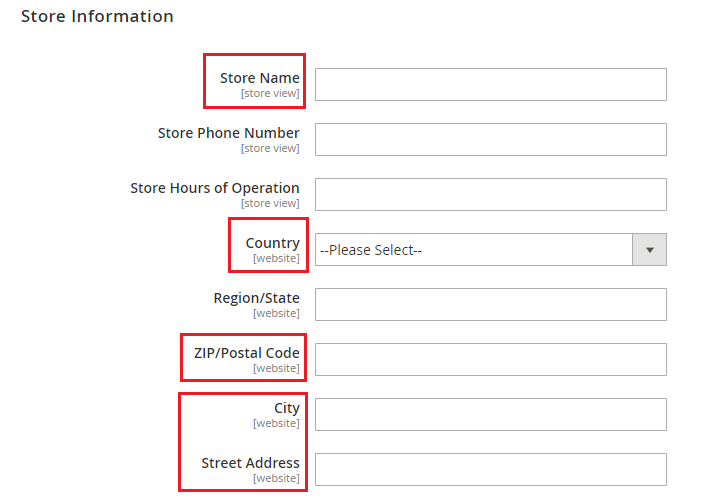
Also, be sure to provide Store information per Magento Store View you use for Magento Order creation. You can review your settings under Amazon > Configuration > Accounts > Account Configuration > Orders:

Find out extra information on how to manage VAT Invoices for Amazon European accounts here.
✅ Read about the typical use cases of setting up automatic invoicing for Amazon European accounts via M2E Pro in this article.
Magento Invoice Creation #
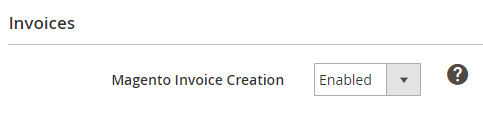
Enable this option to automatically create Magento Invoices when order status is Unshipped/Partially Shipped.
ℹ️ VAT invoices and Magento invoices are not related. If you have both Use VAT Calculation Service and Magento Invoice Creation enabled, VAT invoices will be uploaded automatically to Amazon. Meanwhile, Magento standard invoices will be kept in your Magento.
Magento Shipment Creation #
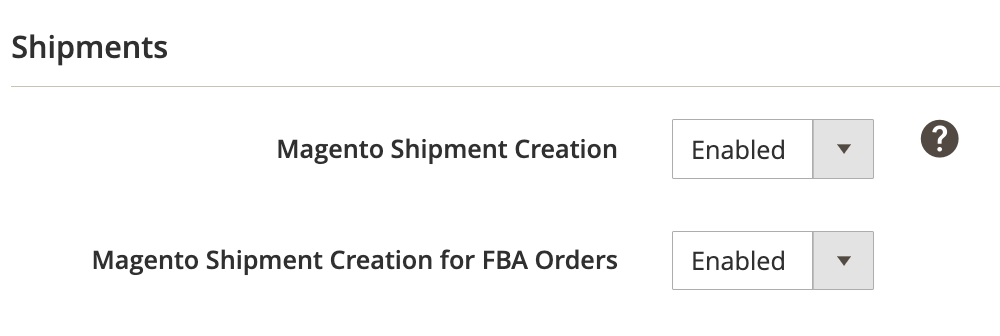
- Magento Shipment Creation - enable this option to automatically create a shipment for the Magento order when the associated order on Channel is shipped.
⚠️ If you manage your shipments directly on Amazon or use a third-party tool, it is recommended to keep this option enabled. This is necessary to synchronize all the relevant order information between Amazon and Magento.
Once M2E Pro receives order status Shipped from Amazon, it will be submitted to the Magento order. Then, a Magento Shipment will be created automatically, without any manual actions required.
- Magento Shipment Creation for FBA Orders - enable this option to automatically create a shipment for the Magento order when the associated Amazon FBA order is shipped.
⚠️ If you do not manage stock for Amazon FBA orders, it is recommended that you disable this option. Otherwise, this may lead to incorrect Magento inventory management, as FBA orders are handled by Amazon and don’t require Shipment creation in Magento.


