
Table of Contents
A Grouped Product consists of Simple Products that are presented as a group united by a certain theme.
M2E Pro lists Magento Grouped Product as a Single Item on the Channel by default. To list the Grouped Product as a Multi-Variational one, configure it under Stores > Configuration > Settings > M2E Pro > Interface&Magento Inventory > Variational Product Settings.

- Product Set - a group of Products will be listed as a Set (Individual Item). Customers can purchase products only as a set. Read this article for details. Or watch this video to see how Product Sets work.
- Variations - a group of Products will be listed as a Variational Item. Customers can purchase each option of Variational Product separately.
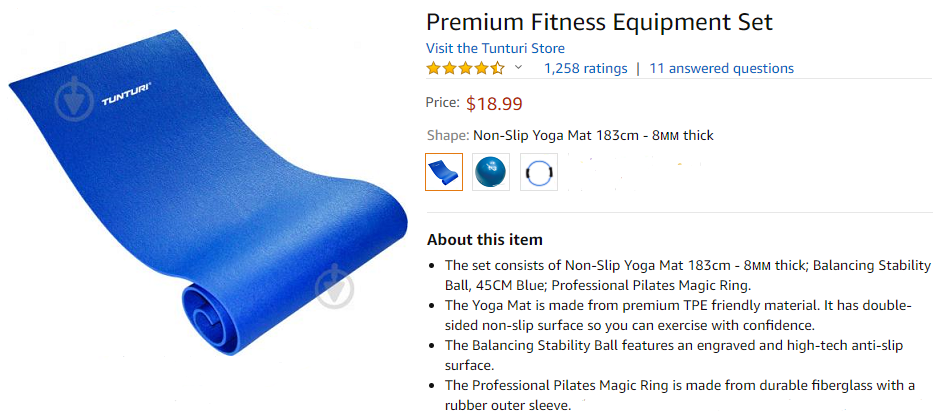
Grouped Product Listed as Variational #
Let’s take a look at the example of a Grouped Product listed as a Multi-Variational one, which is a fitness equipment kit, and see how the Products in a Group are displayed:
- In Magento Inventory settings

- In the list of Magento Products, where ID 2356 is a Parent Product, ID 2355, ID 2354, and ID 2353 are Child Products

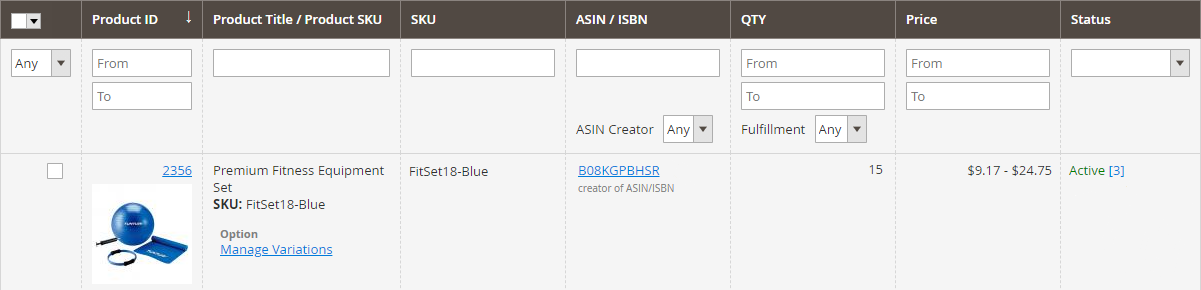
- In the M2E Pro Listing
- on Amazon
Grouped Product Listed as Set #
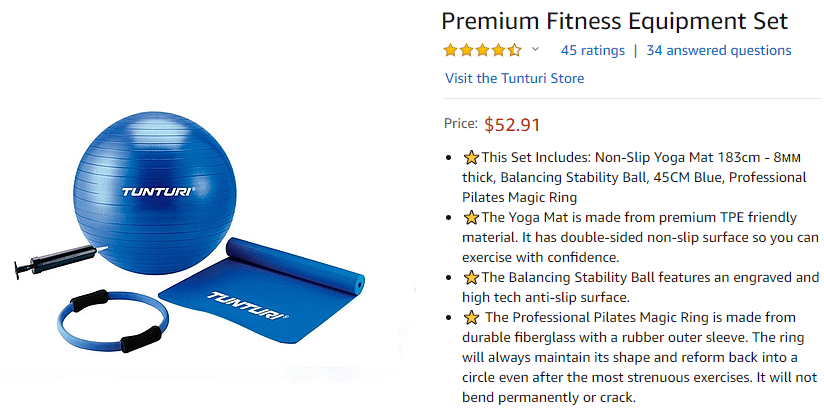
If you choose to list a Grouped Product as a Set, this is how it will look like:
- In the M2E Pro Listing

- on Amazon
Find out how to calculate price and quantity for your Grouped Product in these articles:


