
March opens new doors for sellers using M2E Pro and M2E Connect. You can now break into emerging markets, simplify global listings, and connect with millions of new customers. Here's everything you can take advantage of, starting now.
What’s new in M2E Pro? #
Provide conditions for trading cards on eBay #
If you're selling sports cards, CCG individual cards, or non-sport trading cards, you can now add detailed condition and grading information in M2E Pro.

Using the eBay Description Policy, you can specify the following details about your cards:
- Graded or Ungraded
- Grading service name
- Assigned grade
- Certification number
What’s new in M2E Connect? #
Temu integration launched #
We’re excited to announce that Temu is now fully integrated with M2E Connect!
As the world’s second most-visited e-commerce site, Temu offers massive visibility and a fast-growing customer base for sellers in the US and Europe. M2E Connect makes it easy to start selling on Temu from your Magento store.
With M2E Temu Connect, you can:
- Create Temu listings directly from your Magento catalog
- Synchronize stock levels between Temu and Magento
- Process Temu orders and track fulfillment in one place, and more
We’re offering a 90-day free trial of the M2E Temu Connect extension for all new sellers. Click here to claim your offer.
Install M2E Temu Connect from the Adobe Commerce marketplace and get your products in front of a massive audience.
Sell on TikTok Shop Germany, Italy & France #
We’re thrilled to announce that TikTok Shop has expanded to three new marketplaces in Europe: Germany, Italy & France. If you’ve been searching for new ways to grow your business, these markets are full of potential.

Upgrade your M2E Connect version to start selling on new TikTok Shop marketplaces. Be among the first to launch your products and get ahead of the competition!
Create global product listings on TikTok Shop #
M2E Connect now supports Global Products, which means that you can sell the same item in multiple TikTok Shop markets without extra setup. Create a listing on one marketplace and easily duplicate it to another one using this new feature.

Go to Listings > Items and select an existing TikTok Shop listing. Pick the items you want to list in a new market. Then, use the Sell on Another Market mass action to automatically duplicate and adapt your listing.
List Gift With Purchase products on TikTok Shop #
Need to include samples or promotional gifts in your orders? Now you can list non-sellable products as Gifts with Purchase on TikTok Shop using M2E Connect. These products won’t appear in TikTok Shop searches or recommendations, and their price will be shown as $0.
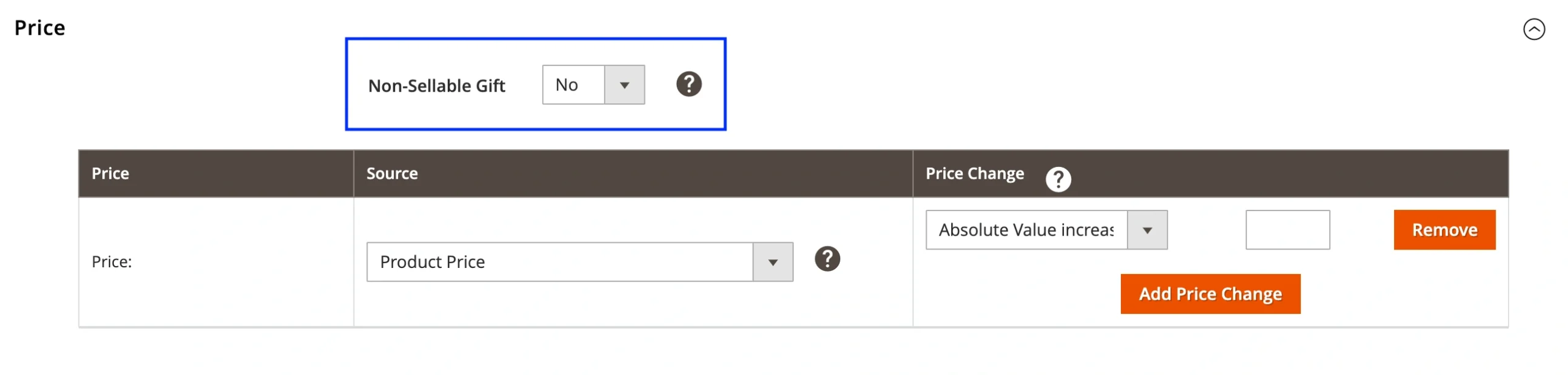
Just go to Configuration > Policies, edit your Selling Policy, and enable the Non-Sellable Gift option. M2E Connect also notifies you in the order details if a gift or sample is included, so you won’t miss it during fulfillment.
Upload multiple certificates for TikTok Shop GPSR compliance #
Staying compliant with the General Product Safety Regulation (GPSR) just got easier. You can now upload more than one product certificate when listing on TikTok Shop.
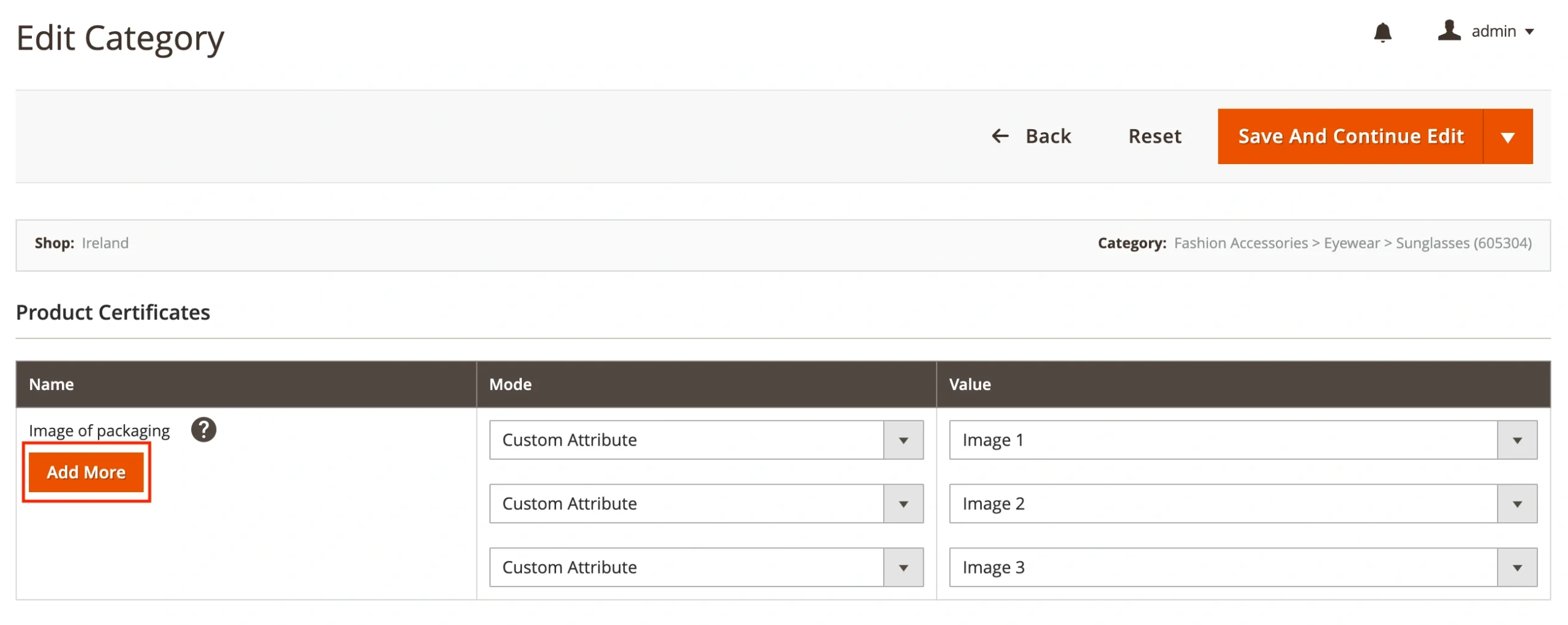
For products that require several labeling and safety certifications, you can add them under the Product Certificates section in TikTok Shop category settings.
Connect your products to existing listings on OnBuy #
We’ve made it easier to sell on OnBuy! You can now list your Magento products on the marketplace by linking them to existing items in the OnBuy catalog. It’s a quick way to get started without needing to create new listings from scratch.
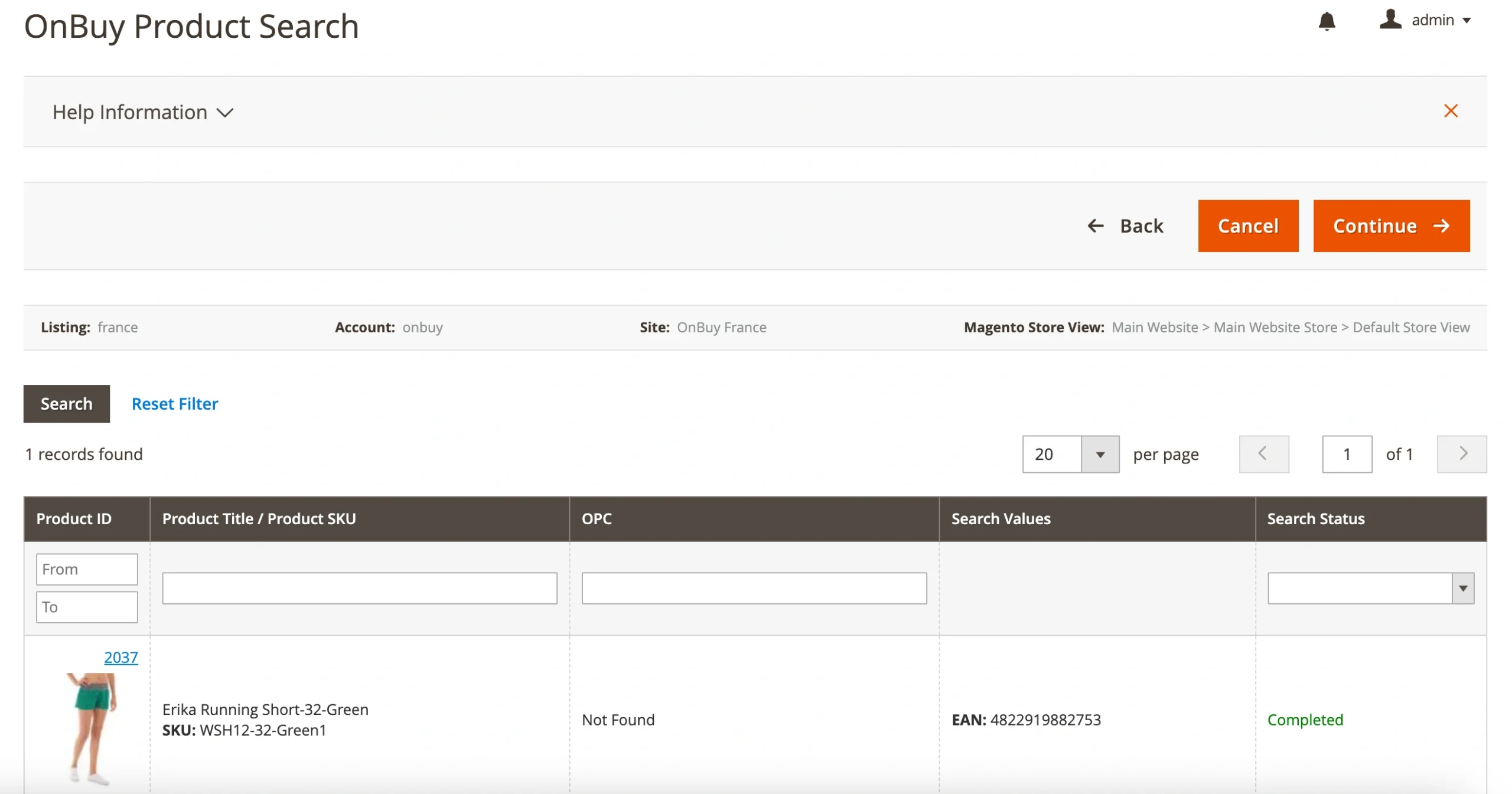
With over 5 million monthly shoppers, OnBuy gives your products a strong new channel. Besides, adding new products to the OnBuy catalog will be available soon in M2E Connect.
Fulfill Kaufland orders with Amazon MCF #
We’ve added support for Amazon Multi-Channel Fulfillment (MCF) on Kaufland! Using the M2E Amazon MCF extension, you can now automatically fulfill your Kaufland orders using Amazon’s trusted logistics network, providing fast and reliable delivery for your customers.

To enable the Kaufland order fulfillment, go to Configuration > Settings > Channels in the M2E Amazon MCF extension.
Remember to upgrade to the latest M2E Pro or M2E Connect versions to access these new features. If you have any questions or feedback, please don’t hesitate to reach out to our support team.
Stay tuned for more updates and enhancements in the future!


