
If an eBay item is out of stock or you no longer wish to sell it, you can easily cancel the listing either through M2E Pro or directly on eBay. This guide will walk you through both methods step-by-step.
How to cancel an eBay listing in M2E Pro #
If you’re selling on eBay through M2E Pro for Adobe Commerce (Magento), follow these steps to cancel your listings directly from the extension:
1) Go to eBay > Listings > Items in M2E Pro.
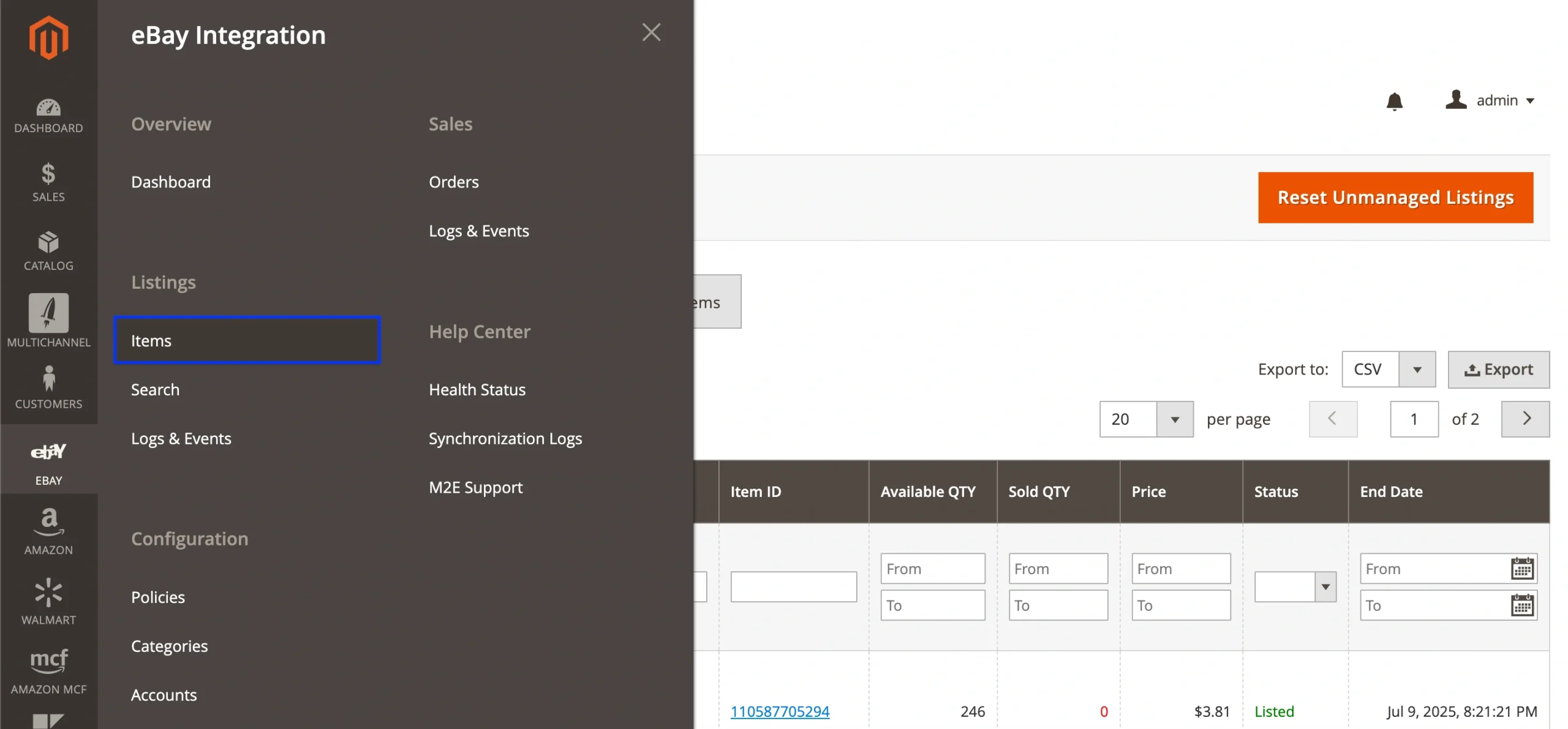
2) Open the M2E Pro Listing containing the eBay items you want to cancel.

3) Select the desired item(s) by ticking their checkboxes.
4) Choose one of the following bulk actions:
- Stop Item(s) on eBay – Ends the items on eBay but keeps them in your M2E Pro Listing (status will change to Inactive).
- Stop on eBay / Remove from Listing – Ends the eBay items and removes them from your M2E Pro Listing entirely.

You can also configure automatic Stop Rules in M2E Pro, so listings are ended based on conditions like zero quantity or specific attribute values.
⚠️ Once a listing is ended, the sales history will be lost. If you relist the item later, it will receive a new eBay Item ID.
How to cancel a listing on eBay #
You can end your fixed-price listing anytime before the item is sold:
1) Log in to Seller Hub or My eBay.
2) Navigate to the Active Listings section.
3) Locate the item(s) you want to cancel.
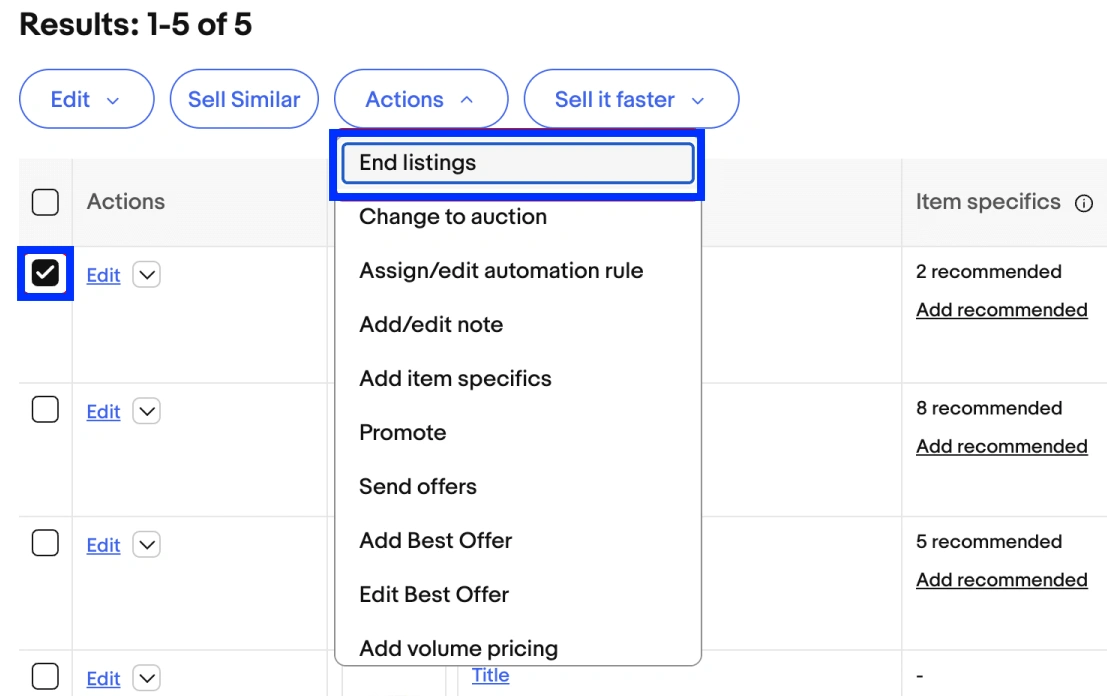
4) Click the dropdown menu next to the item and select “End listing” or “End item”.
For auction-style listings, you can only cancel them under certain conditions:
- If no bids have been placed, or more than 12 hours remain before the auction ends, you can cancel the listing.
- If there are bids and less than 12 hours remain, you can only cancel the listing by choosing to sell to the current highest bidder.
How to cancel multiple listings at once
1) Check the boxes next to the listings you want to end.
2) Click Actions > End.
ℹ️ eBay advises against canceling listings unless absolutely necessary. Instead, consider updating your listing by changing the title, price, or description rather than ending it.
Valid reasons to end a listing early include:
- The item is lost, damaged, or no longer available.
- There was an error in the listing (for example, an incorrect starting price).
When ending a listing, eBay may prompt you to select a reason.
⚠️ If products are included in your M2E Pro Listings, we recommend stopping them through M2E Pro, rather than on eBay.
Ending listings on eBay is more appropriate for items not managed by M2E Pro – meaning they don’t exist in your M2E Pro Listings.


