
ℹ️ What’s new
In this version, we present functionality for efficiently managing buyer-initiated cancellations and refunds of TikTok Shop orders.
✅ You can upgrade to version 1.8.0 through the Adobe Commerce (Magento) marketplace.
Manage buyer-initiated order cancellations and refunds #
This version improves how you manage TikTok Shop order cancellation or return/refund requests from buyers. Now, M2E Connect ensures you never miss such requests and gives you control over handling them.
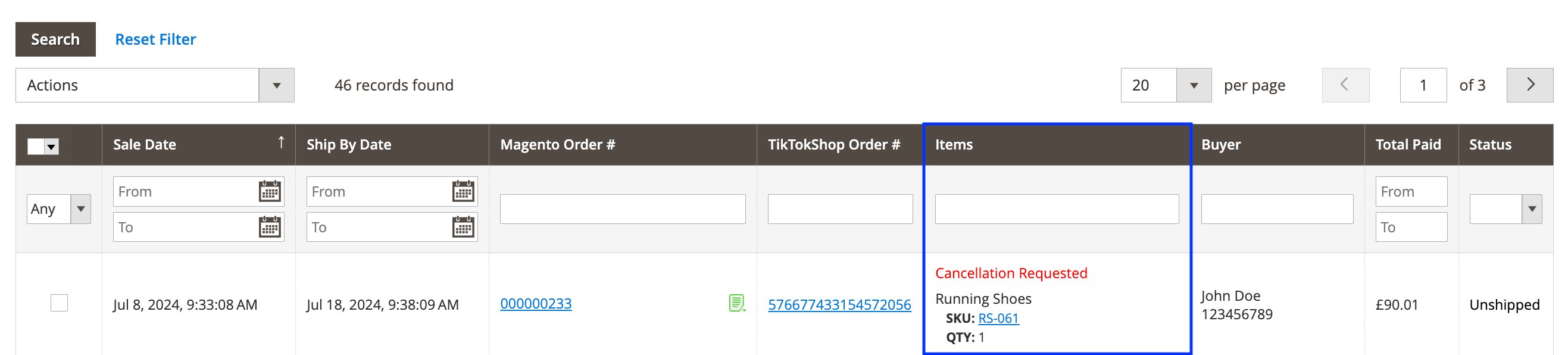
Once a buyer submits a request to cancel an order, the extension will display it in the TikTok Shop Orders grid in the ‘Items’ column, as well as a log within the TTS order and in Magento order notes.
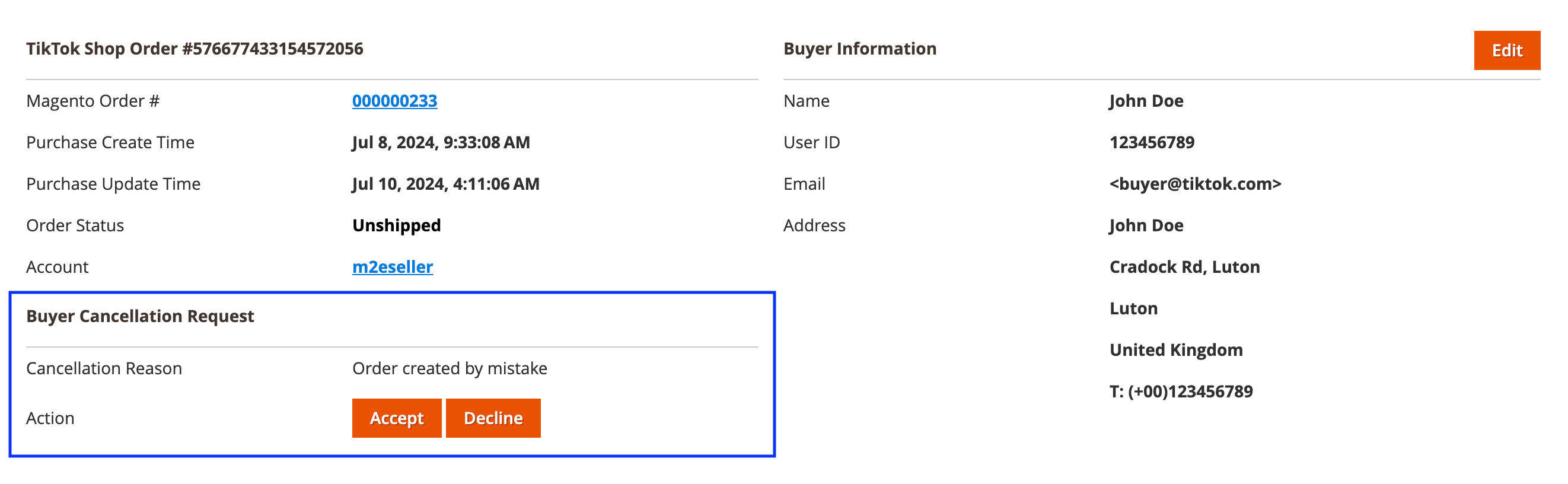
On the Order Details page, you can ‘Accept’ or ‘Decline’ the buyer’s cancellation request.
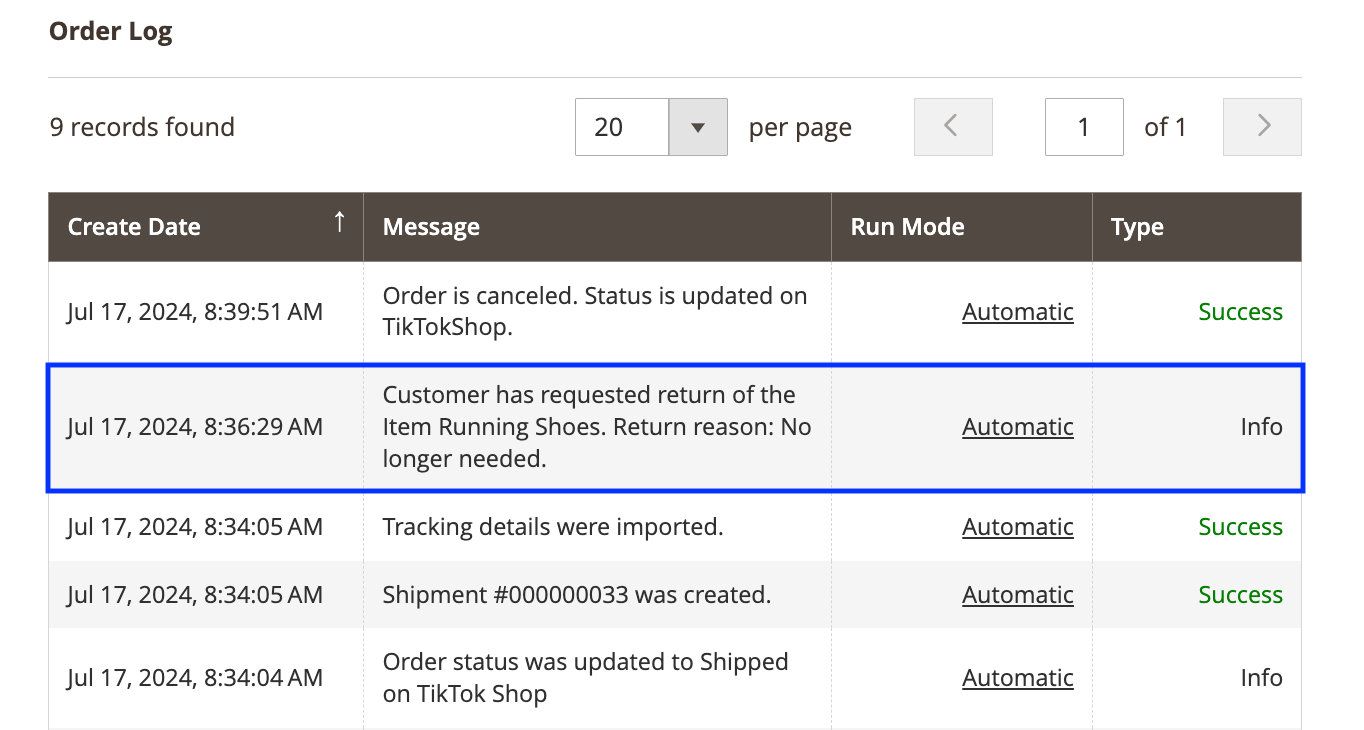
If a buyer requests an order refund or return, M2E Connect will display this information in the Order Log section on the Order Details page and Magento order notes:
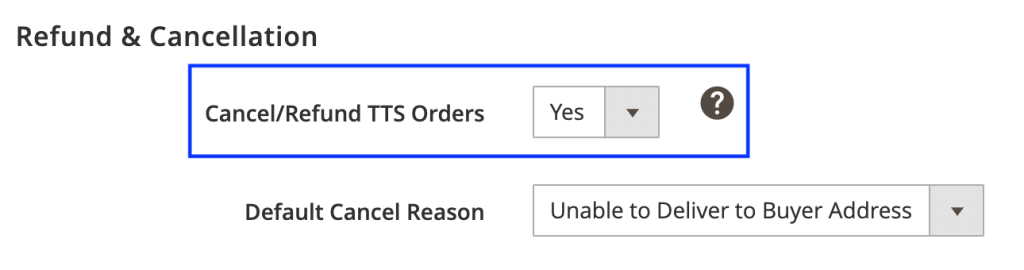
If you have the Cancel/Refund TTS Orders option enabled, the order status will automatically update in TikTok Shop once a Credit Memo is created in Magento.
Technical changelog #
- [Added] Magento Product Type filter for TikTok Shop Items [#5964]
- [Added] Manage buyer-initiated order cancellations [#6021]
- [Added] Manage buyer-initiated order returns/refunds [#6020]
- [Fixed] Products with the ‘Deleted’ status are imported to Unmanaged Items [#5748]
- [Fixed] Notice: Array to string conversion in …/TikTokShop/Listing/View/Settings/Grid.php on line 279 in Settings View Mode [#5561]
- [Fixed] Exception “Column not found: 1054 Unknown column in 'where clause'” when searching by Unmanaged Product ID [#6073]
- [Improved] Display error messages when products can’t be listed due to issues with TTS settings [#5920]
- [Improved] Listing and updating TTS items with only the default QTY source in Magento [#5899]
- [Improved] Logic of displaying the message “Brand was assigned to the Product on TikTok Shop” [#5776]
- [Improved] Skip and Back buttons in listing wizard [#6012]
- [Removed] Synchronization tab from Configuration > Settings [#5991]


