
Once the Walmart order is imported to M2E Pro, the corresponding Magento Order can be created based on the configured Account Settings.
The way tax is calculated for the Magento Order depends on the selected Tax Source and Magento Tax Settings.
See the examples below to find out the logic of tax calculation with different settings in Magento and M2E Pro.
Example 1. Tax Source is set to None #
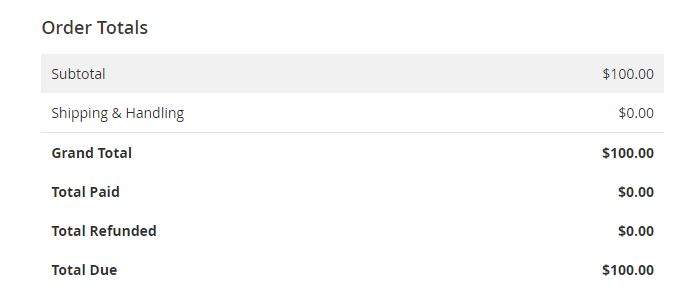
If the Tax source is set to None, both Walmart and Magento Tax settings will be ignored. As shown in the screenshot, the Magento Order will contain no tax amount.
Magento Order Totals
Example 2. Tax Source is set to Walmart #
When you select Walmart as a Tax Source, the tax in the Magento Order will be calculated according to Walmart's tax settings.
⚠️ Via the M2E Pro Selling Policy, you can specify a VAT rate value that will be added to the price when a Product is listed on Walmart. An item price will be increased by the specified VAT Rate value.
Still, no actual VAT rate will be submitted to Walmart.
- Tax is included in the item's final price
Let's see how the calculation works when you apply 20% tax to the Walmart item with no change to its final price.
This way, the Magento Product of $100 will be listed on Walmart at the same price. It already contains a 20% tax amount.
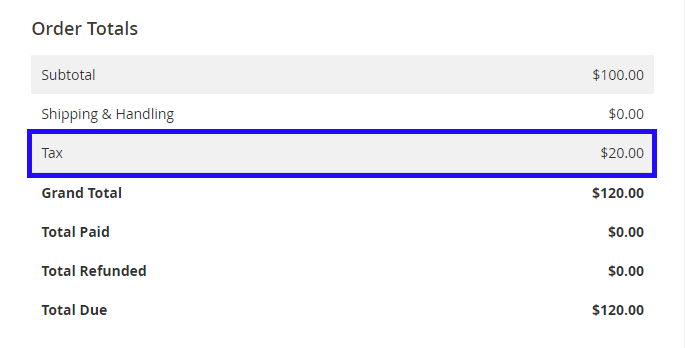
When the Walmart order with a 20% tax is imported to M2E Pro, the Magento Order with the 20% tax amount will be created.
Walmart Order Totals

Magento Order Totals
✅ Sometimes the order currency can differ from the Magento base one. In this case, Magento converts the order price to the base currency and calculates tax. Then both price and tax are converted back into the order currency. You can find them in brackets in the Order Totals.
You can configure the currency settings under Magento *Stores > Settings > Configuration > General > Currency Setup > Currency Options.*
- Tax is excluded from the item's final price
Now, let’s find out how tax is calculated when 20% tax is excluded from the Walmart item’s final price.
In this case, the Magento Product of $100 will be listed on Walmart with a price of $120.
Both Walmart and Magento orders will have a 20% tax amount.
Walmart Order Totals

Magento Order Totals
Example 3. Tax Source is set to Magento #
If you set Magento as a Tax Source, any tax value returned from Walmart will be ignored. Magento will use Tax Rules for tax calculation.
⚠️ If there is no appropriate Tax Rule set under Stores > Taxes > Tax Rules, the Magento Order will be created with the 0% tax.
Let’s configure the Tax Rule for Retail Customer Group, Taxable Goods Product Tax Class, and +20% for Florida Tax Zone/Rate.
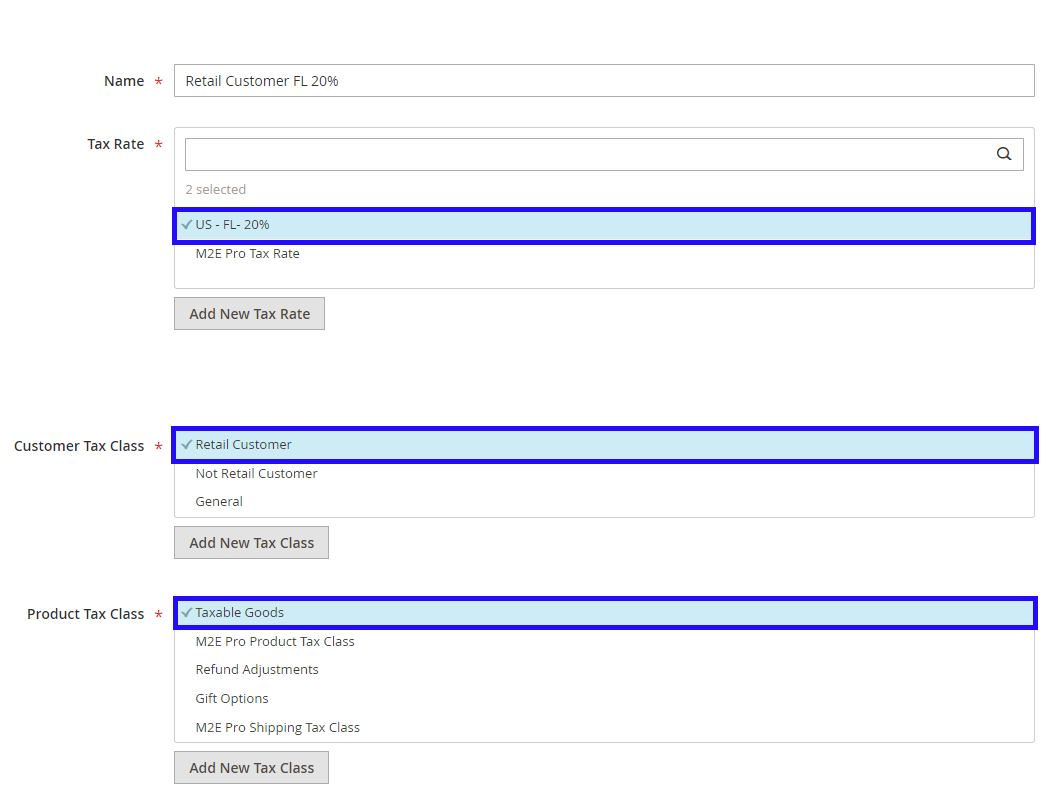
It means that the 20% tax will be applied to the Magento Order with items related to Taxable Goods purchased by the Retail Customer from Florida.
✅ The proper tax amount will be applied to the Magento Order only in case the order details match all conditions provided in the Tax Rule.
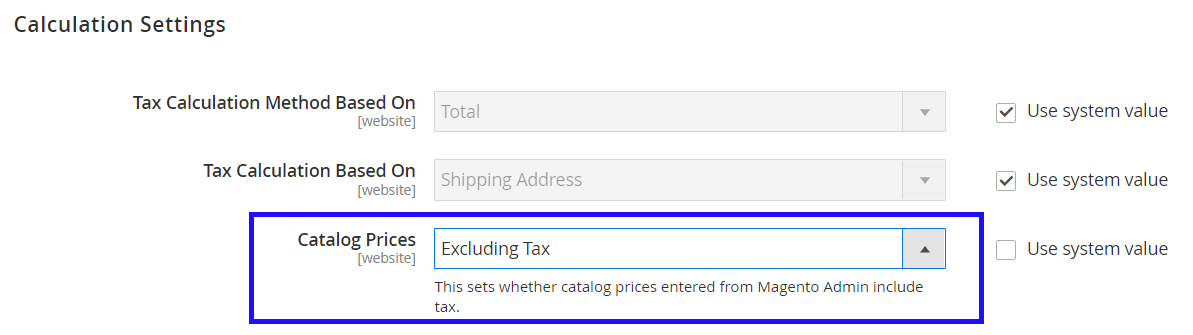
The way tax is displayed in the Magento Order depends on your Calculation Settings. Configure them under Stores > Settings > Configuration > Sales > Tax.
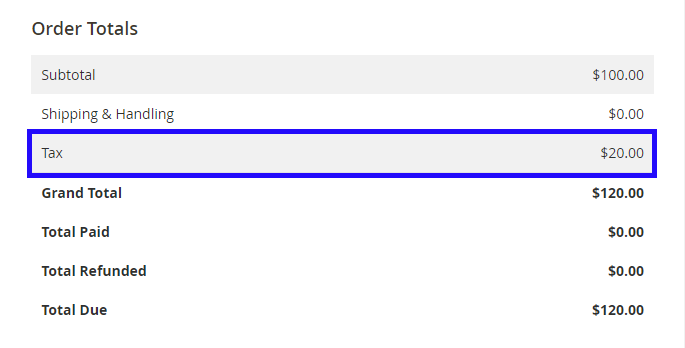
- If the Catalog Prices are set to Excluding Tax, the tax amount will be added on top of the Magento Product price.
So, based on the Tax Rule above, the Magento Product of $100 will be listed on Walmart at an equal price.
The imported Walmart order will contain no tax. The Magento Order will include 20% of the tax amount.
Walmart Order Totals

Magento Order Totals
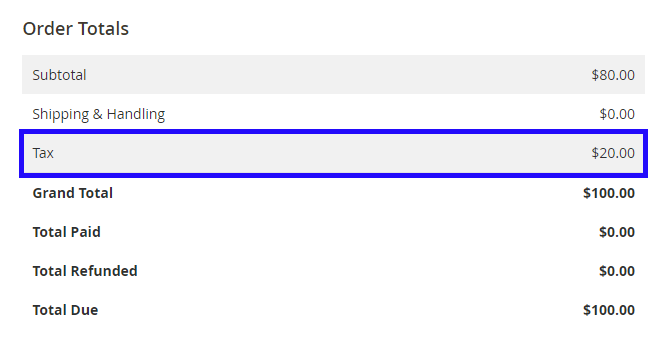
- If the Catalog Prices are set to Including Tax, the tax will be calculated into the final Magento Product price.

According to the mentioned Tax Rule, the Magento Product of $100 will be listed on Walmart with a price of $100.
The Walmart order will be imported with 0% tax. The Magento Order will have a 20% tax amount.
Walmart Order Totals
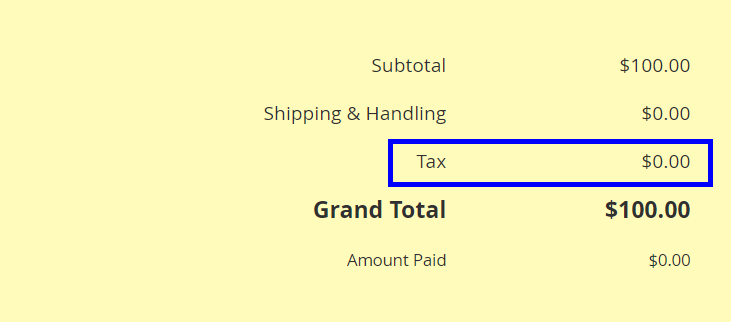
Magento Order Totals
Summary #
Magento tax calculation for Walmart orders depends on the selected Tax Source and your Magento Tax Settings. Whether tax is generated by Walmart, Magento, or is disabled entirely, M2E Pro ensures that order data is accurately reflected in your Magento store. By using M2E Pro to integrate Walmart with Adobe Commerce (Magento), you can streamline tax management, stay compliant, and maintain full control over how tax is applied to your sales.


