
ℹ️ What’s new
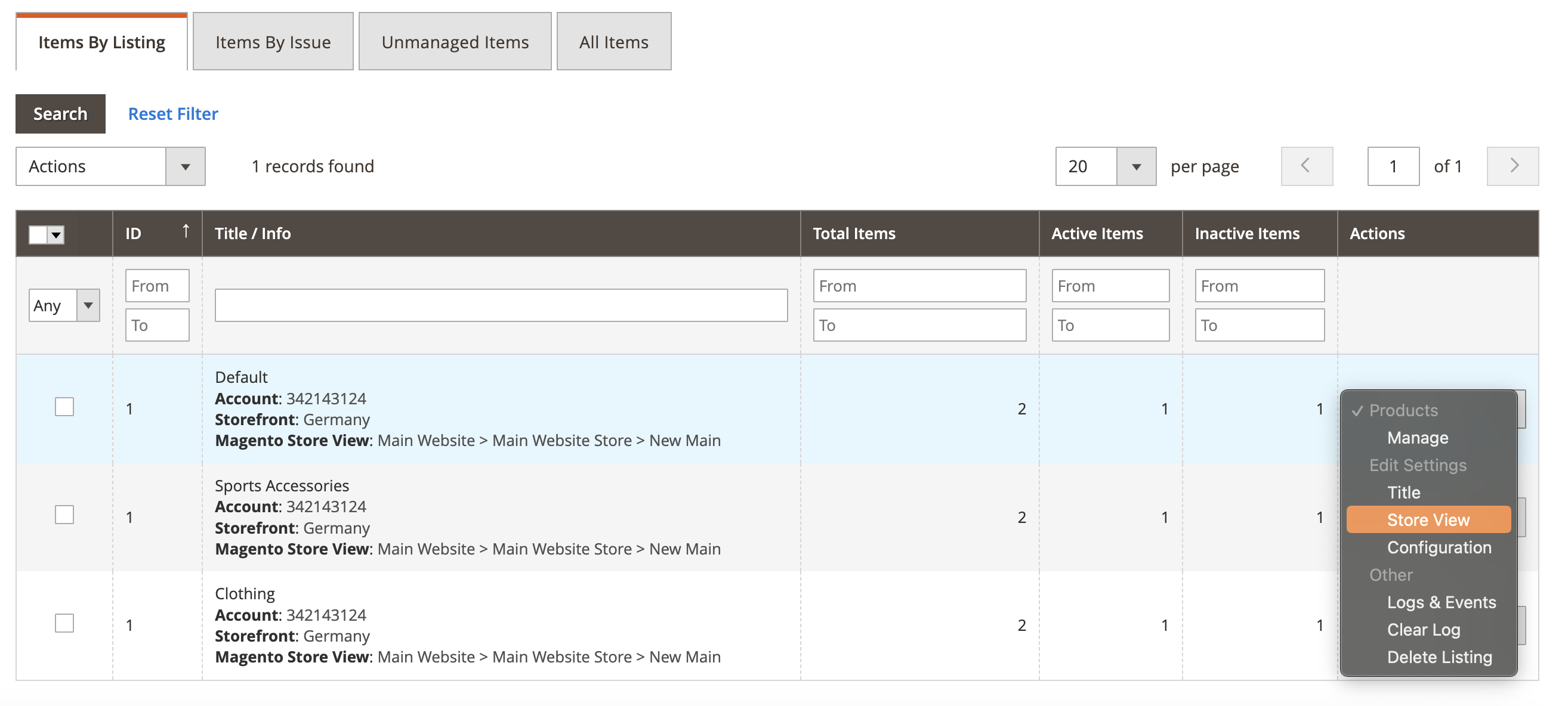
In this version, we’ve added the ability to change Magento Store View in your M2E Kaufland Listings.
We’ve also released some improvements to keep the extension efficient. Find the technical changelog below.
✅ You can upgrade to version 1.7.0 through the Adobe Commerce (Magento) marketplace.
Change Magento Store View in M2E Kaufland Listings #
To update the Store View, navigate to Listings > Items > Items by Listing. Open the mass actions menu next to the needed Listing and click Edit Settings > Store View. Then save the changes.
Now you can easily switch the Magento Store View for your products in M2E Kaufland Listings. This way, you won’t need to create multiple Listings for each account and configure multiple rules for product management.
⚠️ Switching the Store View may initiate an update on Kaufland products.
When you switch a Store View for the Listing, an automatic update of product parameters may be triggered. If product values in the new Store View are different from the current ones (e.g., price, description), these changes will be synchronized to Kaufland based on the rules set in the Synchronization Policy.
Technical changelog #
- [Added] Category configuration step when moving products from Unmanaged Listings [#6237]
- [Added] Revise of product description and category data for Kaufland units [#6323]
- [Improved] Change Magento Store View in M2E Kaufland Listings [#6363]
- [Improved] Inactive/Blocked product status replaced with Incomplete [#6333]
- [Improved] Kaufland Accounts grid [#6355]
- [Improved] Removing Kaufland products [#6428]
- [Improved] Setting Shipping Groups in Shipping Policy [#6457]
- [Fixed] Adding duplicate Kaufland accounts [#6354]
- [Fixed] Shipping info is imported into Magento Shipments multiple times [#6425]


