
ℹ️ What’s new
In this version, we introduce the ability to list your Magento products on Kaufland by linking them to existing products.
✅ You can upgrade to version 1.1.0 through the Adobe Commerce (Magento) marketplace.
Create units for the existing products on Kaufland #
This version enables you to upload your Magento products to Kaufland by connecting them with existing Kaufland products.
Before you begin listing products, navigate to Kaufland > Configuration > Settings. Select the Magento Attribute where the valid EAN (European Article Number) is stored. This step is crucial as Kaufland uses the EAN information to match your product with the correct item in its catalog.
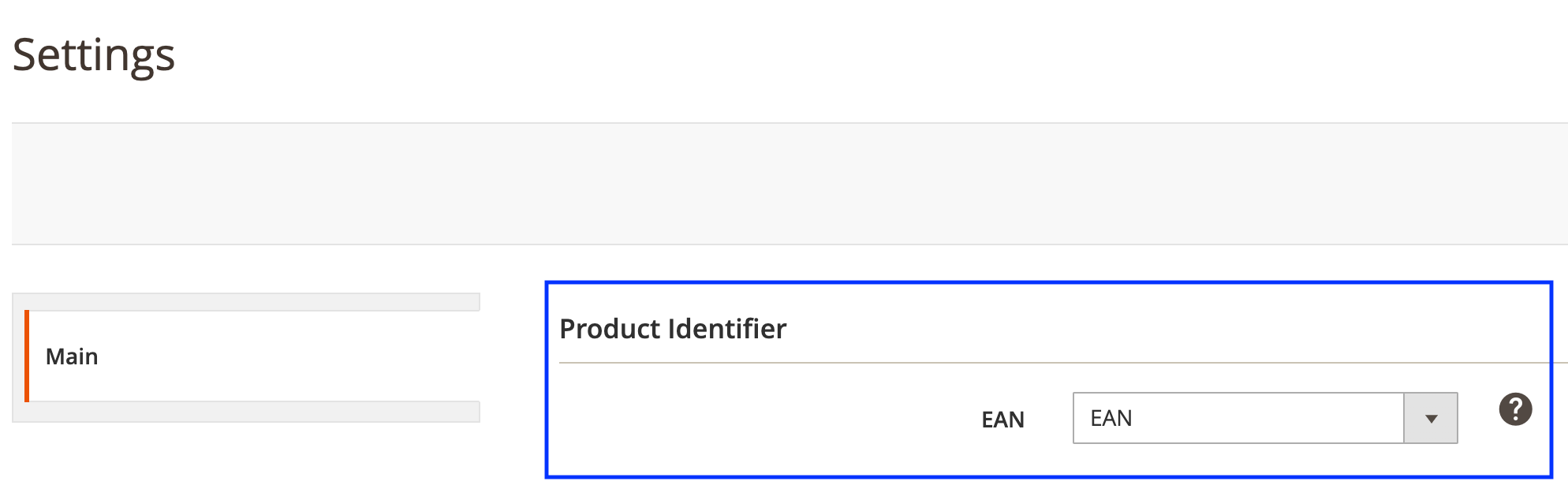
After that, create your M2E Kaufland Listing and add your Magento Products to it. The extension automatically searches for a matching existing product on Kaufland. Your product will be listed under the existing page when a match is found.
Technical changelog #
- [Added] Create units for the existing products on Kaufland [#5652]
- [Added] Filter Unmanaged Items by Kaufland storefront [#5753]
- [Fixed] Automatic linking of Kaufland and Magento products [#5763]
- [Fixed] Contact Us page UI improvements [#5729]


