
Main #
SKU settings #
You can select an appropriate source of SKU value for your Walmart Items.

If the Item SKU already exists in your Walmart inventory, you can enable the SKU modification option.
Please select a way of SKU modification:
- Prefix - specified value will be added at the beginning of the initial SKU value.
- Postfix -specified value will be added at the end of the initial SKU value.
Template - A new SKU value will be generated based on the pattern entered. For example, if the initial product SKU is 123 and your modification template is %value%-567, Walmart Item SKU will be 123-567.
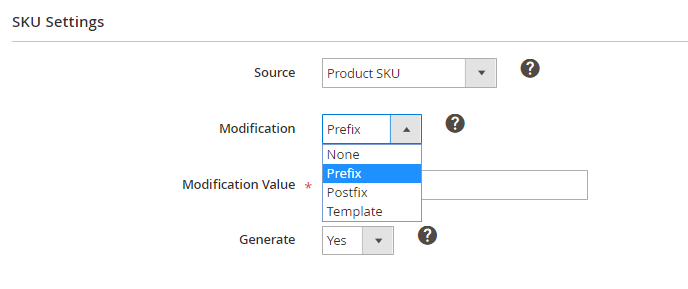
M2E Pro can generate a random SKU value for your Channel Item if you enable the Generate option.

ℹ️ According to Walmart documentation, the some special characters in the SKU aren`t accepted and should be encoded in %20. For example, ':', '/', '?', '#', '[', ']', '@', '!', '$', '&', "'", '(', ')', '*', '+', ',', ';', '=', ‘ ’, '{', '}', '%' and space.
Product Identifiers #
Specify the Product Identifier (UPC, EAN, GTIN, ISBN) you want to assign to the products or use the Product ID Override option.
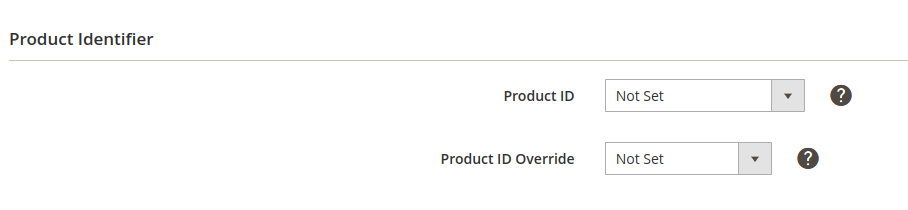
Product ID override #
In case your products do not have Product Identifiers (e.g., hand-made products), you can use Product ID exemption.
- None – all products will be listed with the standard Product IDs.
- All products – Product ID exemption will be applied to all products.
- Specific products – Product ID exemption will be applied to products that have a value “CUSTOM” in the Product ID attribute.
⚠️ Before you set Product ID exemption in M2E Pro, you must apply for it on Walmart first.
Advanced #
Select how to upload images to Walmart:

- Original – images will be uploaded based on the Magento settings.
- Replace with HTTP – images will be uploaded using HTTP protocol.
- Replace with HTTPS – images will be uploaded using HTTPS protocol.
Synchronization #
Specify the value Yes/No to enable/disable M2E Pro Listings Synchronization.

ℹ️ If catalog updates in your Magento are performed using import/export tools, custom scripts, or direct changes in the database, then check the article on how to use Programmatic Possibilities and Magmi Plugin or Track Direct Database Changes functionality to detect changes in products' price and quantity.
You can also enable an enhanced Product QTY and Price tracker.
Attribute Mapping #
In this section, you can set default mappings between your Magento variation attribute options and the valid variation options on Walmart. For example, if your product has a variation attribute like "Color," you can ensure that the specific variation options (e.g., "black," "white," "yellow," "blue") in Magento are accurately matched to the corresponding options on Walmart.

⚠️ Attribute Mapping settings apply only when adding new products to the Listing.
⚠️ Please click Save Config after any changes are made.
✅ The rest of the settings are global for all Integrations. Learn how to properly configure them in this article.


